


Sonic Colors vs Sound Shapes
Side-by-side comparison of features, pricing, ratings, and alternatives.
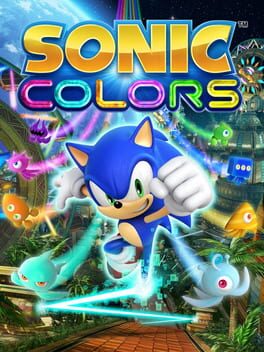
Sonic Colors is a platforming adventure starring Sonic the Hedgehog as he battles Dr. Eggman in an intergalactic amusement park. The game blends 3D third‑person runs with side‑scrolling sections and introduces Wisps, alien power‑ups that grant new abilities. Released worldwide for Wii and Nintendo DS in November 2010, the title offers both single‑player and multiplayer modes, appealing to younger gamers and families with its colorful visuals and accessible difficulty.
Sound Shapes blends classic 2D platforming with a music creation engine, letting every jump, slide and bounce add to the soundtrack. The campaign features artwork from Pixeljam, Capy, Superbrothers and more, with tracks by I Am Robot and Proud, Jim Guthrie and Deadmau5. Beyond the story, players can build their own musical levels using all campaign assets, then publish them for the community to explore. The result is a living, ever‑changing musical world that can be enjoyed at home or on the go.
- Vibrant, eye‑catching visuals
- Innovative Wisp power‑up system
- Blend of 3D and side‑scrolling gameplay
- Family‑friendly difficulty curve
- Innovative blend of music creation and platforming.
- High‑quality soundtrack from well‑known electronic artists.
- Robust level editor with easy sharing.
- Visually distinct levels with diverse artistic styles.
- Limited platform availability (Wii/DS only)
- Some level designs feel repetitive
- Multiplayer options are basic
- Limited to single‑player experience.
- No native multiplayer or co‑op modes.
- Level editor can be intimidating for beginners.
More alternatives & similar tools
Alternatives to Sonic Colors
View all →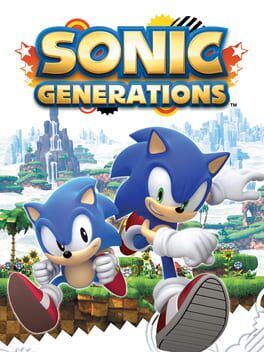


Alternatives to Sound Shapes
View all →No alternatives listed yet. Browse similar tools →
The Verdict
AI-generated from listing dataSonic Colors offers a family‑friendly, colorful platformer with both 3D and side‑scrolling play on Wii/DS, while Sound Shapes delivers a higher‑rated, music‑driven single‑player platform experience on PlayStation consoles.
Key differences
- •Platform support: Sonic Colors runs on Wii and DS; Sound Shapes runs on PS3 and PS4.
- •Core focus: Sonic Colors emphasizes fast platforming and Wisp power‑ups; Sound Shapes blends platforming with music creation.
- •Multiplayer: Sonic Colors includes multiplayer mini‑games; Sound Shapes is single‑player only.
- •Critical reception: Sound Shapes has a higher critic score (87) than Sonic Colors (75).
- •Audience: Sonic Colors targets kids/families; Sound Shapes targets music lovers and platforming fans.
Gameplay & fun factor
Sonic Colors combines 3D and side‑scrolling action with family‑friendly difficulty, appealing to a broader age range.
Platform availability
Sound Shapes runs on both PS3 and PS4, offering more recent hardware support than Sonic Colors' Wii/DS only.
Price & value
Sonic Colors lists an MSRP of $59.99; Sound Shapes has no listed price, so Sonic Colors provides a known cost‑to‑value ratio.
Multiplayer / co‑op
Sonic Colors includes multiplayer mini‑games; Sound Shapes is single‑player only.
Content & replayability
Sound Shapes' level editor and online sharing extend replay value beyond its single‑player campaign.
Difficulty & accessibility
Sonic Colors is designed with easy controls for younger players, rated PEGI 3/ESRB E.
Graphics & performance
Sound Shapes runs on newer PlayStation hardware, likely offering higher visual fidelity than Wii/DS titles.
Choose Sonic Colors if…
Families with kids who want a colorful, easy‑to‑play platformer with multiplayer fun.
Choose Sound Shapes if…
Players who prioritize music creation, higher critical acclaim, and PlayStation hardware.
Common questions
Which game is cheaper?
Sonic Colors has a listed MSRP of $59.99; Sound Shapes' price is not specified.
Can I play with friends?
Sonic Colors includes multiplayer mini‑games; Sound Shapes is single‑player only.
Do either games let me create my own levels?
Sound Shapes offers a built‑in level editor with online sharing; Sonic Colors does not provide a level editor.