Discover, compare, and save the best pc components alternatives.
AMD Ryzen AI 9 HX 370, Western Digital Black SN850X 2 TB NVMe SSD, NZXT H710i Mid‑Tower ATX Case, Corsair RM1000e, Seagate IronWolf Pro 24TB and Corsair iCUE LINK TITAN 360 RX RGB AIO Liquid CPU Cooler are among the top-rated PC Components picks.
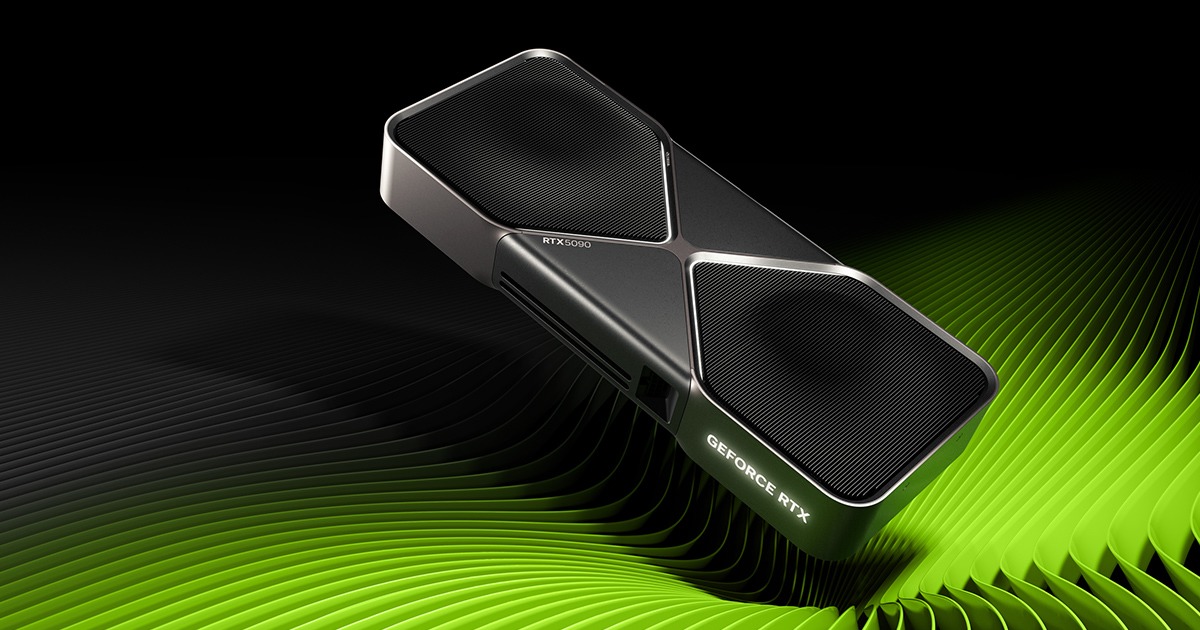
PC Components are the building blocks of a computer, including internal storage, graphics cards, PC cases, RAM, power supplies, motherboards, CPU and case cooling, and processors. These components are essential for anyone looking to build, upgrade, or customize their computer, whether for gaming, video editing, or general use. By choosing the right PC Components, users can improve their computer's performance, efficiency, and overall user experience. When it comes to PC Components, there are many options available, each with its own set of features, pricing models, and tradeoffs. For example, graphics cards like the NVIDIA GeForce RTX 3080 offer high-performance rendering, while processors like the AMD Ryzen AI 9 HX 370 provide fast processing speeds. Additionally, storage options like the Western Digital Black SN750 NVMe SSD and Seagate BarraCuda 2TB 3.5-inch HDD vary in terms of capacity, speed, and compatibility. Understanding these differences is crucial to making an informed decision. To choose the right PC Components, users can compare features, read reviews, and consider their specific needs and budget. Findalternative.net's comparison tool helps narrow down the options by allowing users to filter by category, brand, and specifications. By using this tool, users can find the best PC Components for their needs and discover alternative options that may offer better performance, value, or compatibility.
A hard disk drive (HDD) uses spinning disks and mechanical heads to store data, while a solid-state drive (SSD) uses flash memory to store data. SSDs like the Western Digital Black SN750 NVMe SSD are generally faster and more reliable than HDDs like the Seagate BarraCuda 2TB 3.5-inch HDD.
Not necessarily. A high-end graphics card like the NVIDIA GeForce RTX 3080 is typically required for demanding tasks like gaming, video editing, and 3D modeling. For general use, a mid-range or integrated graphics card may be sufficient.
RAM (Random Access Memory) is essential for running applications and programs smoothly. The amount of RAM needed depends on the user's specific needs, but 16GB or 32GB of RAM like the G.Skill Trident Z RGB 32GB or Corsair Vengeance RGB DDR5 6000 is recommended for most users.
No, not all power supply units (PSUs) are compatible with all computers. The PSU must match the computer's wattage requirements and connector types. For example, the EVGA SuperNOVA 850 GA, 80+ Gold PSU is a high-wattage PSU suitable for powerful computers.
When choosing a processor, consider factors like clock speed, number of cores, and compatibility with your motherboard. Processors like the AMD Ryzen AI 9 HX 370 and Intel Core Ultra 9 285H offer high performance and efficiency, but may have different compatibility requirements.
A CPU cooler is designed to dissipate heat generated by the processor, preventing overheating and damage. Liquid CPU coolers like the Corsair iCUE LINK TITAN 360 RX RGB AIO Liquid CPU Cooler offer efficient cooling and quiet operation.
In most cases, you can upgrade individual components like the RAM, graphics card, or storage drive without replacing the entire system. However, compatibility and compatibility issues may arise, so it's essential to research and ensure compatibility before making any upgrades.
PC Components splits into 8 subcategories worth browsing on their own: Processors (CPUs) (14), Internal Storage (SSDs & HDDs) (7), Graphics Cards (GPUs) (5), Power Supplies (PSU) (5), CPU & Case Cooling (4), and Motherboards (4) — worth a look if you already know roughly which kind you need.
Browsing by use case instead? These products also surface under High-Performance Hardware (31), Computer Peripherals (13), Content Creation Hardware (8), AI-Enhanced Hardware (6), Power Supplies (6), and Storage (6) — topic pages that pull from the whole catalog, not just PC Components.
Comparing across more than just hardware? Findalternative.net also covers Software, Gadgets, Appliances, Games, and Hosting alternatives.
15% run on Windows, and 13% on Linux — check platform support before committing if you need something specific.
Computed from real platform data across the category.
39% of products with a documented drawback cite pricing/cost concerns as a tradeoff worth knowing about going in.
Computed from real pricing and pros/cons data across the category — not a review aggregate.