Discover, compare, and save the best graphics cards (gpus) alternatives.
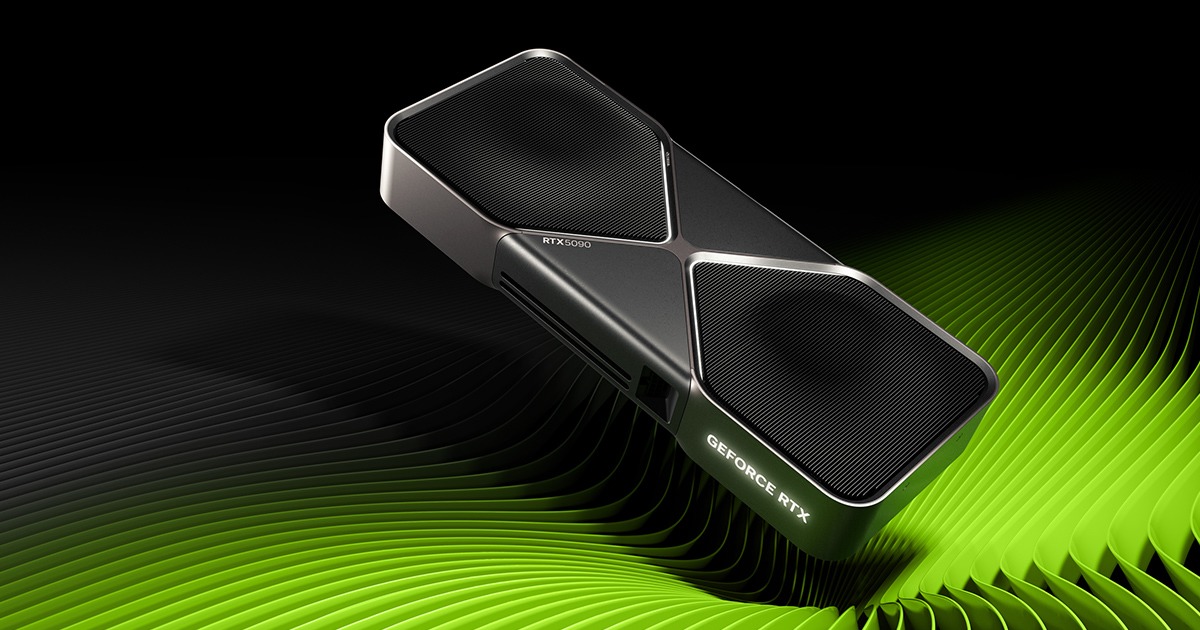
NVIDIA GeForce RTX 5090 Founders Edition, AMD Radeon RX 9070 XT, NVIDIA GeForce RTX 5070 Ti, NVIDIA GeForce RTX 3080 and MSI GeForce RTX 3070 Ventus 3X are among the top-rated Graphics Cards (GPUs) picks.
Graphics Cards (GPUs) are essential hardware components for gamers, graphic designers, and anyone requiring high-performance video processing. They solve the problem of slow graphics rendering, enabling smooth and detailed visuals. Whether you're a professional or an enthusiast, a suitable GPU can significantly enhance your computing experience. When choosing a Graphics Card, several key factors come into play, including memory capacity, cooling systems, and power consumption. For instance, the NVIDIA GeForce RTX 3080 and MSI GeForce RTX 3070 Ventus 3X differ in their memory and cooling designs, affecting their performance and pricing. Understanding these differences is crucial for selecting the right GPU for your specific needs and budget. To find the ideal Graphics Card, it's essential to compare various models and weigh their features, prices, and performance. Findalternative.net's comparison tool helps you narrow down the options by providing detailed specifications, reviews, and side-by-side comparisons of GPUs like the NVIDIA GeForce RTX 5070 Ti and AMD Radeon RX 9070 XT, making it easier to find the perfect alternative for your needs.
The main difference lies in their architecture, performance, and power consumption. NVIDIA GPUs, like the GeForce RTX 3080, often prioritize high-performance and advanced features, while AMD GPUs, like the Radeon RX 9070 XT, focus on balancing performance and affordability.
Consider your specific needs and budget. If you're a gamer or require high-performance graphics, a high-end GPU like the NVIDIA GeForce RTX 5090 Founders Edition might be suitable. For general use or casual gaming, a mid-range GPU like the MSI GeForce RTX 3070 Ventus 3X could be a more affordable and sufficient option.
Cooling systems are crucial for maintaining optimal GPU performance and longevity. Effective cooling, like that found in the MSI GeForce RTX 3070 Ventus 3X, helps prevent overheating, reducing the risk of damage and ensuring stable performance during intense usage.
Yes, as long as the GPU is compatible with your motherboard's chipset and has the necessary interface (e.g., PCIe). For example, you can install an NVIDIA GeForce RTX 3080 in a motherboard that supports PCIe and has the required power connectors.
Consider your specific use case. For general use, 4-6 GB of memory might be sufficient. However, for gaming or graphics-intensive applications, 8 GB or more, like in the NVIDIA GeForce RTX 5070 Ti, may be necessary to ensure smooth performance and prevent memory bottlenecks.
The 'Ti' suffix, as seen in the NVIDIA GeForce RTX 5070 Ti, typically denotes a higher-performance variant of a particular GPU model. These 'Ti' models often feature enhanced clock speeds, increased memory, or other upgrades, making them more powerful than their non-'Ti' counterparts.
Yes, but ensure the new GPU is compatible with your motherboard and power supply. Additionally, consider the cost and whether it's more economical to upgrade your entire system instead. Findalternative.net can help you compare and find the best alternative Graphics Card for your needs and budget.
Graphics Cards (GPUs) splits into 7 related categories worth browsing on their own: Processors (CPUs) (14), Internal Storage (SSDs & HDDs) (7), Power Supplies (PSU) (6), CPU & Case Cooling (4), Motherboards (4), and RAM & Memory (4) — worth a look if you already know roughly which kind you need.
Browsing by use case instead? These products also surface under High-Performance Hardware (3), and Computer Peripherals (3) — topic pages that pull from the whole catalog, not just Graphics Cards (GPUs).
Comparing across more than just hardware? Findalternative.net also covers Software, Gadgets, Appliances, Games, and Hosting alternatives.