


DaVinci Resolve vs MAGIX Video Pro X
Side-by-side comparison of features, pricing, ratings, and alternatives.

DaVinci Resolve is a professional-grade video editor famous for its industry-leading color grading, combining editing, color, visual effects, and audio post-production in a single application. Its free version is remarkably capable, making pro tools accessible to hobbyists and studios alike.
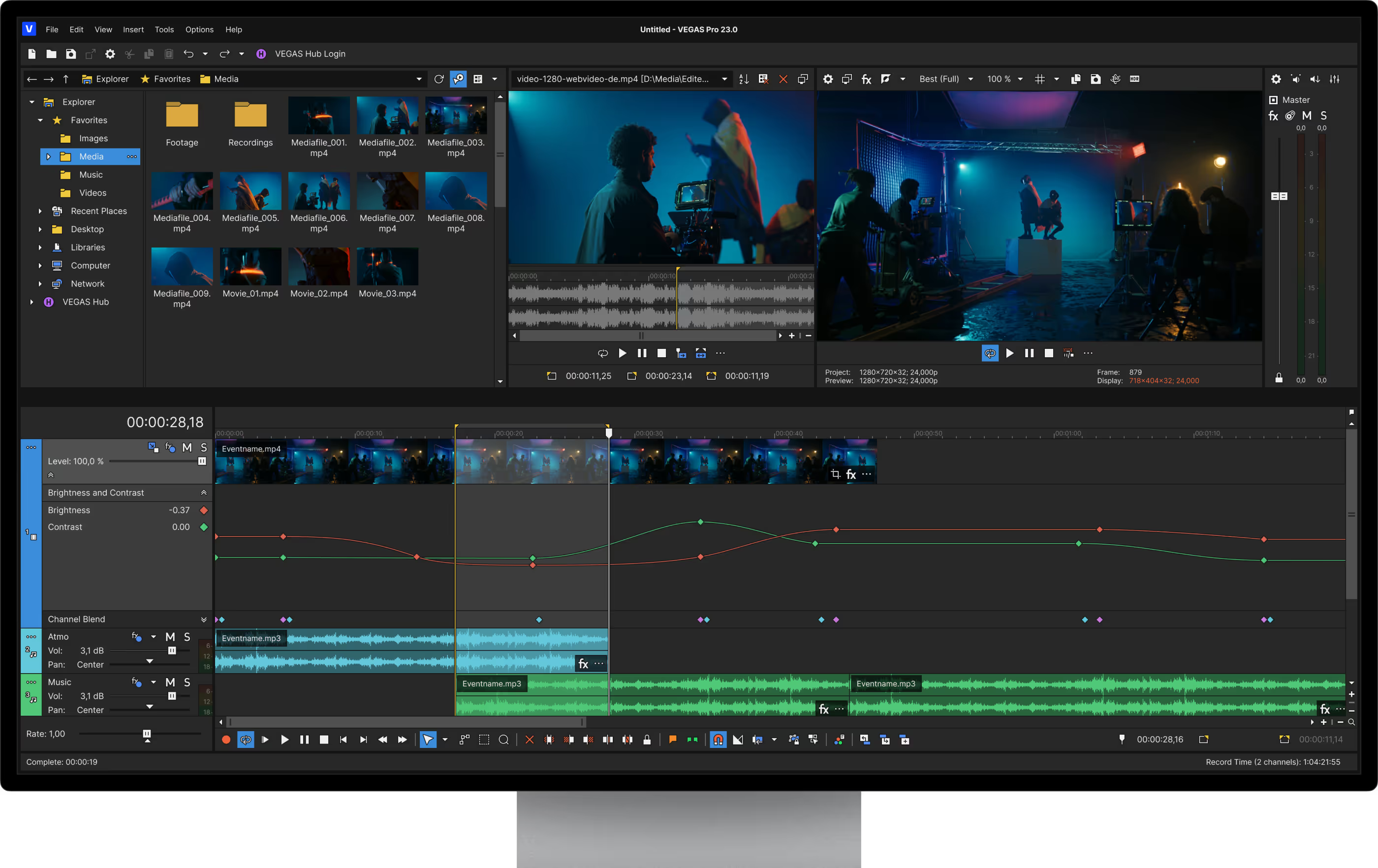
MAGIX Video Pro X is a professional-leaning video editing application sold as a one-time purchase rather than a subscription, aimed at advanced hobbyists and semi-professional editors. It includes multi-track timeline editing, LUT-based color grading, MIDI-capable multichannel audio mixing, and bundled proDAD plugins for stabilization and effects, alongside newer AI features like automatic scene detection, text-to-speech voiceovers, and speech-to-text subtitles.
Free version available; DaVinci Resolve Studio is a $295 one-time purchase.
- Best-in-class color grading
- Extremely capable free version
- All-in-one edit/color/audio/VFX
- One-time purchase for Studio (no subscription)
- One-time license with no ongoing subscription fee
- Strong color grading and audio mixing tools for a prosumer-priced app
- AI features like scene detection and auto-subtitles speed up editing
- Bundled proDAD plugins add stabilization and effects value
- Steep learning curve
- Demands a powerful GPU
- Heavier than lightweight editors
- Windows-only, no native Mac version
- Interface and workflow are less modern than some subscription competitors
- Upgrade pricing model means paying again for each major version to get new features
What reviewers say
DaVinci Resolve Reviews
4.7 (3)Solid choice
We rolled out DaVinci Resolve last quarter. One-time purchase for Studio (no subscription). No real complaints. Would recommend.
Great video-editing
DaVinci Resolve has been part of our stack. Extremely capable free version. Minor gripe: heavier than lightweight editors. Would recommend.
Solid choice
DaVinci Resolve has been part of our stack. Extremely capable free version. No real complaints. Would recommend.
MAGIX Video Pro X Reviews
No reviews yet.
More alternatives & similar tools
Alternatives to DaVinci Resolve
View all →


Alternatives to MAGIX Video Pro X
View all →
A free, non-linear video editor for Windows with pro-grade effects and no watermarks.
The Verdict
AI-generated from listing dataDaVinci Resolve offers a free tier with industry‑grade tools across platforms, while MAGIX Video Pro X provides a Windows‑only, one‑time purchase with strong color grading and bundled plugins.
Key differences
- •Platform support: Resolve runs on Windows, macOS, Linux; MAGIX only on Windows.
- •Pricing model: Resolve has a fully functional free version; MAGIX requires purchase upfront.
- •Bundled plugins: MAGIX includes proDAD Mercalli stabilization and VitaScene effects; Resolve relies on built‑in Fusion and Fairlight without extra plugins.
- •AI features: MAGIX provides AI scene detection and auto‑subtitle generation; Resolve’s AI tools are not listed.
- •Audio workflow: MAGIX mixes multichannel MIDI‑capable audio directly; Resolve uses the dedicated Fairlight suite.
Pricing & value
Resolve offers a free version with core editing, color, audio, and VFX; MAGIX requires a paid license.
Ease of use / learning curve
MAGIX is positioned for advanced hobbyists with a simpler prosumer UI; Resolve is noted for a steep learning curve.
Features & depth
Resolve includes professional color grading, Fairlight audio, and Fusion VFX in one app; MAGIX lacks built‑in VFX and Fairlight‑level audio.
Integrations & ecosystem
MAGIX bundles proDAD Mercalli and VitaScene plugins, adding stabilization and creative effects out of the box.
Collaboration
Resolve runs on three OSes, facilitating cross‑platform team work; MAGIX is Windows‑only.
Scalability
Resolve’s Studio upgrade is a one‑time $295 purchase, while MAGIX requires separate purchases for each major version.
Support
MAGIX lists email and knowledge‑base support; Resolve’s support details are not specified.
Choose DaVinci Resolve if…
Editors needing cross‑platform, free‑tier professional color, audio, and VFX tools.
Choose MAGIX Video Pro X if…
Windows‑only prosumer editors who want built‑in stabilization/effects and prefer a single purchase.
Common questions
Can I use the software on macOS?
MAGIX Video Pro X is Windows‑only; DaVinci Resolve runs on Windows, macOS, and Linux.
Is there a free version available?
DaVinci Resolve offers a fully functional free version; MAGIX Video Pro X requires a paid license.
Do either tools include AI‑assisted editing?
MAGIX includes AI scene detection and auto‑subtitle generation; Resolve’s AI capabilities are not listed in the provided facts.