


RemNote vs Vidbyte
Side-by-side comparison of features, pricing, ratings, and alternatives.

RemNote combines note-taking, flashcard creation, PDF annotation, and AI-powered study tools into one app built around helping students retain what they learn, not just record it. Notes can be automatically or manually converted into flashcards, which are then reviewed using a spaced repetition algorithm that schedules reviews at optimal intervals for memory retention. Beyond flashcards, RemNote supports PDF and PowerPoint annotation, typed and handwritten notes, an AI tutor chat, and databases for organizing course material, positioning itself as a replacement for juggling separate tools like Quizlet, Anki, Notion, and Evernote.
Vidbyte is an AI-powered learning platform designed to move learners beyond passive study methods like reading, highlighting, watching videos, and using flashcards. Instead, it focuses on active recall and mastery, helping users build genuine understanding and intuition rather than surface-level memorization for exams. The platform positions itself as a next-generation tutor that makes studying more efficient, engaging, and targeted. At the heart of Vidbyte is a live interactive voice mode that acts as a personal tutor. Built on cognitive science research, this tutor diagnoses misconceptions, closes knowledge gaps, and adapts to each learner in real time. The methodology draws on well-established frameworks such as Bloom's 2 Sigma Problem, Cognitive Load Theory, Metacognition, and Constructivism, giving the platform a strong academic foundation. Vidbyte claims significant efficiency gains: users can save over three hours of study time per week, generate a full practice exam in around ten seconds, and instantly create months of structured learning material. The platform also reports being three times more effective than passive reading or lectures and twice as engaging as self-study, with coverage of unlimited topics, subjects, and levels.
- Combines note-taking and spaced-repetition studying in one app instead of two separate tools
- Generous free plan includes unlimited notes and flashcards
- PDF annotation and image occlusion are useful for STEM and visual subjects
- Offline mode with cross-device sync
- Live interactive voice mode acts as a personalized, adaptive tutor
- Generates a full practice exam in roughly 10 seconds
- Built on established cognitive science frameworks
- Claims to be 3x more effective than passive reading or lectures
- Free plan caps PDF annotation, image occlusion cards, and handwritten documents fairly low
- Full AI feature set (lecture recorder, AI grading) requires the pricier Pro with AI tier
- Learning curve for students used to simpler flashcard-only tools like Quizlet
- No pricing details or free-tier information disclosed
- Requires an internet connection for AI-powered features
- Supported devices and platforms are not specified
- Effectiveness depends on AI-generated content quality and accuracy
More alternatives & similar tools
Alternatives to RemNote
View all →
All-in-one study platform with flashcards, notes, and AI-generated practice exams

Turns lecture slides, PDFs, and recordings into an AI tutor that knows your course material
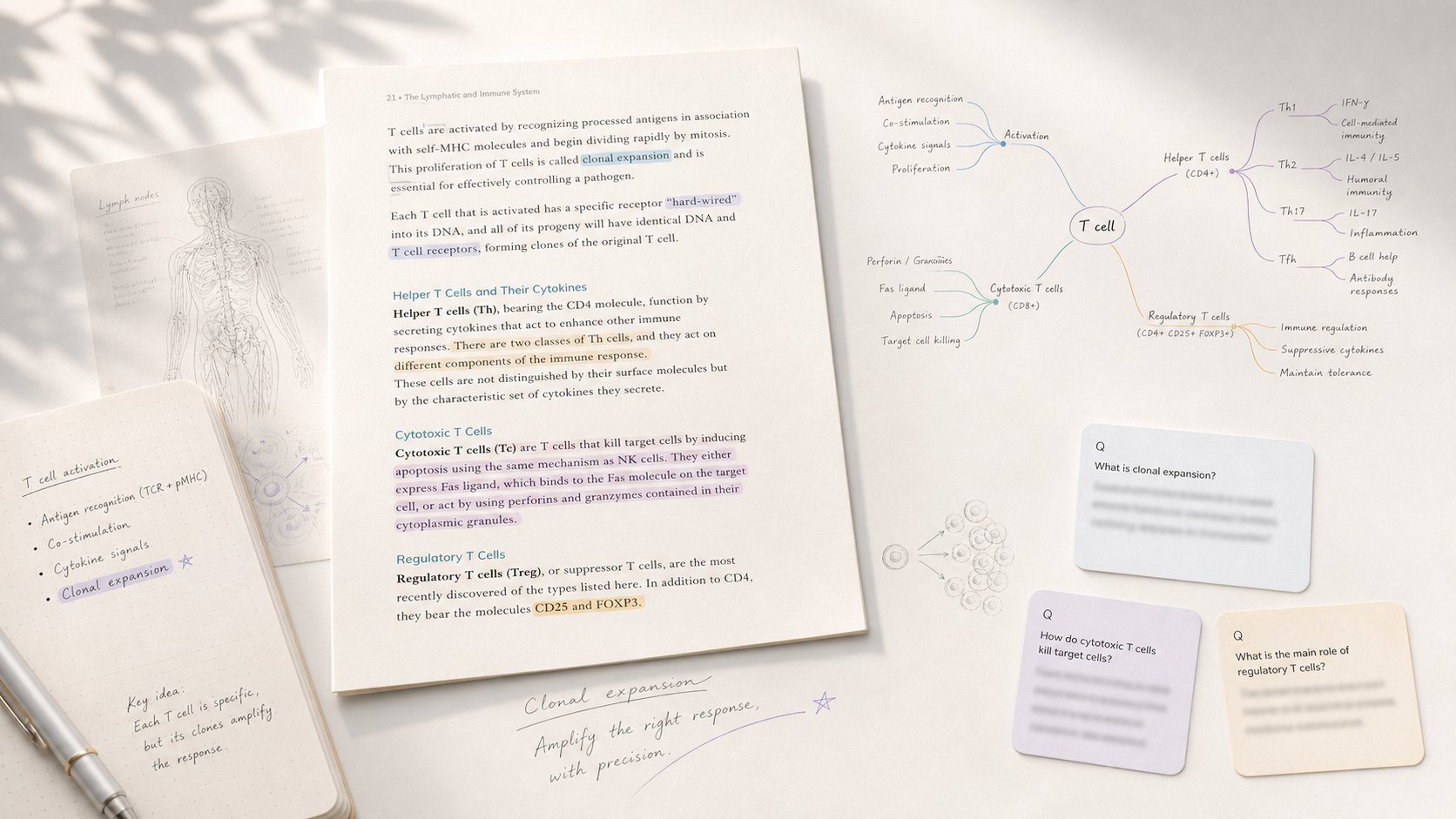
Study app that turns PDF/EPUB annotations into mind maps and spaced-repetition flashcards.
Alternatives to Vidbyte
View all →
Pass your UK visa English exam with an AI tutor that scores every session against official CEFR standards and tells you exactly when you're ready.
The Verdict
AI-generated from listing dataRemNote offers a free‑tier with unlimited notes and flashcards plus PDF annotation, while Vidbyte focuses on AI‑driven active‑recall tutoring but lacks disclosed pricing or platform details.
Key differences
- •RemNote provides a concrete freemium pricing model with unlimited notes; Vidbyte’s pricing is unknown.
- •RemNote includes built‑in PDF/PowerPoint annotation and image‑occlusion flashcards; Vidbyte centers on live voice tutoring and instant exam generation.
- •RemNote syncs across desktop, iOS, and Android with offline mode; Vidbyte’s supported devices and offline capability are not specified.
- •RemNote’s features are fixed (note‑taking, spaced repetition); Vidbyte claims adaptive, AI‑generated material for unlimited topics.
- •RemNote offers email and help‑center support; Vidbyte provides no support information.
Pricing & value
RemNote has a freemium plan with unlimited notes; Vidbyte does not disclose pricing or free tier.
Ease of use / learning curve
Vidbyte’s live voice tutor promises intuitive interaction; RemNote has a steeper learning curve for flashcard‑heavy users.
Features & depth
RemNote combines note‑taking, spaced‑repetition, PDF annotation, and image occlusion in one app.
Integrations & ecosystem
RemNote integrates PDF/PowerPoint import and cross‑device sync; Vidbyte lists no integrations.
Collaboration
Neither product mentions collaboration features; both appear focused on individual study.
Scalability
Vidbyte claims unlimited topic coverage and AI‑generated material at scale; RemNote is limited to user‑created content.
Support
RemNote offers email and help‑center support; Vidbyte provides no support details.
Choose RemNote if…
Students or lifelong learners who need a free, offline‑capable note‑taking and flashcard system with PDF annotation.
Choose Vidbyte if…
Learners seeking AI‑driven, voice‑interactive tutoring and instant exam generation, and who can accept unknown pricing and platform constraints.
Common questions
Is there a free version of either tool?
RemNote offers a freemium plan with unlimited notes and flashcards; Vidbyte’s pricing and free tier are not disclosed.
Can I annotate PDFs within the app?
Yes, RemNote supports PDF (and PowerPoint) annotation; Vidbyte does not specify any PDF annotation capability.
What platforms can I use each tool on?
RemNote syncs across desktop, iOS, and Android with offline mode; Vidbyte’s supported devices and platforms are not specified.