FindAlternative

8 Best Free Alternatives to Microsoft Word (2026)

Last checked November 2026 · 8 alternatives to Microsoft Word in our catalog

People look for a free alternative to Microsoft Word to cut cost or avoid lock-in. Below are 8 options with a free plan or no price at all - 4 are completely free, 3 are open source, 6 run on Linux and 4 work in the browser.

Quick picks

Picked from listing data (price model, license, platforms, community votes), not hands-on testing.

Microsoft Word alternatives compared

AlternativePriceOpen sourcePlatformsWhat it is
Apache OpenOfficeFreeYes (Apache-2.0)Windows, macOS, LinuxFree, open-source office suite for Windows, macOS, and Linux
LibreOfficeFreeYesWindows, Mac, LinuxFree, open-source office suite for documents, spreadsheets, and presentations
SoftMaker FreeOfficeFreeNoWindows, macOS, LinuxFree, classic‑style office suite for Windows, macOS and Linux
Google DocsFreemiumNoWeb, iOS, AndroidCreate, edit, and collaborate on documents for free, anywhere
OnlyOfficeFreemiumYes (AGPL-3.0)Web, Windows, Mac, LinuxSecure online office suite fully compatible with MS Office formats
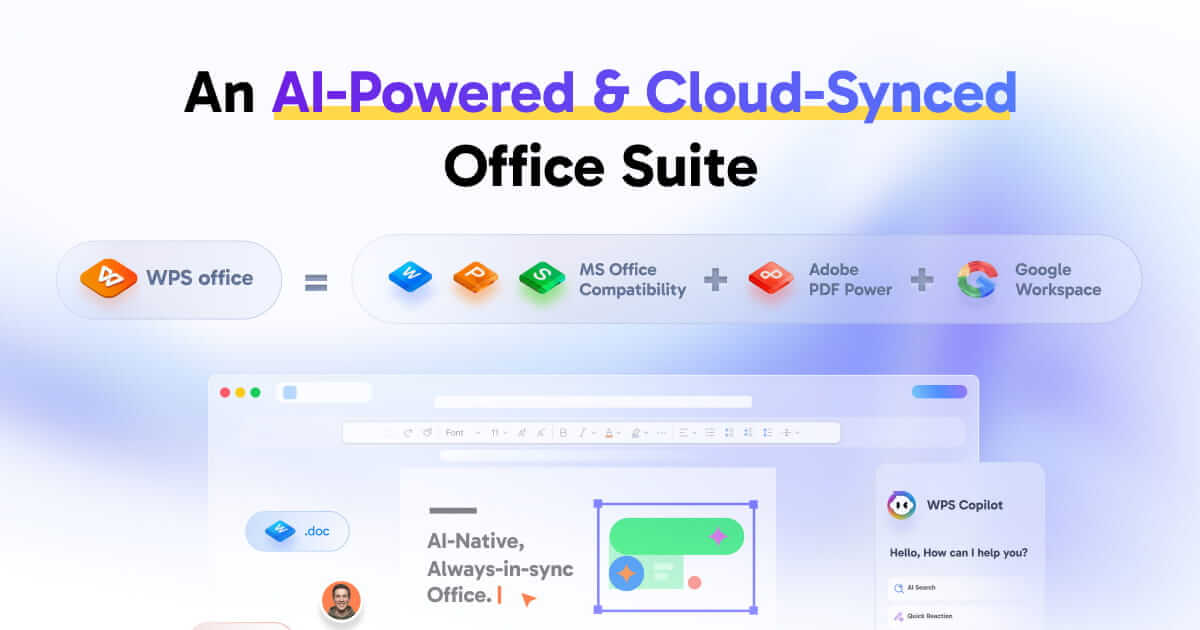
WPS OfficeFreemiumNoWeb, Windows, Mac, LinuxFree all‑in‑one office suite with AI‑enhanced Word, Excel, PPT and PDF tools
FreeOfficeFreeNoWindows, Mac, LinuxFree Microsoft Office-compatible suite with TextMaker, PlanMaker, and Presentations
CraftFreemiumNoWeb, Windows, Mac, iOSA polished workspace for notes, docs, tasks, and daily planning across all your devices.
1
Apache OpenOffice

Apache OpenOffice

FreeOpen source · Apache-2.0WindowsmacOSLinux

Free, open-source office suite for Windows, macOS, and Linux

  • Completely free with no hidden costs
  • Runs on all major desktop operating systems
  • Supports both Microsoft and OpenDocument formats
  • No native cloud‑based collaboration like some competitors
  • Limited mobile support; primarily desktop only
2
LibreOffice

LibreOffice

FreeOpen sourceWindowsMacLinux

Free, open-source office suite for documents, spreadsheets, and presentations

  • Completely free with no hidden costs
  • Runs on Windows, macOS, and Linux
  • High compatibility with Microsoft Office files
  • User interface feels dated compared to some commercial suites
  • Limited native cloud collaboration features
3
SoftMaker FreeOffice

SoftMaker FreeOffice

FreeWindowsmacOSLinux

Free, classic‑style office suite for Windows, macOS and Linux

  • Completely free with no hidden fees
  • Runs on all major desktop operating systems
  • High compatibility with Microsoft Office file formats
  • No mobile or web version
  • Limited advanced features compared to paid suites
4
Google Docs

Google Docs

FreemiumWebiOSAndroid

Create, edit, and collaborate on documents for free, anywhere

Free plan includes: Create and edit documents in the browser · Real-time collaboration · Requires a Google account

  • Free with a Google account
  • Real‑time multi‑user editing
  • Automatic cloud backup
  • Limited advanced formatting compared to desktop suites
  • Requires internet for full functionality
5
OnlyOffice

OnlyOffice

FreemiumOpen source · AGPL-3.0WebWindowsMacLinux

Secure online office suite fully compatible with MS Office formats

Free plan includes: Access to ONLYOFFICE Docs online editors · Basic collaboration tools (view, edit, comment) · Limited storage and user count · Integration with popular services (Box, Moodle, Nextcloud, Odoo, WordPress, etc.)

  • High fidelity with Microsoft Office formats
  • Both cloud and self‑hosted options
  • Robust permission and security controls
  • User interface can feel less polished than some commercial rivals
  • Advanced features may require paid enterprise license
6
WPS Office

WPS Office

FreemiumWebWindowsMacLinux

Free all‑in‑one office suite with AI‑enhanced Word, Excel, PPT and PDF tools

Free plan includes: Writer · Spreadsheet · Presentation · PDF editor & converter

  • Free core functionality
  • AI assistance boosts productivity
  • Runs on all major OS
  • Ads in free version
  • Premium features require subscription
7
FreeOffice

FreeOffice

FreeWindowsMacLinux

Free Microsoft Office-compatible suite with TextMaker, PlanMaker, and Presentations

  • Free to use indefinitely for core word processing, spreadsheet, and presentation tasks
  • Strong compatibility with Microsoft Office file formats
  • Available on Linux, which many competitors do not support natively
  • Free version has some feature limitations compared to paid SoftMaker Office
  • Lacks built-in real-time cloud collaboration found in Google Docs or Microsoft 365
8
Craft

Craft

FreemiumWebWindowsMaciOS

A polished workspace for notes, docs, tasks, and daily planning across all your devices.

Free plan includes: 1,500 content blocks · 1 GB storage · 25 MB media uploads · 7-day version history

  • Clean, visually polished interface that has won Apple design recognition
  • Combines docs, daily notes, whiteboards, and tasks in a single connected app
  • Native apps across Mac, Windows, iOS, and Android plus a web app
  • Free plan's 1,500 block limit is restrictive for heavy users
  • AI credits are capped even on paid plans and require add-on purchases for heavy use

Frequently asked questions

What is the best free alternative to Microsoft Word?

Apache OpenOffice is the first free alternative we list for Microsoft Word and has no paid tier. Others worth a look: LibreOffice, SoftMaker FreeOffice and Google Docs. Which one fits depends on what you use Microsoft Word for, so check the platform and free-plan details for each.

Is there a completely free alternative to Microsoft Word?

Yes. Apache OpenOffice, LibreOffice, SoftMaker FreeOffice and FreeOffice have no paid tier. The rest of the list are freemium: a free plan with paid upgrades.

Is there an open-source alternative to Microsoft Word?

Yes: Apache OpenOffice, LibreOffice and OnlyOffice. Open-source options can usually be inspected, modified and self-hosted.

Does Microsoft Word have a free plan?

Yes. The free plan includes Create and edit documents in the browser, Real-time co-authoring and Requires a free Microsoft account.

How this list is built: alternatives come from our catalog's curated alternative relationships; price model, license and platforms come from each product's listing; order is fully-free first, then community votes.