


AdKit
An ads toolbox that lets marketers and their AI agents research competitors, create creatives, launch campaigns, and analyze performance from one place.
What is AdKit?
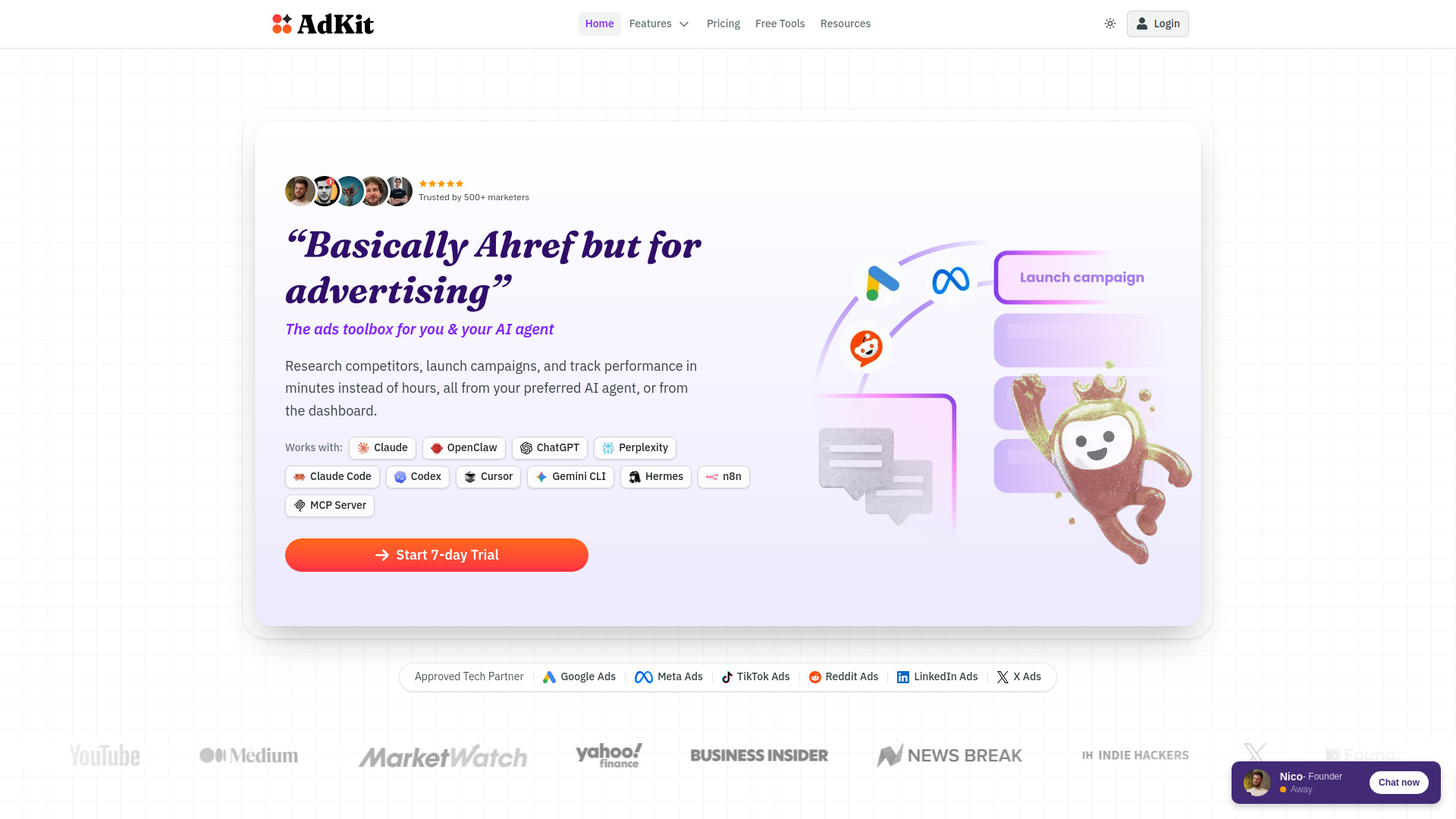
AdKit is an advertising toolbox built for marketers and AI agents, positioned as a kind of "Ahrefs for advertising." It combines competitive ad research, creative production, campaign launching, and performance analysis into a single platform, and it can be driven either through its dashboard or directly from an AI agent such as Claude, ChatGPT, Cursor, or n8n via an MCP server. The platform indexes over a million ads and tracks competitors across Meta, Google, LinkedIn, and other networks, letting users see which ads have run the longest and which creatives competitors have already retired. Beyond research, AdKit handles the production side of advertising. Users can clone or adapt competitor ads, generate new static creatives while keeping a consistent brand kit, and resize variants for every placement at once. On the campaign side, an agent can draft full campaigns and keyword sets from a single prompt, and nothing goes live until a human approves the draft. The analysis layer translates performance data into plain-English recommendations about what to kill, scale, or test next, and can flag problems such as creative fatigue before they waste budget. AdKit is aimed at founders and solo operators who want to run ads without an agency, at media buyers and agencies managing many ad accounts, and at growth marketers who already work through AI tools. Its draft-first approach and status as an approved Meta and Google tech partner are central to its pitch, since they address the common fear that an automated agent could damage a live account.
SpecificationsAI-estimated
Key Features of AdKit
Use Cases for AdKit
Competitor research
Find which competitor ads have run the longest and which creatives or landing pages they rely on.
Creative iteration
Clone a winning ad and generate new hooks or angles for testing without waiting on a designer.
Campaign launching
Draft a full campaign or keyword set from a prompt and approve it in one click.
Performance diagnosis
Detect creative fatigue and understand why a video or ad is underperforming this week.
Multi-account management
Agencies can manage many client ad accounts through one interface instead of switching between ad managers.
Automated competitor monitoring
Set up a recurring digest of new ads launched by a watchlist of competitors.
How to use AdKit?
Start the free trial
Sign up for the 7-day trial on the AdKit website.
Connect your ad accounts
Authorize your Meta, Google, or other ad accounts through OAuth, with no API keys required.
Connect your AI agent or use the dashboard
Install the MCP server in Claude, ChatGPT, Cursor, or another supported agent, or work directly in the AdKit dashboard.
Research and create
Search the ad library, track competitors, and generate or clone creatives for your brand.
Review drafts and publish
Approve the campaigns and changes your agent drafts, then monitor the analysis to decide what to scale or stop.
Pros & Cons of AdKit
Pros
- Draft-first workflow means no agent-made change reaches live ad accounts without explicit approval
- Works across Meta, Google, TikTok, Reddit, and LinkedIn from a single dashboard or AI agent
- Large ad library of over one million ads plus automatic competitor tracking and weekly digests
- Flat pricing with unlimited tool calls, so there is no per-request billing
Cons
- Results depend heavily on the user's underlying marketing strategy and product-market fit; the tool does not fix weak offers
- Requires users to already have their own ad accounts on each platform
- Some features, such as creative analytics, are still listed as upcoming rather than available
Frequently Asked Questions
Do AI agent changes go live automatically?
No. Every change an agent makes is saved as a draft in AdKit and only reaches your live ad account after you review and approve it.
Do I need my own ad accounts?
Yes. AdKit connects to ad accounts you already have on each platform, since platforms require their own identity and payment verification.
Which AI agents are supported?
Any MCP-compatible agent, including Claude, Claude Code, ChatGPT, Cursor, and others. Tools that can run a CLI also work.
How long does setup take?
About two minutes, using a one-click install in supported agents and OAuth authorization for ad accounts.
Is AdKit safe compared to other MCP ad tools?
AdKit states it is an officially approved Meta and Google tech partner and routes actions through the official API path, unlike tools that connect without approval.
Do I need to be an ads expert to use it?
Basic strategy helps, but the tool is designed so non-experts can research, create, and launch campaigns. It does not replace sound marketing judgment.
Can I use AdKit without an AI agent?
Yes. All functions are available from the dashboard, and the agent layer is an optional accelerator.
Pricing Overview
View full pricing →The page offers a 7-day trial but does not state any plan names or prices in the provided content.
Detailed plans are not listed. Visit the official website for pricing information.
Reviews & Ratings0.0
No reviews yet. Be the first to write one!
Top Alternatives & Similar Software
View all alternatives & similar software→No alternatives available yet.
People also viewed




Related searches
Is this your tool?
Claim this page to update details, reply to user reviews, and drive more traffic to your product.
Claim this Product →
Tags
Explore Related Topics
Keep up with AdKit alternatives
New alternatives, pricing changes and the week's biggest movers - one email every Tuesday.