


AI Colors
Describe a mood, place, or idea in plain words and get a ready-to-use color palette with CSS export.


What is AI Colors?
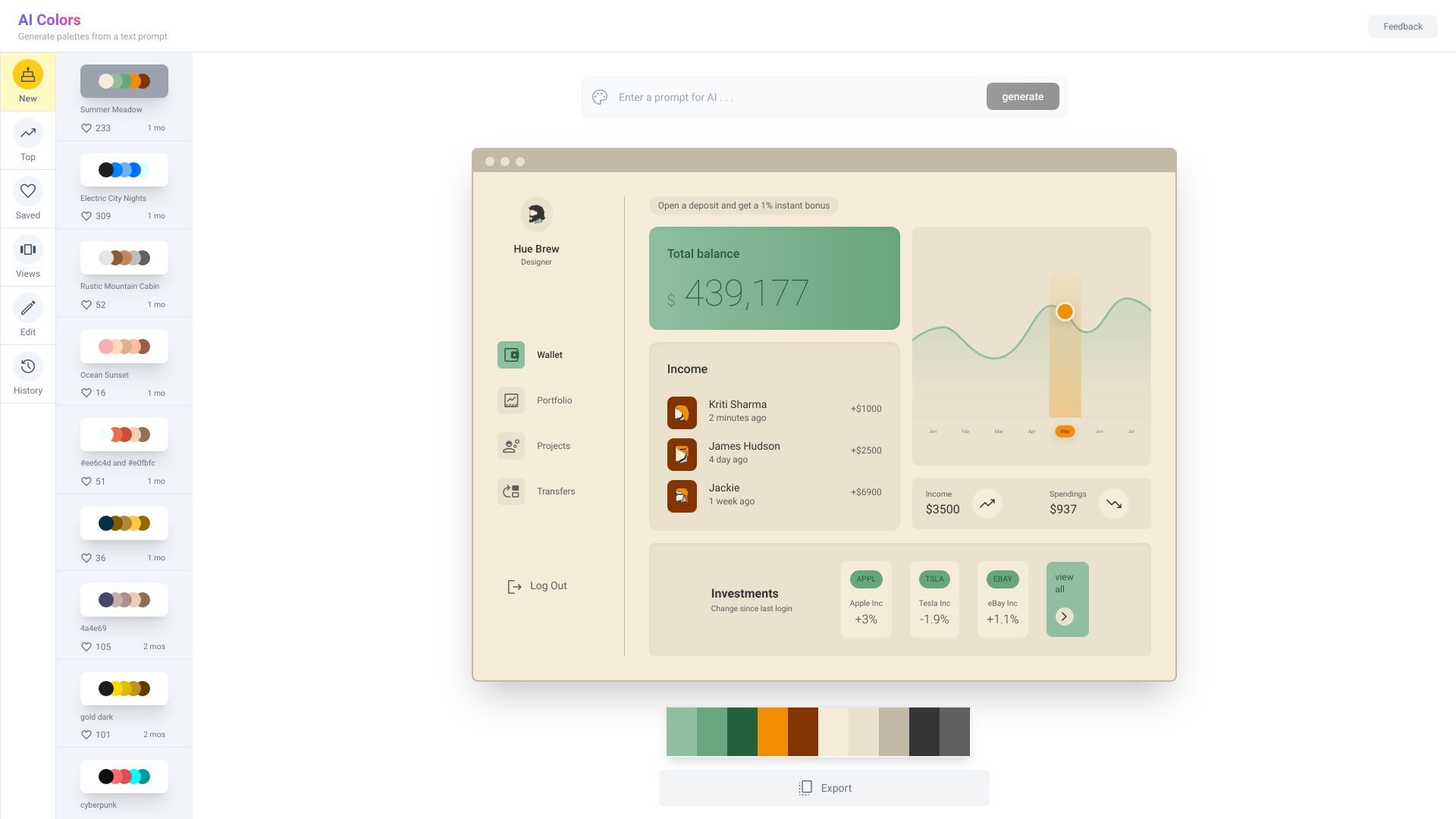
AI Colors is a free, browser-based color palette generator built by BairesDev. Users type a plain-language prompt, such as a mood, a theme, a place, or a brand idea, and the tool returns a set of harmonious colors that match the request. Prompts range from abstract feelings like "moody intense red" to concrete references like "a rainy morning," "Sweden," or "Ocean Sunset," which makes the tool approachable for people who think in concepts rather than hex codes. The interface is organized around discovery. A "New," "Top," and "Views" carousel surfaces palettes that other people have generated and liked, so the site doubles as a gallery of inspiration. Each palette can be copied as individual hex values or exported as a block of CSS custom properties with primary, accent, text, and background variables, which means a designer or front-end developer can drop a generated scheme straight into a project. The page also shows palettes applied to a sample dashboard, letting users judge contrast and hierarchy before committing. AI Colors is aimed at designers, front-end developers, marketers, and hobbyists who need a quick starting point for a brand, website, slide deck, or illustration. It is best used as an ideation tool: the generated palettes are strong first drafts, but accessibility and brand-specific adjustments still require a human eye.
SpecificationsAI-estimated
Key Features of AI Colors
Use Cases for AI Colors
Brand color exploration
Designers can describe a brand personality, such as "playful" or "banking website," to generate starting palettes for a logo or identity system.
Website theming
Front-end developers can generate a scheme and export CSS variables directly into a project's stylesheet.
Presentation design
Marketers and educators can pick a palette that fits a topic or season for slides and documents.
Illustration and art inspiration
Artists can use evocative prompts like "starry night" or "a sunny day" to find colorways for paintings or digital art.
Social media graphics
Creators can match post templates to a theme, such as a holiday or a trend, without manually testing color combinations.
Learning color theory
Students can see how different descriptive prompts translate into hue, saturation, and contrast choices.
How to use AI Colors?
Enter a prompt
Type a mood, place, brand, or theme into the prompt field, such as "Summer Meadow" or "tomatoes and cucumbers."
Generate a palette
Click Generate to produce a set of colors matched to your prompt.
Review in context
Check the palette on the sample dashboard preview to judge contrast and balance.
Copy or export
Copy individual hex values or use the Export option to get CSS custom properties.
Explore the community
Browse New, Top, or Viewed palettes for ideas and variations.
Pros & Cons of AI Colors
Pros
- Generates palettes from natural-language prompts, so no color-theory knowledge is needed
- Exports directly as hex codes or CSS custom properties for fast developer handoff
- Community gallery of New, Top, and Viewed palettes provides constant inspiration
- Previews palettes on a sample dashboard UI to check how colors work together in context
Cons
- Output quality depends heavily on prompt wording; vague prompts can yield generic results
- Generated palettes are not automatically checked for WCAG contrast compliance
- Relies on an online service, so it is not usable offline and offers no local or desktop app
Frequently Asked Questions
Is AI Colors free to use?
Yes. The palette generator, gallery, and export features are available on the website at no cost.
What kind of input does AI Colors accept?
It accepts short natural-language prompts describing a mood, color, place, object, brand, or theme.
How do I export a palette?
Use the Export option to copy the palette as CSS custom properties, or copy individual hex codes.
Can I use the generated colors in commercial projects?
The site does not present its palettes under a restrictive license in the content provided, but you should confirm current terms on the official site before commercial use.
Does it check accessibility?
The page does not describe automated WCAG contrast checking, so you should verify text and background contrast yourself.
Who created AI Colors?
It is a tool published by BairesDev, a software development company.
Can I browse palettes made by other users?
Yes. The New, Top, and Views carousels show community and popular palettes.
Pricing Overview
View full pricing →The AI Colors tool page from BairesDev does not display any pricing information; the content is a color palette generator with no plans or prices listed.
Detailed plans are not listed. Visit the official website for pricing information.
Reviews & Ratings0.0
No reviews yet. Be the first to write one!
Top Alternatives & Similar Software
View all alternatives & similar software→No alternatives available yet.
People also viewed


Related searches
Is this your tool?
Claim this page to update details, reply to user reviews, and drive more traffic to your product.
Claim this Product →
Tags
Explore Related Topics
Keep up with AI Colors alternatives
New alternatives, pricing changes and the week's biggest movers - one email every Tuesday.