


AI Humanizer
A web tool that rewrites AI-generated text to sound human and evade AI detectors.
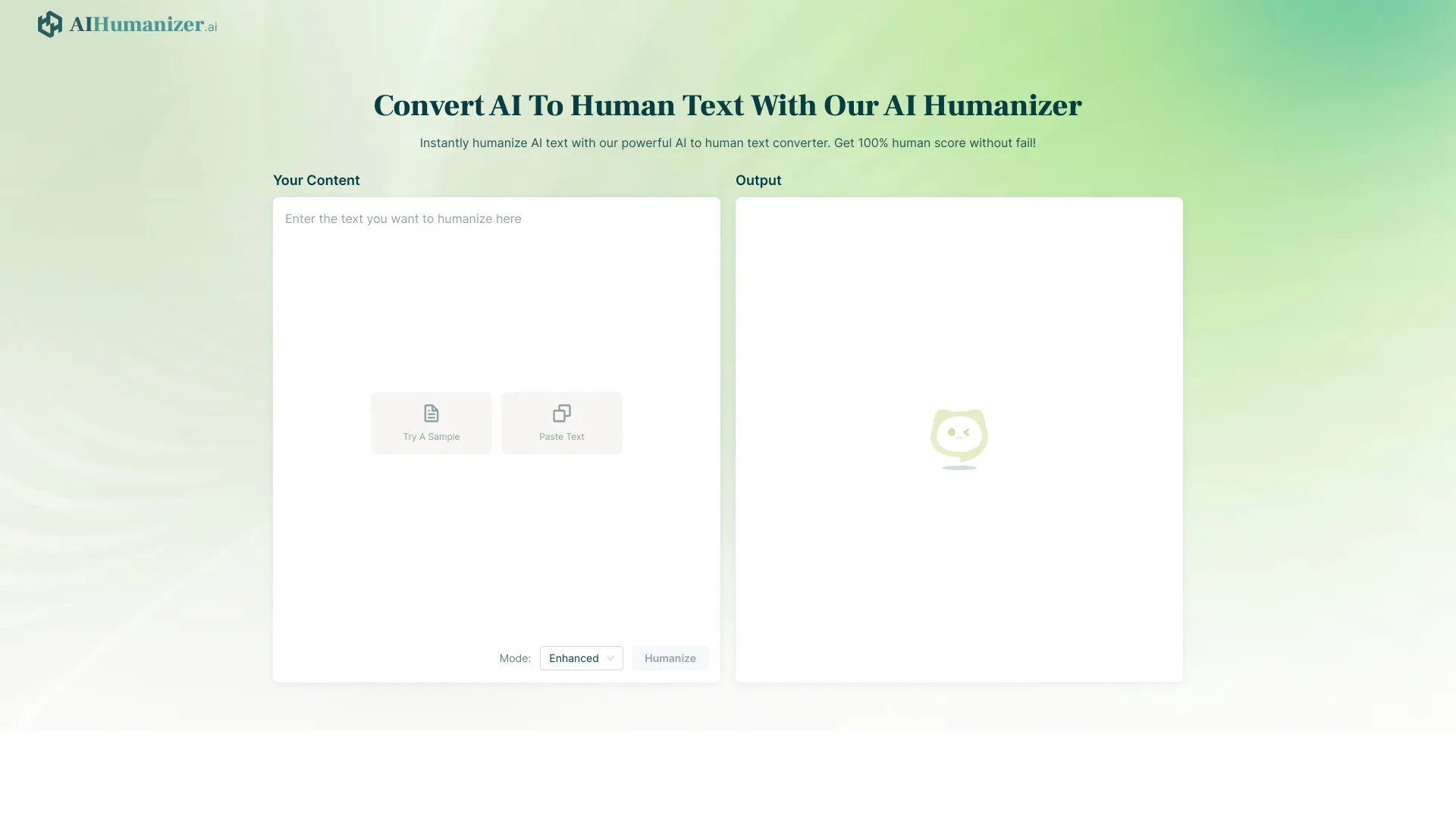
What is AI Humanizer?
AI Humanizer is a web-based text tool that rewrites AI-generated content so it reads more like natural, human-written prose. Its stated goal is to preserve the original meaning while adjusting wording, phrasing, and rhythm so the output scores as human on popular AI-detection services such as GPTZero, Originality.ai, Turnitin, and ZeroGPT. The site positions it as a fast, browser-based converter: users paste text, click Humanize, and receive a rewritten version without needing to install anything. The site claims the underlying model was trained on millions of examples of human writing and uses a large language model with billions of parameters to reproduce common human stylistic patterns. The product is aimed at several audiences. Students are offered help making essays and assignments pass detection tools, while freelance writers, content strategists, marketers, and small business owners are pitched on producing scalable content that reads naturally and avoids SEO penalties associated with obviously machine-generated text. The site also highlights support for dozens of languages, claims to remove ChatGPT-style watermarking phrases, and says it aims to keep outputs plagiarism-free and compatible with search engine guidelines. Access is tiered. A free plan offers a small monthly word allowance with an input cap per request, while paid plans (Basic, Unlimited, and Pro) raise word limits and per-input length, with Unlimited offering unrestricted volume. Pricing is shown monthly with discounted annual options. The headline claims, such as near-100% human scores and undetectability, are vendor assertions and should be independently verified, as detector accuracy varies widely and the tool's effectiveness will change as detectors update.
SpecificationsAI-estimated
Key Features of AI Humanizer
Use Cases for AI Humanizer
Polishing student essays
Students rewrite AI-drafted essays and assignments to sound more natural before submission.
Scaling freelance content
Writers use the tool to turn AI drafts into more personalized, client-ready copy faster.
SEO content production
Content strategists aim to publish machine-assisted articles that read naturally and avoid spam signals.
Marketing copy and social posts
Marketers adapt AI-generated campaign text, ads, and social media posts to a more authentic voice.
Business communications
Small business owners and HR teams humanize emails, policies, and internal documents.
Multilingual content localization
Teams produce natural-sounding text across many languages from AI-generated source material.
How to use AI Humanizer?
Paste your AI-generated text
Copy the content from your AI tool and paste it into the input box on the site.
Click Humanize
Run the rewrite, which reworks wording and sentence structure while keeping the original meaning.
Review the output
Read through the rewritten text and check that it matches your intent and accuracy needs.
Copy and use
Copy the humanized text into your document, site, or email for final editing and use.
Pros & Cons of AI Humanizer
Pros
- Free tier available with no signup required to try it out
- Supports a wide range of languages, including major European, Asian, and Middle Eastern ones
- Simple three-step workflow: paste, humanize, copy
- Tiered pricing with an unlimited option for heavy users
Cons
- Claimed detector bypass rates are vendor-reported and not independently verified
- Ethical and academic-integrity concerns, since it is marketed for submitting AI-written work as one's own
- Free plan is limited to small word counts per input and per month
- Effectiveness may decline as AI detection tools evolve
Frequently Asked Questions
Is AI Humanizer free to use?
Yes. The site offers a free tier, and the site states that signup is not required for initial use. Paid plans unlock higher word limits and longer inputs.
Does it guarantee bypassing AI detectors?
The site claims high human scores and bypass of major detectors, but these are vendor assertions. Detector results vary and change over time, so outcomes are not guaranteed.
Does it preserve the meaning of my text?
The site says it maintains the original meaning and context while improving readability and naturalness.
Which languages are supported?
The site lists support for more than 50 languages, including English, Spanish, French, German, Chinese, Japanese, Arabic, and Hindi, though the FAQ mentions 30+.
Is the output plagiarism-free?
The site states that rewritten content is original and unplagiarized, though users should still verify originality for their own needs.
What are the word limits?
The free plan allows 500 words per month with 80 words per input. Paid plans raise these limits, with the Unlimited plan removing word caps.
Pricing Overview
View full pricing →AI Humanizer offers a free tier with 500 words per month and paid Basic tiers, with yearly billing saving up to 60%; the extracted content is truncated after the Basic plan, so higher tiers are not visible.
Reviews & Ratings0.0
No reviews yet. Be the first to write one!
Top Alternatives & Similar Software
View all alternatives & similar software→No alternatives available yet.
People also viewed


Related searches
Is this your tool?
Claim this page to update details, reply to user reviews, and drive more traffic to your product.
Claim this Product →
Tags
Explore Related Topics
Keep up with AI Humanizer alternatives
New alternatives, pricing changes and the week's biggest movers - one email every Tuesday.