


AI Image Fusion Tool
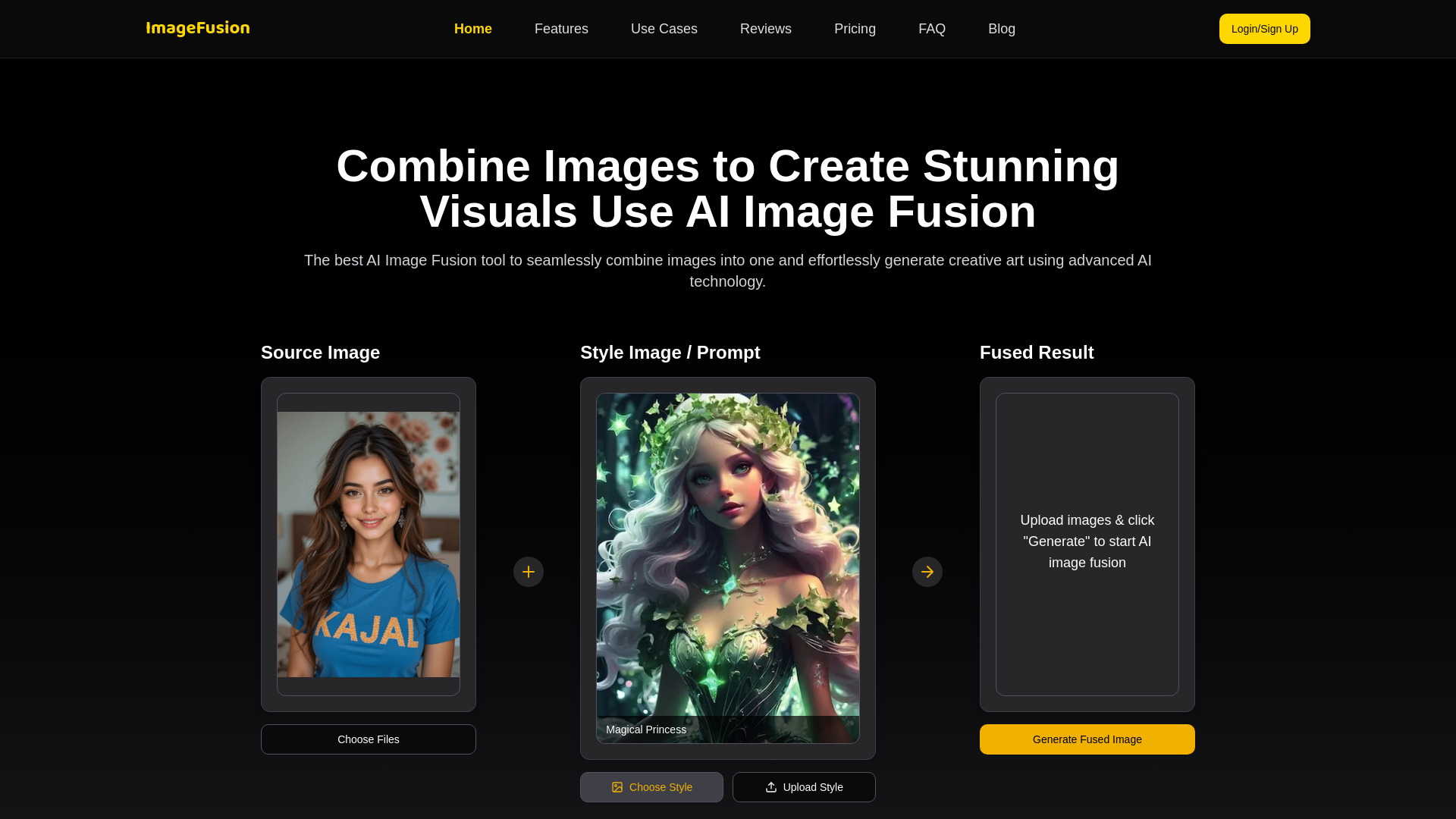
An online AI tool that blends up to five images and a text prompt into stylized, high-resolution composites in seconds.


What is AI Image Fusion Tool?
AI Image Fusion Tool is an online platform that combines multiple source images into a single blended visual using AI. Users upload up to five images, add a text prompt, and select an output format and size to generate a fused result. The service positions itself as a faster alternative to manual photo editing, aiming to produce imaginative composites and style-transferred artwork in a matter of clicks. The tool is built around several core use cases: creating stylized portraits and abstract blends for social media, enhancing profile pictures and professional headshots, and transforming photos into artwork for branding. Its style transfer capabilities let users apply preset styles or supply their own reference image to guide the aesthetic of the output. Downloads are offered in high resolution, and the marketing emphasizes that outputs are suitable for commercial applications such as marketing, e-commerce, and app design. The platform uses a simple credit-based pricing model. A one-time Premium plan at $1 includes five generation credits, HD downloads, faster generation, a commercial license, and watermark removal. An Ultimate plan at $10 provides up to 100 generations per month along with priority support and early access to new features. The overall experience targets creators, marketers, and everyday users who want polished merged imagery without learning traditional editing software.
SpecificationsAI-estimated
Key Features of AI Image Fusion Tool
Use Cases for AI Image Fusion Tool
Social media portraits
Blend portraits with abstract patterns or textures to create striking profile artwork and posts.
Profile pictures and avatars
Generate stylized avatars and enhanced personal images for online profiles.
Professional headshots
Enhance and stylize photos for professional branding and networking profiles.
Marketing creatives
Produce merged visuals for campaigns, ads, and promotional materials.
E-commerce imagery
Create blended product or lifestyle images for online store listings.
Art and style experiments
Apply artistic styles and combine references to explore unique visual concepts.
How to use AI Image Fusion Tool?
Upload images
Upload up to five clear, high-quality source images.
Enter a prompt
Describe the look or combination you want in the text prompt field.
Choose a fusion style
Select a preset style or upload a reference image for style transfer.
Set output options
Pick the output format and image size.
Preview and download
Review the generated fusion and download it in high resolution.
Pros & Cons of AI Image Fusion Tool
Pros
- Fast, click-based image fusion that replaces hours of manual editing
- Supports up to five source images with optional style transfer from a reference image
- Commercial use license included with paid plans
- Low-cost entry point with a $1 one-time credit pack
Cons
- Free tier and watermark-free output require paid plans
- Monthly generation cap on the Ultimate plan limits heavy users
- Output quality depends heavily on the clarity of input images, per the site's own guidance
- Limited public detail on the underlying AI models and privacy handling
Frequently Asked Questions
How many images can I combine at once?
You can upload up to five images per fusion.
Can I use the generated images commercially?
Yes, a commercial use license is included with the Premium and Ultimate plans.
How much does it cost?
The Premium plan is a one-time $1 payment for five generation credits, and the Ultimate plan is $10 for up to 100 generations per month.
Can I remove the watermark?
Watermark removal is included with paid plans.
What kind of input images work best?
The site recommends high-quality, clear images, as they produce the best fusion results.
Can I apply my own style to a fusion?
Yes, you can use a preset style or upload your own reference image for custom style transfer.
Pricing Overview
View full pricing →The page lists two paid plans: a Premium Plan at $1 with 5 one-time generation credits, and an Ultimate Plan at $10 covering 100 blended pictures per month.
Reviews & Ratings0.0
No reviews yet. Be the first to write one!
Top Alternatives & Similar Software
View all alternatives & similar software→No alternatives available yet.
People also viewed


Related searches
Is this your tool?
Claim this page to update details, reply to user reviews, and drive more traffic to your product.
Claim this Product →
Tags
Explore Related Topics
Keep up with AI Image Fusion Tool alternatives
New alternatives, pricing changes and the week's biggest movers - one email every Tuesday.