



AI Image to Image Generator
A web-based AI tool that edits and restyles existing photos from plain-language text prompts while keeping the original image's composition intact.
What is AI Image to Image Generator?
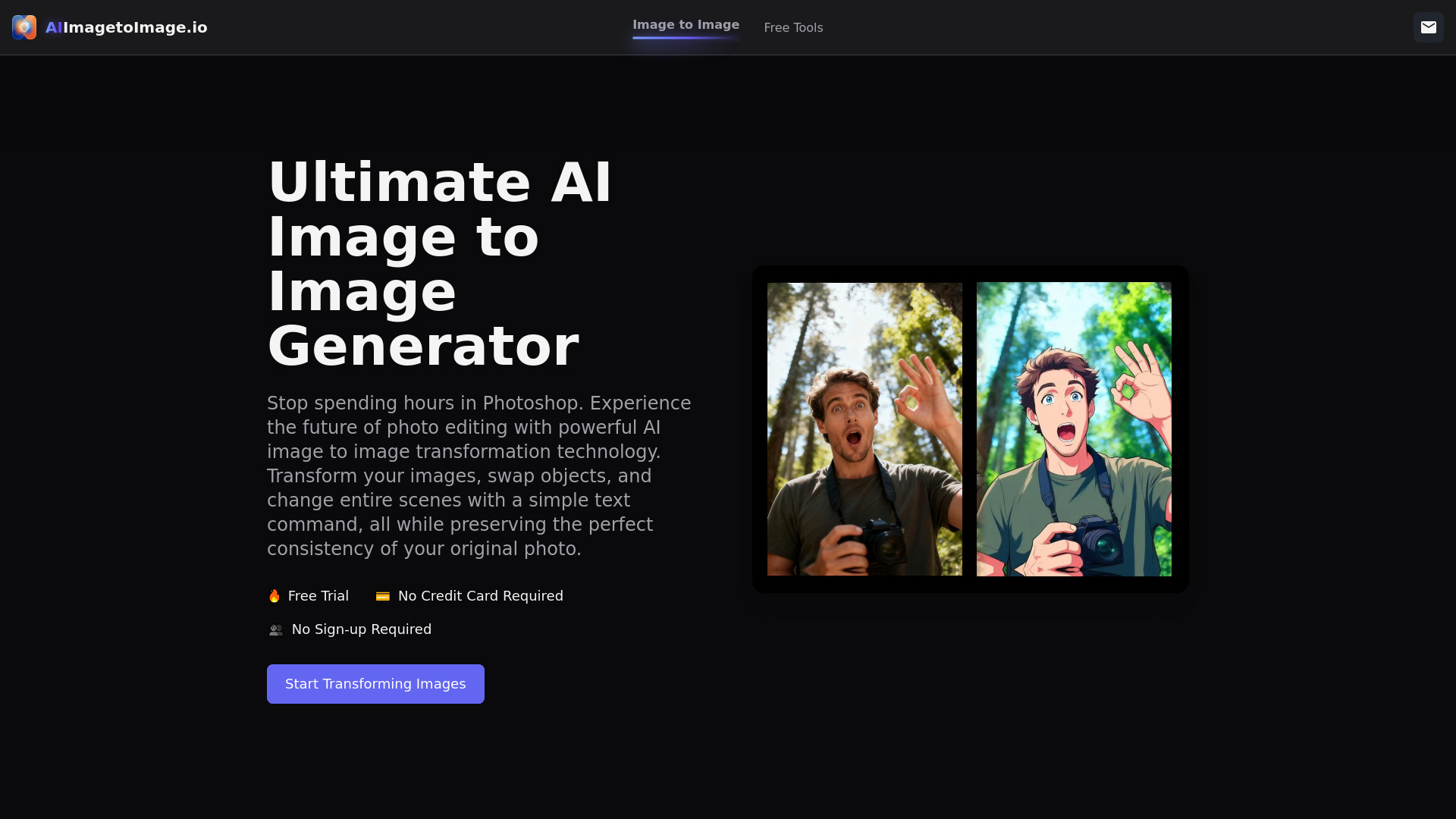
AI Image to Image Generator is a web-based tool that transforms existing photos using plain-language text prompts. Instead of manually editing in traditional photo software, users upload a reference image, describe the change they want, and receive an AI-generated result that aims to preserve the composition and identity of the original photo. The platform positions itself as a faster alternative to Photoshop-style workflows for tasks such as object swapping, background replacement, and scene changes. The service covers a range of editing and creative use cases. It supports text-guided object swapping, restyling photographs into paintings, 3D renders, or anime-style artwork, generating professional-looking headshots from casual selfies, removing unwanted people or clutter with background infill, restoring and upscaling old photographs, and extending the canvas of an image through outpainting. Supported input formats include JPG, PNG, and WebP, and the workflow is designed around three steps: upload, describe, and download. The tool is aimed at a broad audience, including concept artists, marketers, product photographers, game developers, and general consumers who want quick visual edits without a steep learning curve. Beginners can rely on simple prompts and one-click style presets, while more advanced users can access granular settings. Because the platform advertises a free trial, it is a practical option for evaluating AI-driven image transformation before committing to a paid plan.
SpecificationsAI-estimated
Key Features of AI Image to Image Generator
Use Cases for AI Image to Image Generator
Concept Art Iteration
Artists can turn rough sketches into polished variations quickly, generating many options from a single base drawing.
Product Scene Creation
Marketers can place a single product photo into many different lifestyle scenes without organizing new photo shoots.
Professional Headshots
Professionals can convert casual selfies into studio-quality portraits with clean lighting and backgrounds for corporate profiles.
Photo Cleanup
Users can remove unwanted people or clutter from photos while the AI fills in the background naturally.
Old Photo Restoration
Families and archivists can upscale and repair faded or damaged family photographs.
Game Environment Art
Small game studios can restyle basic sketches into finished environment art to speed up production.
How to use AI Image to Image Generator?
Upload Source Image
Upload a reference photo in JPG, PNG, or WebP format. Clear, high-quality source files give the best results.
Describe Your Vision
Write a plain-language prompt describing the change, such as 'turn this into a watercolor painting' or 'replace the background with a futuristic city'.
Preview and Download
Review the generated result instantly and download the high-quality image once you are satisfied.
Pros & Cons of AI Image to Image Generator
Pros
- Simple text-prompt workflow that removes the need for manual editing skills
- Covers a wide range of tasks including object swapping, restyling, headshots, cleanup, and outpainting
- Beginner-friendly defaults alongside pro-level controls for finer adjustments
- Free trial available for testing before paying
Cons
- Output quality and consistency depend heavily on prompt wording and source image quality
- Marketing claims such as 'perfect consistency' and 'lightning-fast' are not independently verified on the page
- Limited transparency on pricing tiers, usage limits, and export resolutions on the scraped page
Frequently Asked Questions
What image formats are supported?
The tool accepts JPG, PNG, and WebP files.
Is the service free to use?
The page advertises a free trial and describes the feature as free to use, though paid tier details are not listed on the scraped page.
How do I get the best results?
Use clear, high-quality source images and write specific, plain-language prompts describing exactly what should change.
Can it remove objects or people from a photo?
Yes, the AI background removal feature can erase unwanted people or clutter and fill the background intelligently.
Can it restore old or damaged photos?
The platform offers restoration features that upscale resolution, fix lighting, and recover details in older photographs.
What is outpainting?
Outpainting extends the canvas of an image in any direction, with the AI generating background content that matches the original scene.
Reviews & Ratings0.0
No reviews yet. Be the first to write one!
Top Alternatives & Similar Software
View all alternatives & similar software→No alternatives available yet.
People also viewed


Related searches
Is this your tool?
Claim this page to update details, reply to user reviews, and drive more traffic to your product.
Claim this Product →
Tags
Explore Related Topics
Keep up with AI Image to Image Generator alternatives
New alternatives, pricing changes and the week's biggest movers - one email every Tuesday.