


AI Portrait Gen
Turn ordinary photos into realistic, studio-quality AI portraits in minutes.


What is AI Portrait Gen?
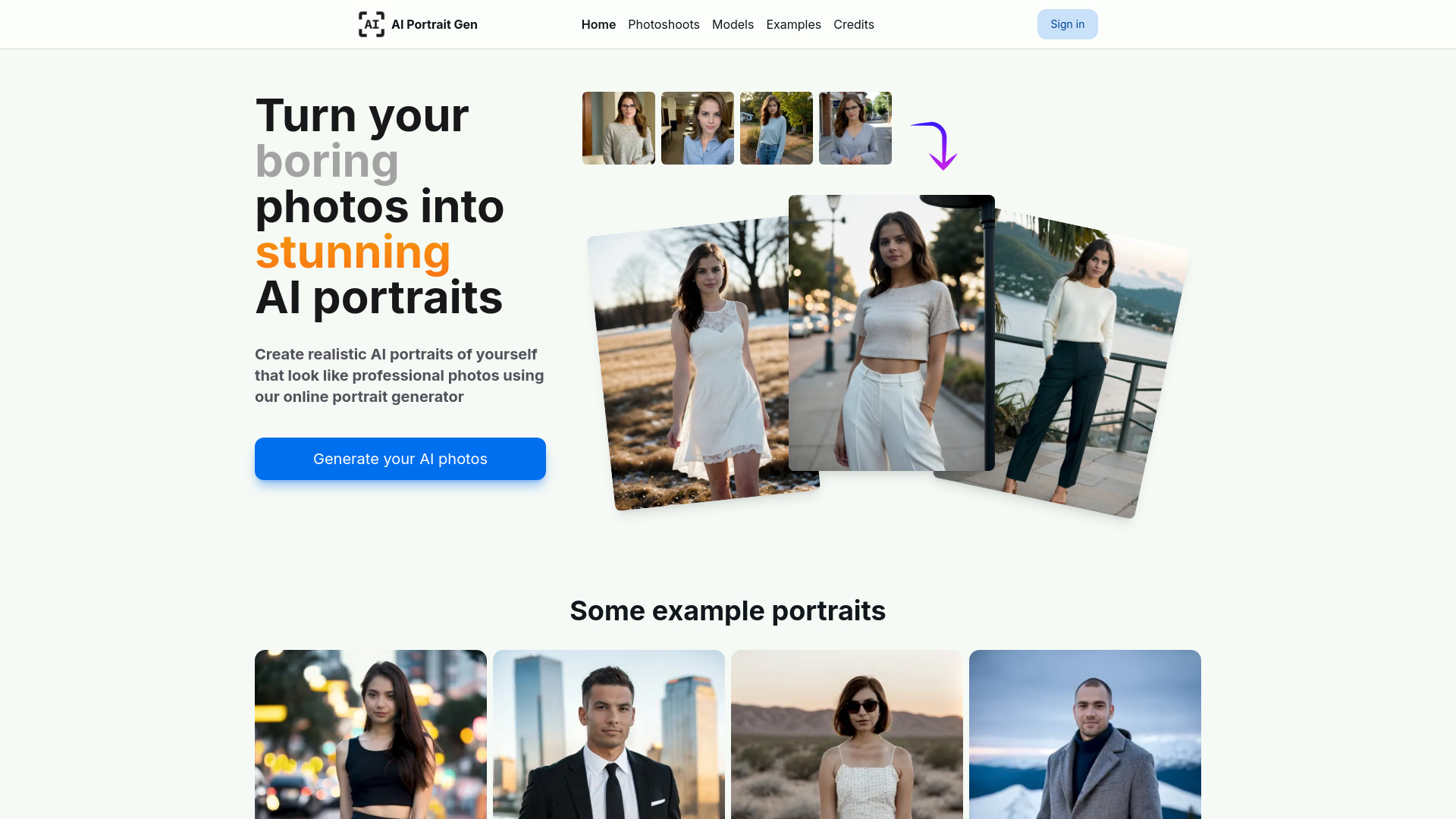
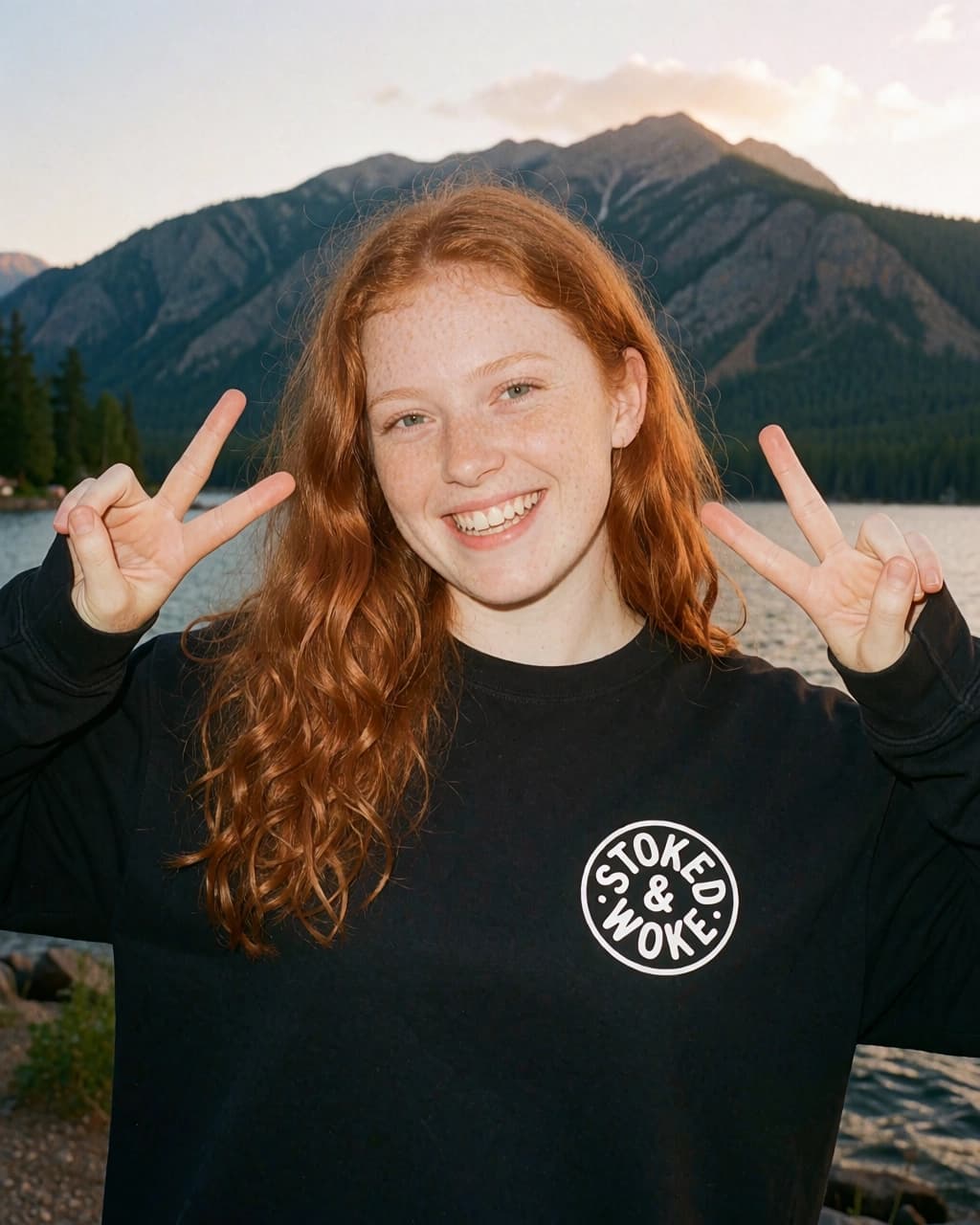
AI Portrait Gen is an online service that transforms ordinary photos into polished, realistic AI-generated portraits. The showcase on the website demonstrates a wide range of subjects: casual snapshots taken outdoors, street-style photos, travel shots, and everyday selfies, all re-rendered as stylized studio-quality portraits with clean lighting and refined backgrounds. The core promise is to take a boring snapshot and turn it into something that looks like it came from a professional photo session. The tool is aimed at people who have plenty of photos of themselves or others but lack access to a photographer or studio. Users upload a source image, and the generator produces a portrait that preserves the subject's identity and key features while improving composition, lighting, and overall image quality. The examples span different ages, styles, and settings, suggesting the model handles varied input conditions such as harsh sunlight, cluttered backgrounds, and unusual angles. Because the product is positioned around realism, its main appeal is for profile pictures, professional headshots for social or business use, and personal branding. It is best suited to individuals who want fast, low-effort results without booking a session, though users should review outputs carefully for fidelity to their actual appearance.
SpecificationsAI-estimated
Key Features of AI Portrait Gen
Use Cases for AI Portrait Gen
Professional headshots
Create polished headshots for LinkedIn, company bios, or resumes without booking a photographer.
Social media profile pictures
Upgrade everyday snapshots into standout avatars for social platforms.
Personal branding
Generate consistent, high-quality portraits for personal websites, portfolios, or creator profiles.
Dating profiles
Improve the look of photos for dating apps with more flattering, professional-looking images.
Remote work and video calls
Produce a clean, professional image for team pages, directories, or conference materials.
Gifts and memorabilia
Turn old or casual photos into keepsake-quality portraits for family and friends.
How to use AI Portrait Gen?
Upload a photo
Choose a clear, well-lit image of the person you want to portray.
Select a style
Pick the portrait look or setting that fits your intended use.
Generate the portrait
Let the AI process the image and produce the enhanced portrait.
Review and download
Check the result for accuracy and likeness, then download your final image.
Pros & Cons of AI Portrait Gen
Pros
- Produces portraits that look convincingly professional and photographic
- Works across a wide variety of input photos, from outdoor snapshots to casual selfies
- Eliminates the need to book a photographer or rent a studio
- Preserves the subject's core appearance while improving lighting and framing
Cons
- Results depend heavily on input photo quality and may not always match the subject exactly
- Website copy provides limited detail on pricing, output resolution, or licensing terms
- Realistic AI-generated likenesses raise potential concerns about misuse and consent
Frequently Asked Questions
What kind of photo should I upload?
Clear, front-facing or lightly angled photos with good lighting generally produce the best results, though the service shows examples from many conditions.
Will the portrait look like me?
The generator aims to preserve identity and key features, but results may vary, so review the output before using it.
What is the portrait used for?
Common uses include headshots, social profile pictures, personal branding, and dating profiles.
Do I need photo editing skills?
No. The workflow is designed to be simple, requiring only an upload and style selection.
Can I use the results commercially?
Licensing terms are not detailed in the scraped content; check the website's terms before commercial use.
How is this different from a photographer?
It is faster and cheaper, but it is AI-generated, so it may not capture the same nuance as a live photo session.
Pricing Overview
View full pricing →No pricing information is stated in the provided page content.
Detailed plans are not listed. Visit the official website for pricing information.
Reviews & Ratings0.0
No reviews yet. Be the first to write one!
Top Alternatives & Similar Software
View all alternatives & similar software→No alternatives available yet.
People also viewed


Related searches
Is this your tool?
Claim this page to update details, reply to user reviews, and drive more traffic to your product.
Claim this Product →
Tags
Explore Related Topics
Keep up with AI Portrait Gen alternatives
New alternatives, pricing changes and the week's biggest movers - one email every Tuesday.