



Archivarix Tube Search
Find deleted YouTube videos by searching more than 4 billion archived records, recovered metadata, subtitles, and preserved video files.
What is Archivarix Tube Search?
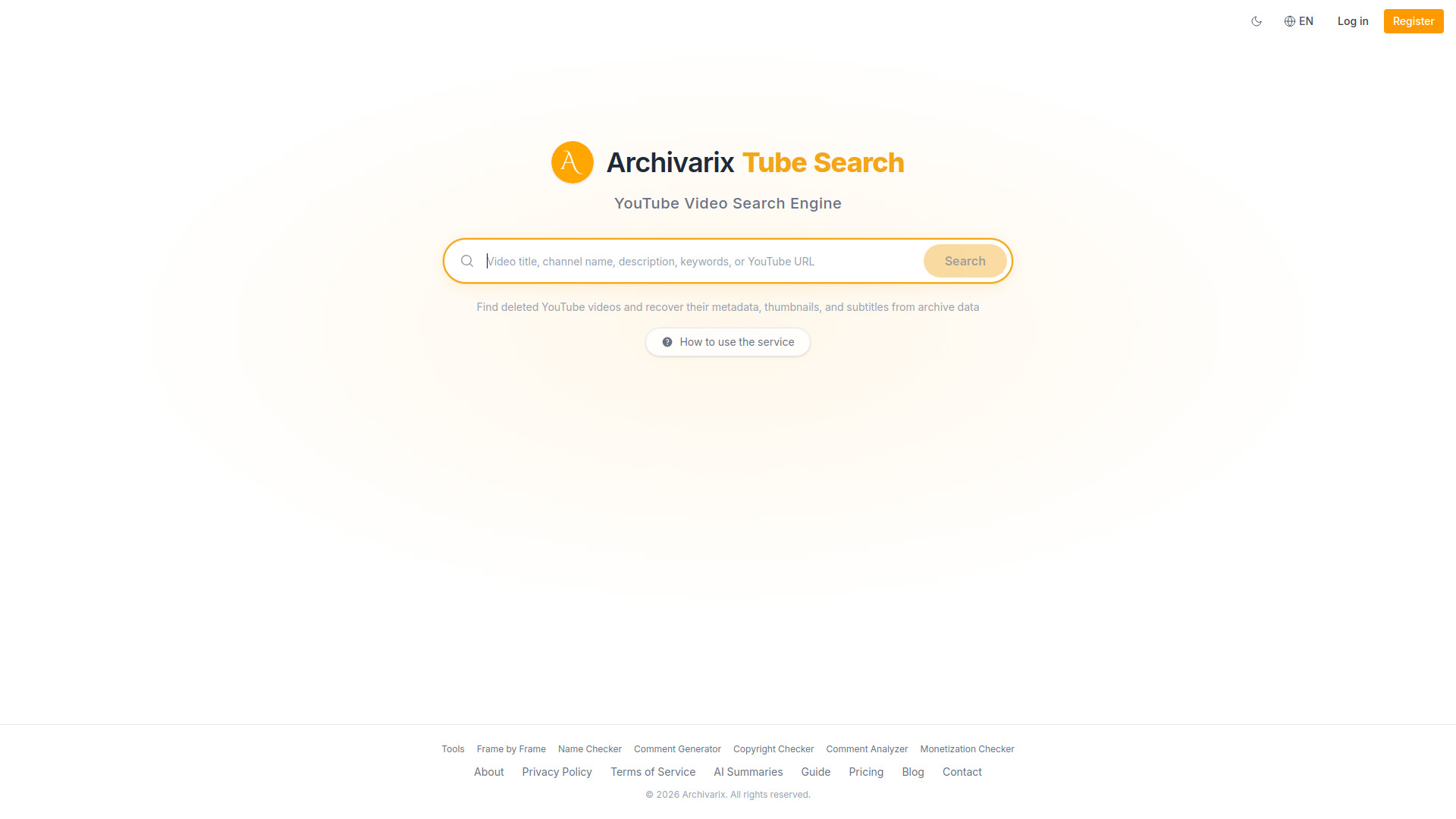
Archivarix Tube Search is an online search engine built to recover deleted, removed, and unavailable YouTube videos. Instead of relying on YouTube itself, it taps into the Wayback Machine, Common Crawl, and other web archives to locate preserved metadata, thumbnails, subtitles, and links to archived video files. The service indexes more than 4 billion YouTube video records dating back to 2005, making it a powerful resource for finding content that has vanished from the platform. Users can look up a video by pasting its original URL or 11-character video ID, search an entire channel via URL or @handle, or run full-text searches across titles, descriptions, and subtitle transcripts. Advanced search operators such as exact-phrase quotes, minus signs for exclusions, and OR for alternatives help narrow results. For recovered videos, the tool displays original metadata and lets users download subtitles in SRT format when available. Archivarix Tube Search is designed for researchers, archivists, journalists, and everyday viewers who want to rediscover erased YouTube content. It does not host videos itself; instead, it checks whether a playable copy has been preserved on Archive.org and provides a direct route to watch it when possible. Because recovery depends on third-party archive coverage, not every deleted video can be found, but the service greatly improves the chances of resurrecting lost content.
SpecificationsAI-estimated
Key Features of Archivarix Tube Search
Use Cases for Archivarix Tube Search
Finding deleted videos from a specific channel
Enter a channel URL or @handle to see archived videos from that channel, including ones that were removed.
Locating a video by URL or ID
If you know a deleted video's original URL or 11-character video ID, search directly for its archived metadata.
Recovering subtitles from unavailable videos
Download SRT subtitle files for videos that no longer exist on YouTube but were captured in archives.
Researching removed YouTube content
Use full-text search across titles, descriptions, and transcripts to study or cite content that has been taken down.
Checking if a video file is still preserved
Verify whether the actual video file has been saved on Archive.org and access it when available.
Restoring lost video information
Recover original titles, descriptions, view counts, and thumbnails for deleted videos to recreate or document lost content.
How to use Archivarix Tube Search?
Choose your search method
Go to the Archivarix Tube Search website and decide whether to search by channel, by video URL or ID, or using full-text search.
Enter your query
Paste a YouTube channel URL, a channel handle, a video URL, an 11-character video ID, or a text query with optional operators.
Review the archived results
Browse through the matching results and check original titles, descriptions, view counts, thumbnails, and archive availability.
Recover subtitles
If subtitles were captured, download them in SRT format for the deleted video you are interested in.
Access the archived video file
Use the provided link to Archive.org or another archive source to watch the video if the actual file has been preserved.
Pros & Cons of Archivarix Tube Search
Pros
- Access to an index of over 4 billion YouTube video records
- Searches multiple archives including the Wayback Machine and Common Crawl
- Can recover metadata, thumbnails, subtitles, and links for deleted videos
- Supports channel lookup, video URL/ID lookup, and full-text queries
- Provides direct routes to archived video files on Archive.org when available
Cons
- Actual video file availability is not guaranteed and depends on archive snapshots
- The service does not host videos, only links to archived copies
- Full video recovery is limited by archive coverage and frequency
- Not every video ever uploaded may be present in the search index
Frequently Asked Questions
What is Archivarix Tube Search?
It is a search engine that finds deleted, removed, or unavailable YouTube videos by searching web archives like the Wayback Machine, Common Crawl, and Archive.org.
Does Archivarix Tube Search host the videos itself?
No. It recovers metadata, thumbnails, subtitles, and links to archived copies. The actual video file, when available, is accessed through an archive source such as Archive.org.
How can I find deleted videos from a YouTube channel?
Enter the channel URL or @handle into the channel search to see archived videos from that channel with their original metadata and thumbnails.
Can I search for a deleted video if I only remember part of its title or description?
Yes. Use the full-text search across titles, descriptions, and subtitle transcripts. You can use quotes for exact phrases, a minus sign to exclude words, and OR for alternatives.
Are subtitles always available for deleted videos?
No. Subtitles are only available if they were captured in YouTube's caption archives or in Wayback Machine snapshots. When present, they can be downloaded in SRT format.
Is every deleted YouTube video guaranteed to be found?
No. Recovery depends on whether the video metadata or file was captured by web archives and whether those records are included in the search index.
Reviews & Ratings0.0
No reviews yet. Be the first to write one!
Top Alternatives & Similar Software
View all alternatives & similar software→No alternatives available yet.
People also viewed




Related searches
Is this your tool?
Claim this page to update details, reply to user reviews, and drive more traffic to your product.
Claim this Product →
Tags
Explore Related Topics
Keep up with Archivarix Tube Search alternatives
New alternatives, pricing changes and the week's biggest movers - one email every Tuesday.