



BlogTweet
Turn any blog post into a ready-to-post X/Twitter thread with customizable AI-generated tweets.
What is BlogTweet?
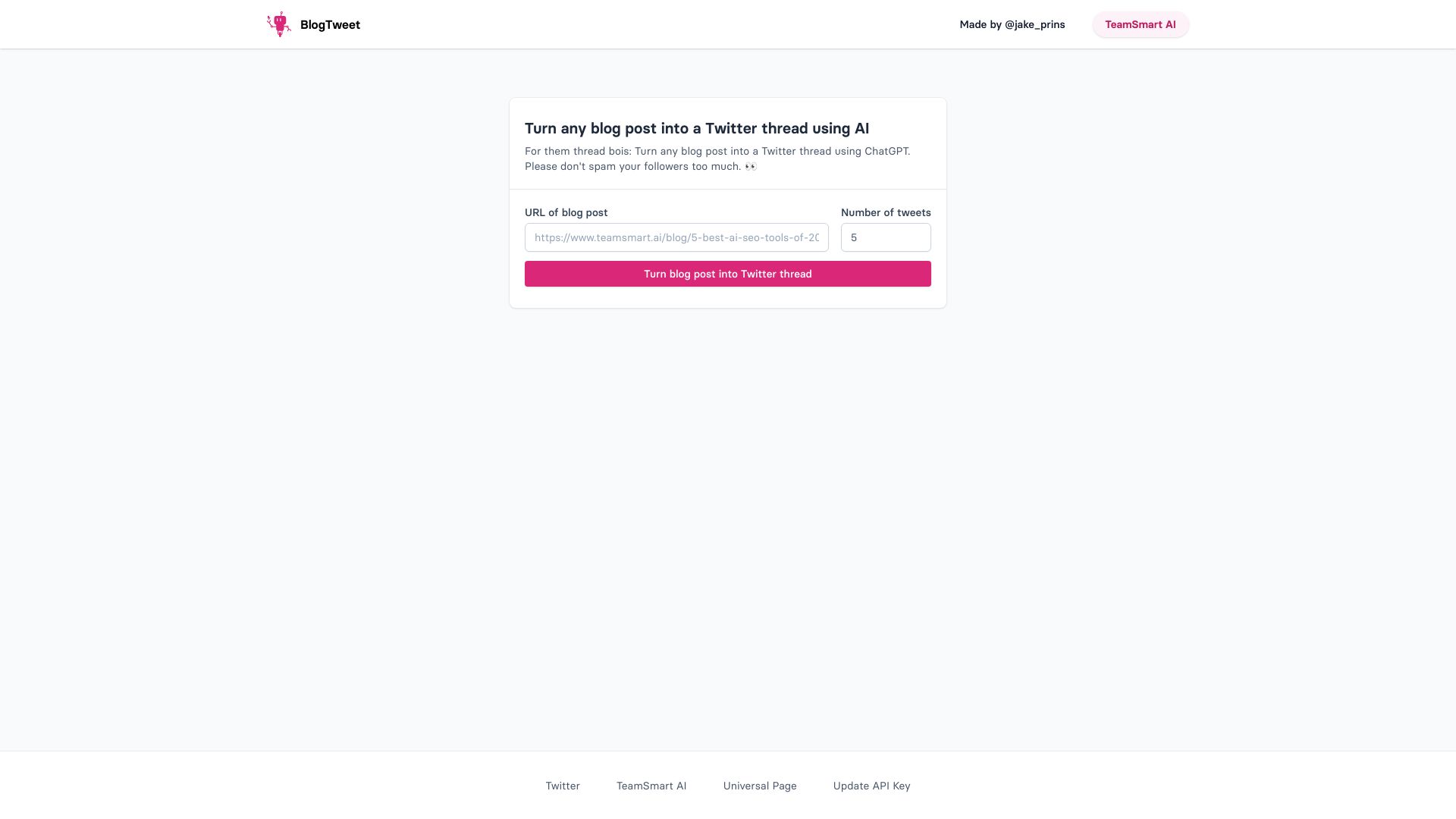
BlogTweet is a free AI-powered web tool designed to turn a blog post into a ready-to-share X (formerly Twitter) thread. Instead of manually breaking an article into tweets, users paste the URL of a blog post, choose their preferred thread settings, and let ChatGPT handle the rewriting. The result is a sequence of tweets that condenses the original content into a social-friendly format while keeping the key points intact. The tool focuses on simplicity: there are no complicated dashboards or editing suites. Users can set the number of tweets they want, decide whether to include emojis and hashtags, and select a tone that matches their personal or brand voice. Two tone presets are shown on the homepage - Professional (formal and business-like) and Casual (friendly and conversational) - making it easy to tailor the thread for different audiences. BlogTweet is aimed at content creators, marketers, bloggers, and social media managers who want to extend the lifespan of their written content. By repurposing a detailed article into bite-sized tweets, it helps drive engagement and traffic back to the original post. The tool is particularly useful for anyone who publishes regularly on X and wants a fast starting point for conversation-ready threads.
SpecificationsAI-estimated
Key Features of BlogTweet
Use Cases for BlogTweet
Repurposing blog content into social media threads
Quickly repurpose long-form articles into a series of engaging tweets that drive readers back to the original post.
Building engagement around a new article
Generate conversation-ready threads to promote a newly published blog post and reach audiences on X/Twitter.
Creating quick summary threads
Create a concise summary of a detailed article for busy followers who prefer bite-sized content.
Maintaining a consistent brand voice
Use tone presets to keep a consistent, professional or casual voice across your X/Twitter content.
Generating conversation starters
Produce thought leadership threads from blog posts to spark discussion and position yourself or your brand as an expert.
Saving time drafting social content
Save time for social media managers by automating the first draft of a Twitter thread from a blog URL.
How to use BlogTweet?
Copy the blog post URL
Copy the URL of the blog post you want to turn into a thread.
Paste the URL into BlogTweet
Go to BlogTweet and paste the blog post URL into the provided input field.
Configure your thread settings
Set the number of tweets you want, toggle emojis and hashtags on or off, and choose a tone like Professional or Casual.
Generate the thread
Let the AI generate the thread based on your settings and the blog content.
Review and share on X/Twitter
Review the generated tweets, make any edits if needed, and copy them to post on X/Twitter.
Pros & Cons of BlogTweet
Pros
- 100% free to use
- Converts full blog posts into tweet threads in seconds
- Offers tone customization for different audiences
- Optional emoji and hashtag controls
- Simple web-based workflow with no technical skills required
Cons
- Only generates threads for X/Twitter; no built-in support for LinkedIn or other social platforms.
- Limited control over exact wording and thread structure beyond tweet count, emojis, hashtags, and tone.
- Depends on the quality and structure of the original blog post for the best results.
Frequently Asked Questions
What is BlogTweet?
BlogTweet is a free AI-powered generator that converts a blog post URL into an X/Twitter thread using ChatGPT.
How does BlogTweet work?
You paste the URL of a blog post, choose your preferred settings such as number of tweets, emojis, hashtags, and tone, then the AI generates a complete thread for you.
Is BlogTweet free?
Yes, BlogTweet is described as a free AI Twitter thread generator on its homepage.
Can I choose how many tweets are in the thread?
Yes, you can set the number of tweets you want the generated thread to contain.
Can I include emojis and hashtags in my thread?
Yes, BlogTweet includes options to include emojis and hashtags in the generated thread.
What tone options are available?
The homepage lists at least two tone options: Professional (formal and business-like) and Casual (friendly and conversational).
Does BlogTweet post the thread automatically?
The page focuses on generating the thread. It does not mention automatic posting, so you would copy and share the generated tweets on X/Twitter yourself.
What input does BlogTweet require?
You need the URL of a blog post. BlogTweet uses that URL to turn the article content into a Twitter thread.
Reviews & Ratings0.0
No reviews yet. Be the first to write one!
Top Alternatives & Similar Software
View all alternatives & similar software→No alternatives available yet.
People also viewed

.png)


Related searches
Is this your tool?
Claim this page to update details, reply to user reviews, and drive more traffic to your product.
Claim this Product →
Tags
Explore Related Topics
Keep up with BlogTweet alternatives
New alternatives, pricing changes and the week's biggest movers - one email every Tuesday.