


Call Flow
An AI call simulator that lets sales and support reps practice objections, cold calls, and de-escalation against realistic AI callers and get scored in seconds.
What is Call Flow?
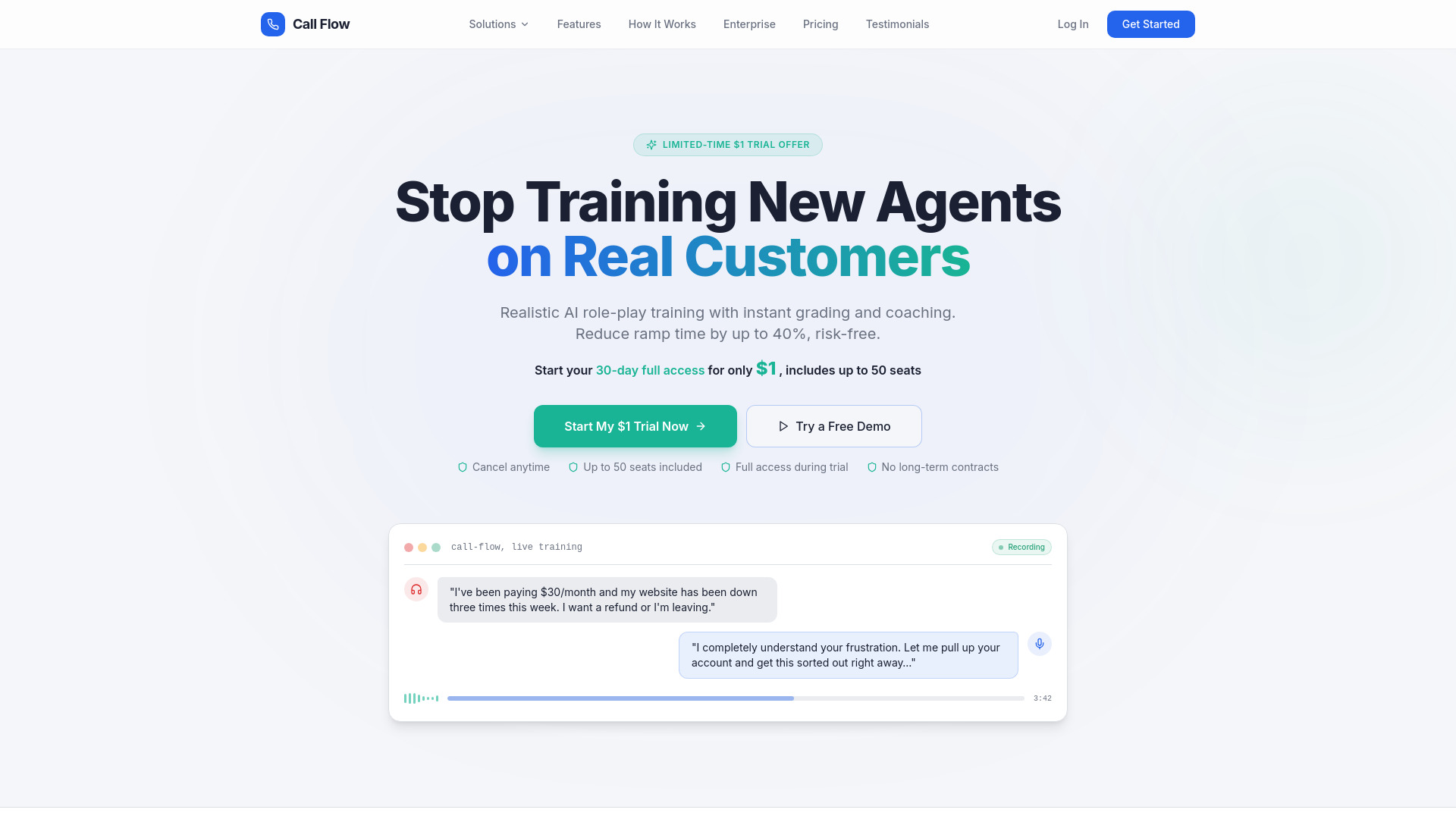
Call Flow is an AI-powered sales call simulator and role-play training platform built for sales development teams, account executives, and contact center staff. Reps practice cold calls, discovery conversations, objection handling, and de-escalation against realistic AI callers, responding by voice or text. The aim is to let reps rehearse the unexpected moments that often derail a rehearsed script, such as off-script objections, hostile callers, and curveballs, before they ever speak with a live prospect or customer. Every practice call is graded almost immediately across five dimensions, including opener, discovery, objection handling, tone, and close, with coaching notes reps can apply on the next attempt. The platform ships with a library of more than 700 ready-made scenarios spanning hosting and infrastructure, e-commerce, refunds and cancellations, compliance and privacy, de-escalation, and soft skills. Teams can also write custom scenarios in a sentence or two, tailoring caller temperament and difficulty to individual reps. The scoring rubric is designed to mirror the QA frameworks many contact centers already use, and supervisors can review and override scores. On the management side, Call Flow offers supervisor review queues, team dashboards, skill heatmaps, progress tracking, and certification workflows that help managers judge when a rep is ready to take live calls. It is aimed at SDR and AE teams, contact centers training retention and de-escalation skills, managers onboarding new hires, and individual reps preparing for interviews or important calls. Pricing is flat per team with up to 20 seats and a free trial, and the platform advertises SOC 2 and GDPR compliance along with SSO and role-based access controls.
SpecificationsAI-estimated
Key Features of Call Flow
Use Cases for Call Flow
Cold call practice for SDR teams
Sales development reps rehearse opening lines, gatekeeper handling, and first-touch conversations before dialing real prospects.
Discovery and objection training for AEs
Account executives practice qualifying questions and responding to pricing, timing, and competitor objections.
De-escalation training for contact centers
Support agents practice calming hostile or upset callers in a safe environment before handling live complaints.
Retention and cancellation save calls
Reps rehearse offering alternatives and handling cancellation requests with realistic pushback.
New hire onboarding
Managers use simulations to shorten ramp time and certify new reps before they take live calls.
Interview and big-call preparation
Individual reps rehearse for job interviews or high-stakes customer conversations.
How to use Call Flow?
Sign up and invite your team
Create an account and add up to 20 seats for reps, managers, and supervisors.
Pick or create a scenario
Choose from the 700+ scenario library or write a custom scenario describing the product, objection, or caller persona.
Start a voice or text call
Begin the simulated call with the AI caller and respond as you would on a real call.
Review your scorecard
Read the instant scorecard and coaching tips, then retry the scenario to improve.
Track readiness
Supervisors monitor dashboards and certify reps once they hit the target performance.
Pros & Cons of Call Flow
Pros
- Realistic AI caller simulations with multiple temperaments that respond unpredictably, closer to live calls than static scripts
- Instant five-dimension scoring and actionable coaching feedback the moment a call ends
- Large library of 700+ ready scenarios plus a custom scenario builder for company-specific products and objections
- Supervisor dashboards, certification workflows, and override controls that tie practice to readiness decisions
Cons
- Scores come from AI grading, so supervisors may need to review and adjust results to trust them fully
- Pricing and seat limits are tied to team plans, which may be less suited to solo users or very large enterprises without a custom quote
- Effectiveness claims such as ramp-time reductions come from vendor-provided testimonials rather than independent studies
Frequently Asked Questions
Is there a free trial?
Yes. Call Flow offers a free trial with full access to features for up to 20 users, and no credit card is required to get started.
Can we use our own products and objections?
Yes. The custom scenario builder lets you create training scenarios using your own products, objections, and customer personas.
How are calls scored?
Every call is scored automatically across five dimensions, including opener, discovery, objection handling, tone, and close, using a rubric designed to match common QA frameworks.
Can supervisors change the AI scores?
Yes. Supervisors can review and override any score, so the AI grade serves as a starting point rather than a final verdict.
Does it support voice practice or only text?
Both. Reps can practice by voice or text with the AI caller.
Is customer data secure?
The platform states that it is SOC 2 compliant and GDPR ready, with encrypted data at rest and in transit, plus SSO and role-based access controls.
Do reps need to install anything?
No. Call Flow is browser-based, so reps can pick a scenario, start the call, and read the scorecard right after.
Pricing Overview
View full pricing →Call Flow offers a free start with up to 20 seats and flat team pricing of $179/yr, with no credit card required to get started.
Reviews & Ratings0.0
No reviews yet. Be the first to write one!
Top Alternatives & Similar Software
View all alternatives & similar software→No alternatives available yet.
People also viewed




Related searches
Is this your tool?
Claim this page to update details, reply to user reviews, and drive more traffic to your product.
Claim this Product →
Tags
Keep up with Call Flow alternatives
New alternatives, pricing changes and the week's biggest movers - one email every Tuesday.