


ColorFuseAI
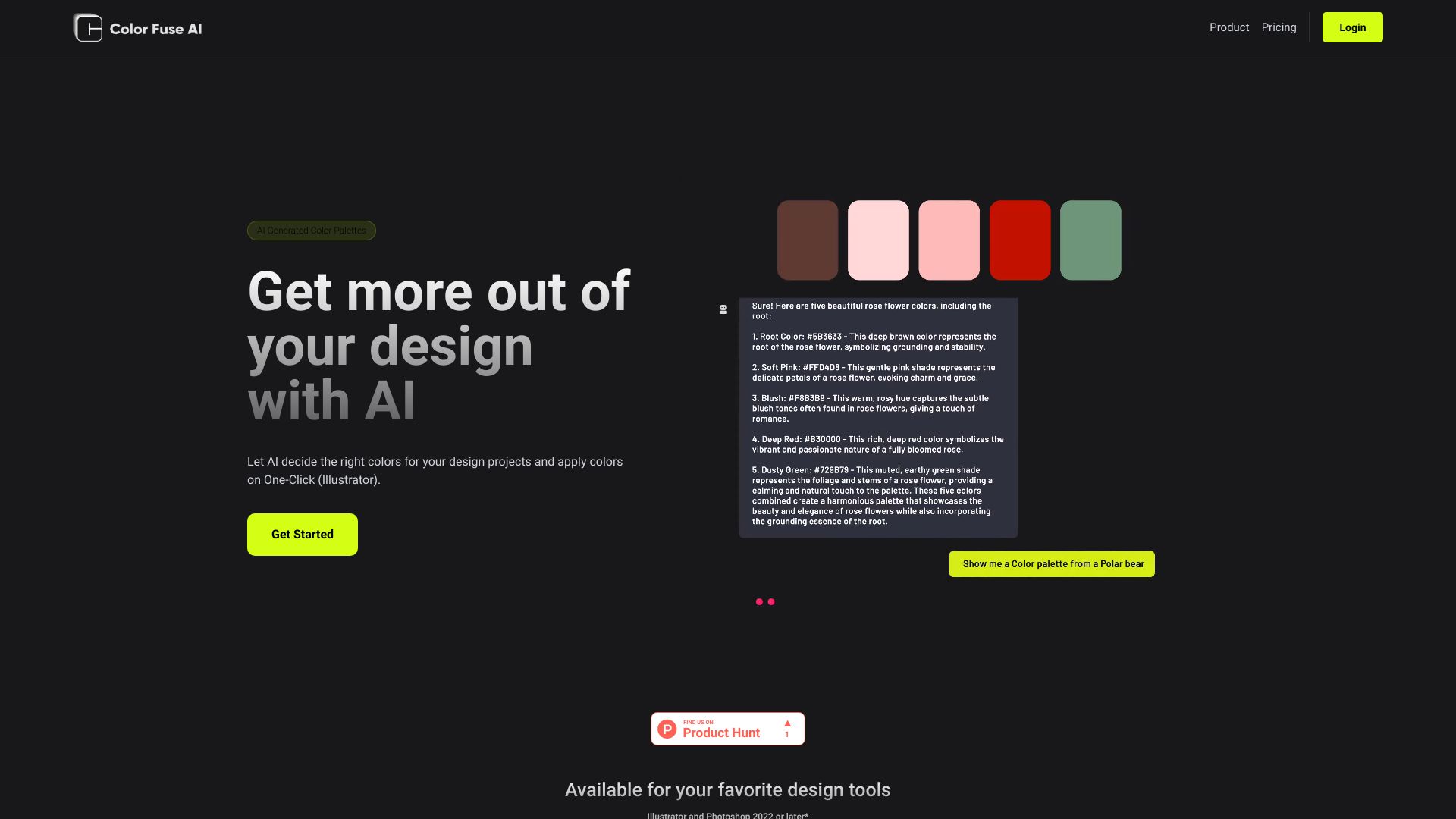
An AI color palette generator that applies harmonious schemes directly into Illustrator, Photoshop, and Figma in one click.


What is ColorFuseAI?
ColorFuseAI is an AI-powered color palette generator built for designers who want to move faster from inspiration to finished artwork. Using a conversational AI assistant and automated palette generation, it proposes harmonious color schemes tailored to a design brief, so users no longer need to hand-tune swatches from scratch. The product is positioned around speed and convenience: describe the mood or project, receive a coherent palette, and refine it through simple customization controls. What sets ColorFuseAI apart is its integration with professional design tools. Rather than limiting users to a web-based swatch viewer, it offers one-click application of palettes directly inside Adobe Illustrator, with support for Photoshop and Figma also listed. Users can extract color schemes, customize existing palettes, and save their favorites for reuse, which streamlines the handoff between ideation and production inside the applications where work actually happens. ColorFuseAI is best suited for freelance designers, illustrators, and in-house creative teams who regularly need fresh color directions and want to reduce time spent on palette exploration. Its free tier allows web-based use with core generation features, while the Pro plan adds the ability to save and access palettes from anywhere, making it a practical option for individuals and teams working across devices.
SpecificationsAI-estimated
Key Features of ColorFuseAI
Use Cases for ColorFuseAI
Brand identity exploration
Quickly generate several color directions for a new logo or brand system before committing to one.
Illustration palettes
Produce cohesive color sets for illustration work in Illustrator with a single click.
UI color schemes
Create harmonious palettes for web and app interfaces designed in Figma or Photoshop.
Mood-driven projects
Describe a mood or theme to the AI assistant and receive matching color suggestions.
Client presentations
Rapidly generate multiple palette options to show clients during early design reviews.
Team palette sharing
Save and access a shared library of palettes across devices with the Pro plan.
How to use ColorFuseAI?
Create a free account
Sign up on the ColorFuseAI website; no credit card is required for the free tier.
Describe your palette
Use the AI assistant to explain the mood, theme, or project you are designing for.
Generate and customize
Review the AI-generated palette and adjust individual colors or the overall scheme.
Apply to your design tool
Use the one-click apply option in Illustrator, or use the Photoshop and Figma integrations.
Save for later
Save palettes to your library so you can reuse them across future projects.
Pros & Cons of ColorFuseAI
Pros
- One-click palette application directly inside Adobe Illustrator
- Conversational AI assistant generates palettes from natural-language prompts
- Free tier available with no credit card required
- Save and customize palettes for reuse across projects
Cons
- Full design-tool integration is limited to newer versions of Illustrator and Photoshop (2022 or later)
- Cross-device palette access requires the paid Pro plan
- Smaller ecosystem and user base compared to established color tools
Frequently Asked Questions
Is ColorFuseAI free to use?
Yes, there is a free plan that includes the AI assistant, color scheme generation, palette customization, and saving palettes, with no credit card required.
What does the Pro plan add?
The Pro plan, at $8 per month, lets you save and access your palettes from anywhere across devices.
Which design tools are supported?
ColorFuseAI supports Adobe Illustrator, Photoshop, and Figma, with one-click apply currently available for Illustrator.
Which versions of Adobe software are required?
Illustrator and Photoshop 2022 or later are required for the integration.
How does the AI generate palettes?
You describe your project or mood to the conversational AI assistant, which then generates color palettes matching your brief.
Can I edit generated palettes?
Yes, the customization feature lets you adjust colors within a generated palette to fit your design needs.
Pricing Overview
View full pricing →ColorFuseAI offers a free plan on the web and a Pro plan at $8 per month for saving and accessing palettes from anywhere and for use with design tools.
Reviews & Ratings0.0
No reviews yet. Be the first to write one!
Top Alternatives & Similar Software
View all alternatives & similar software→No alternatives available yet.
People also viewed


Related searches
Is this your tool?
Claim this page to update details, reply to user reviews, and drive more traffic to your product.
Claim this Product →
Tags
Explore Related Topics
Keep up with ColorFuseAI alternatives
New alternatives, pricing changes and the week's biggest movers - one email every Tuesday.