



ColorMagic
Describe a mood, a brand, or a character and get a ready-to-use color palette in seconds.
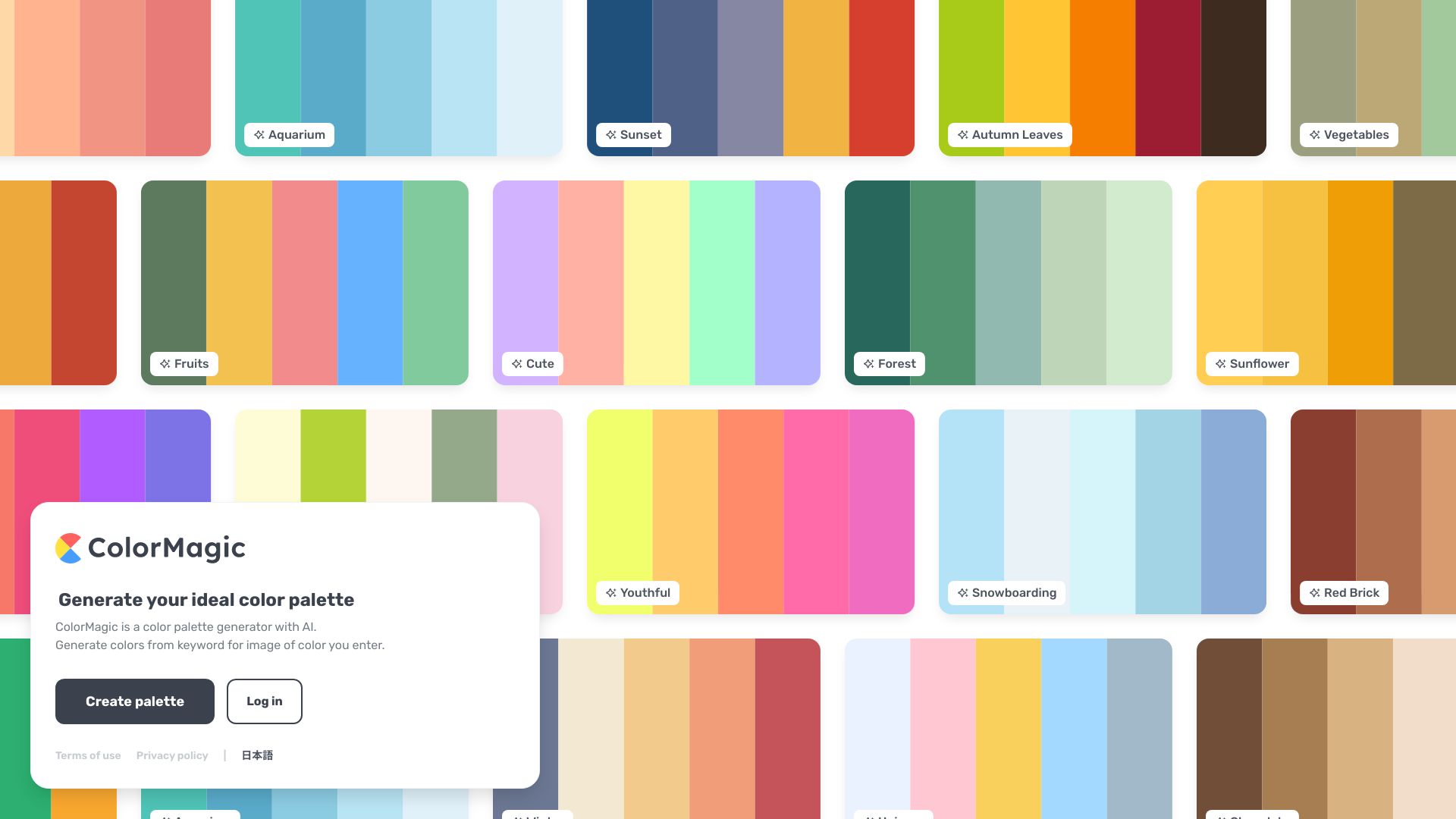
What is ColorMagic?
ColorMagic is a free, web-based AI color palette generator that turns plain-language descriptions into harmonious color schemes. Instead of requiring designers to pick hues by hand, users type a mood, a brand, a character name, a place, or a material, and the tool returns a matching palette in seconds. It also accepts a HEX code as a starting point, or an uploaded image from which colors are extracted. The result is a practical tool for anyone who needs cohesive colors quickly, without deep knowledge of color theory. Beyond generation, ColorMagic supports the full workflow of using a palette. Users can copy HEX codes, grab CSS snippets and gradient effects, download a palette as a PNG, or share a link to it. A searchable library of palettes inspired by films, anime, games, and franchises offers further inspiration. An account is needed only to save favorite palettes, so generating, viewing, and copying are open to everyone at no cost. The platform suits designers, artists, marketers, and non-designers who need to make visually coherent decisions for projects such as branding, illustrations, character design, presentations, and social media feeds. Its strength is speed and accessibility; its prompt-driven approach works best when descriptions focus on mood and context rather than long lists of specific colors. A new AI image generator extends the same idea, creating illustrations and patterns rendered in a chosen palette.
SpecificationsAI-estimated
Key Features of ColorMagic
Use Cases for ColorMagic
Brand identity design
Describe a brand's personality and audience to generate a cohesive color system for logos, websites, and marketing materials.
Character and illustration work
Artists enter a character name or theme to generate palettes that fit a figure's personality and setting.
Interior and product inspiration
Designers describe a space or product concept to explore color directions before committing to a scheme.
Social media consistency
Creators extract the palette from their existing feed screenshots to keep future posts visually aligned.
Web and UI styling
Developers copy HEX codes or CSS gradients directly into front-end projects.
Learning color theory
Students compare complementary, analogous, and triadic schemes to understand how harmony works.
How to use ColorMagic?
Enter your input
Type a name, a descriptive phrase, a brand, or a HEX code into the generator, or upload an image for color extraction.
Generate the palette
Click the Generate Color Palette button and let the AI produce a matching set of colors.
Refine if needed
If the result is close but not quite right, generate again from the same description or add a specific HEX code to anchor the palette.
Export your colors
Copy the HEX codes or CSS, download the palette as a PNG, or share a link.
Save favorites
Sign in with Google to save palettes you want to return to later.
Pros & Cons of ColorMagic
Pros
- Completely free to generate, view, and copy palettes with no account required
- Plain-language prompts make palette creation accessible to non-designers
- Multiple input methods: text, HEX code, or image color extraction
- Export options including HEX codes, CSS, gradients, and PNG downloads
Cons
- Saving favorite palettes requires signing in
- Long or overly detailed prompts can produce muddled palettes
- Results are AI-generated, so users may need to refine them for strict brand guidelines
Frequently Asked Questions
Is ColorMagic free to use?
Yes. You can generate, view, and copy palettes without an account. Signing in is only needed to save favorite palettes.
Can I generate a palette from an image?
Yes. Upload any image, including a screenshot of your Instagram feed, and the tool extracts its dominant colors into a palette.
Can I build a palette around one specific color?
Yes. Enter the HEX code of the color you want to keep, and the generator builds the rest of the scheme around it.
What output formats are available?
You can copy HEX codes, copy CSS and gradient snippets, download the palette as a PNG, or share a link to it.
How do I get better results from the generator?
Describe a mood, setting, material, or audience rather than naming specific colors. Two or three details usually work best, since long descriptions can pull the palette in several directions.
What is the AI image generator?
It is a newer feature that creates illustrations, patterns, and posters using either a text description or your existing palette as the color direction.
Pricing Overview
View full pricing →ColorMagic's color palette generator is free to use, and no account is needed to generate, view or copy a palette; signing in with Google is only required to save favorite palettes.
Detailed plans are not listed. Visit the official website for pricing information.
Reviews & Ratings0.0
No reviews yet. Be the first to write one!
Top Alternatives & Similar Software
View all alternatives & similar software→No alternatives available yet.
People also viewed


Related searches
Is this your tool?
Claim this page to update details, reply to user reviews, and drive more traffic to your product.
Claim this Product →
Tags
Explore Related Topics
Keep up with ColorMagic alternatives
New alternatives, pricing changes and the week's biggest movers - one email every Tuesday.