


ColorPenguin
An AI generator that turns any text idea into a custom, printable coloring page in seconds.



What is ColorPenguin?
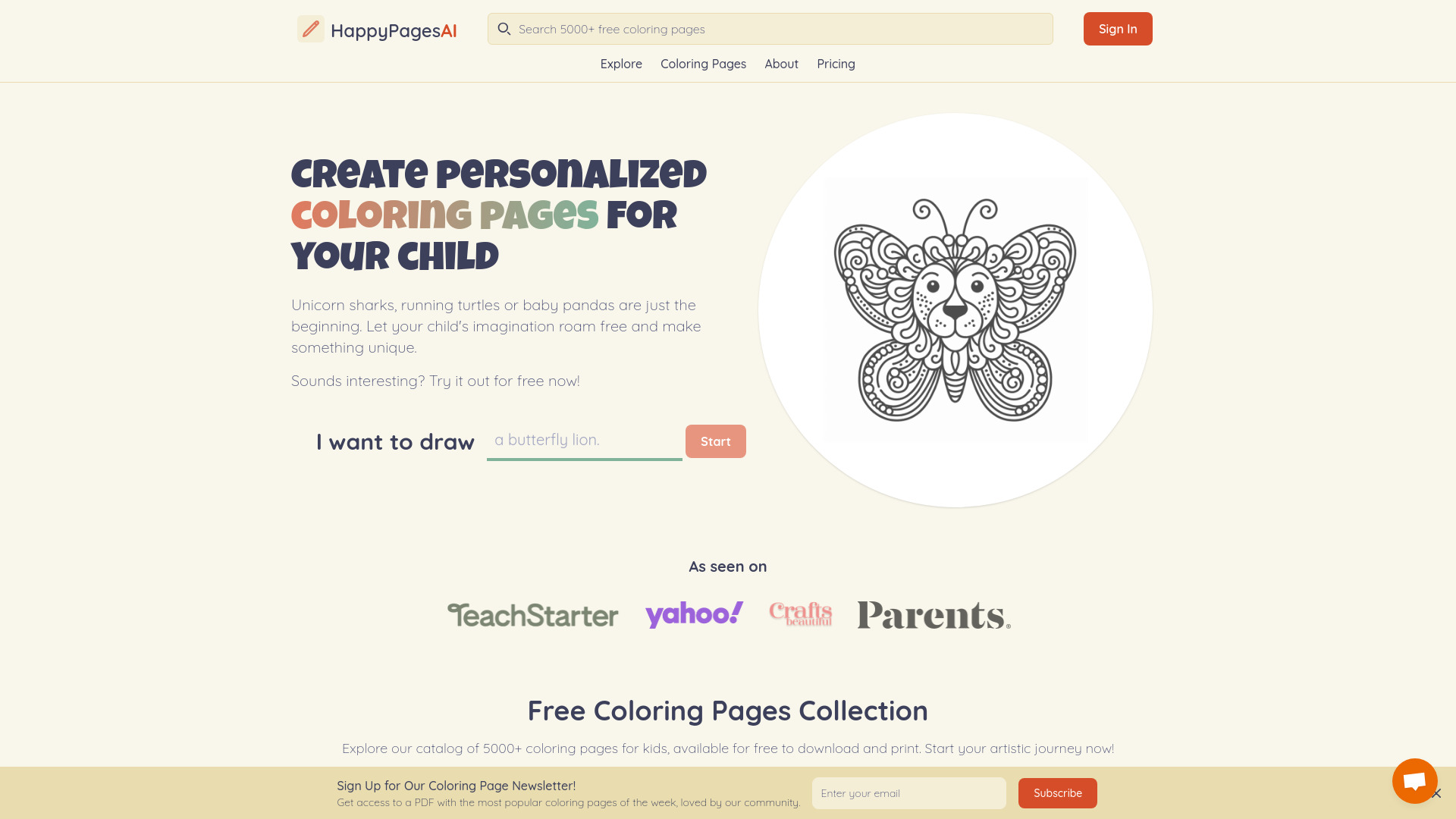
ColorPenguin is an AI-powered web application that lets users generate their own personalized coloring pages from a simple text description. Instead of searching the internet for suitable coloring sheets, users type an idea, choose an age or complexity level, and the platform produces a custom page that can be printed as a PDF or downloaded for later use. The service has already generated more than 40,000 coloring pages and is used across a broad range of hobbies and professional contexts. The platform is built around flexibility. Parents can tailor pages to a child's interests, whether that is animals, space, or fairy tales, and adjust complexity to match the child's age. Teachers can design pages that reinforce letters, numbers, or history lessons. Adult colorists can choose intricate mandalas, zentangle-style patterns, floral designs, or bold and easy outlines, while coloring book creators can generate original artwork for their own publications rather than relying on stock illustrations. A library of over 100 coloring page styles provides starting points for each of these audiences. ColorPenguin offers a free tier with five generations per week, with paid Premium and Business plans that unlock higher monthly quotas, high-resolution and borderless output, private pages, and commercial-use rights. The company offers a money-back guarantee on paid plans, and the platform reports a user base of more than 10,000 people, with mentions from outlets such as TeachStarter, Yahoo, Crafts, and Parents.
SpecificationsAI-estimated
Key Features of ColorPenguin
Use Cases for ColorPenguin
Personalized children's activities
Parents create coloring pages around a child's favorite animals, space themes, or fairy tales to keep them engaged.
Classroom lesson reinforcement
Teachers design custom pages that reinforce letters, numbers, or history topics aligned with their curriculum.
Adult coloring and relaxation
Adults generate mandalas, floral patterns, or zentangle-style designs suited to their preferred level of intricacy.
Coloring book production
Authors and publishers generate original interior artwork for coloring books instead of relying on stock illustrations.
Early learning with toddlers
Simple, large-shape pages help very young children recognize objects, such as farm animals during story time.
Commercial printable products
Sellers on the Business plan create coloring sheets for resale with commercial-use rights included.
How to use ColorPenguin?
Describe your idea
Type your coloring page concept into the input box, from a short phrase to a detailed scene description.
Select an age level
Choose preschoolers for large simple shapes, older children for moderate complexity, or teens and adults for intricate patterns.
Generate the page
Click create and wait while the AI produces your custom coloring page.
Print or download
Export the finished sheet as a PDF for printing or download it for later use.
Pros & Cons of ColorPenguin
Pros
- Creates personalized coloring pages from any text description, saving time over searching for suitable images online
- Offers a wide range of styles, from bold and easy designs for children to intricate mandalas and zentangles for adults
- Free tier with five generations per week lets users try the service without a credit card
- Output can be exported as PDF and, on paid plans, in high resolution without watermarks
- Money-back guarantee on Premium and Business plans reduces the risk of trying a paid tier
Cons
- Free tier output is watermarked and limited to square pages with standard print quality
- Commercial use rights are only available on the more expensive Business plan
- Quality reviews note that the results suit simple to medium complexity best, and very fine detail may be inconsistent
- All pages created on the free plan are public, which may be a concern for private or proprietary designs
Frequently Asked Questions
Is ColorPenguin free to use?
Yes. The free plan includes five image generations per week and access to the free coloring page library, though outputs are watermarked and square-only.
How much does the Premium plan cost?
The Premium plan costs $7.99 per month and allows up to 500 coloring pages monthly, with high-resolution output, no watermark, and multiple page orientations.
Can I use the pages commercially?
Commercial use is included in the Business plan. The Free and Premium plans are limited to personal use.
Can I make pages from photos?
Yes, converting photos into coloring pages is available on the Premium and Business plans.
Are my generated pages private?
Pages created on the free plan are public. Premium and Business users can make their pages private.
Is there a refund policy?
Yes. Premium and Business plans include a 100% money-back guarantee if you are not satisfied within the first 20 generations.
Do I need a credit card to start?
No. You can create a free account and begin with five free credits per week without entering payment details.
Pricing Overview
View full pricing →ColorPenguin offers a free plan with 5 images per week, a Premium plan at $7.99/month, and a Business plan with its price not shown on the page.
Reviews & Ratings0.0
No reviews yet. Be the first to write one!
Top Alternatives & Similar Software
View all alternatives & similar software→No alternatives available yet.
People also viewed


Related searches
Is this your tool?
Claim this page to update details, reply to user reviews, and drive more traffic to your product.
Claim this Product →
Keep up with ColorPenguin alternatives
New alternatives, pricing changes and the week's biggest movers - one email every Tuesday.