



DB Pilot
An AI-native database workbench that blends a SQL editor, spreadsheet-style data editing, and Jupyter-like SQL and Python notebooks into one local app.
What is DB Pilot?
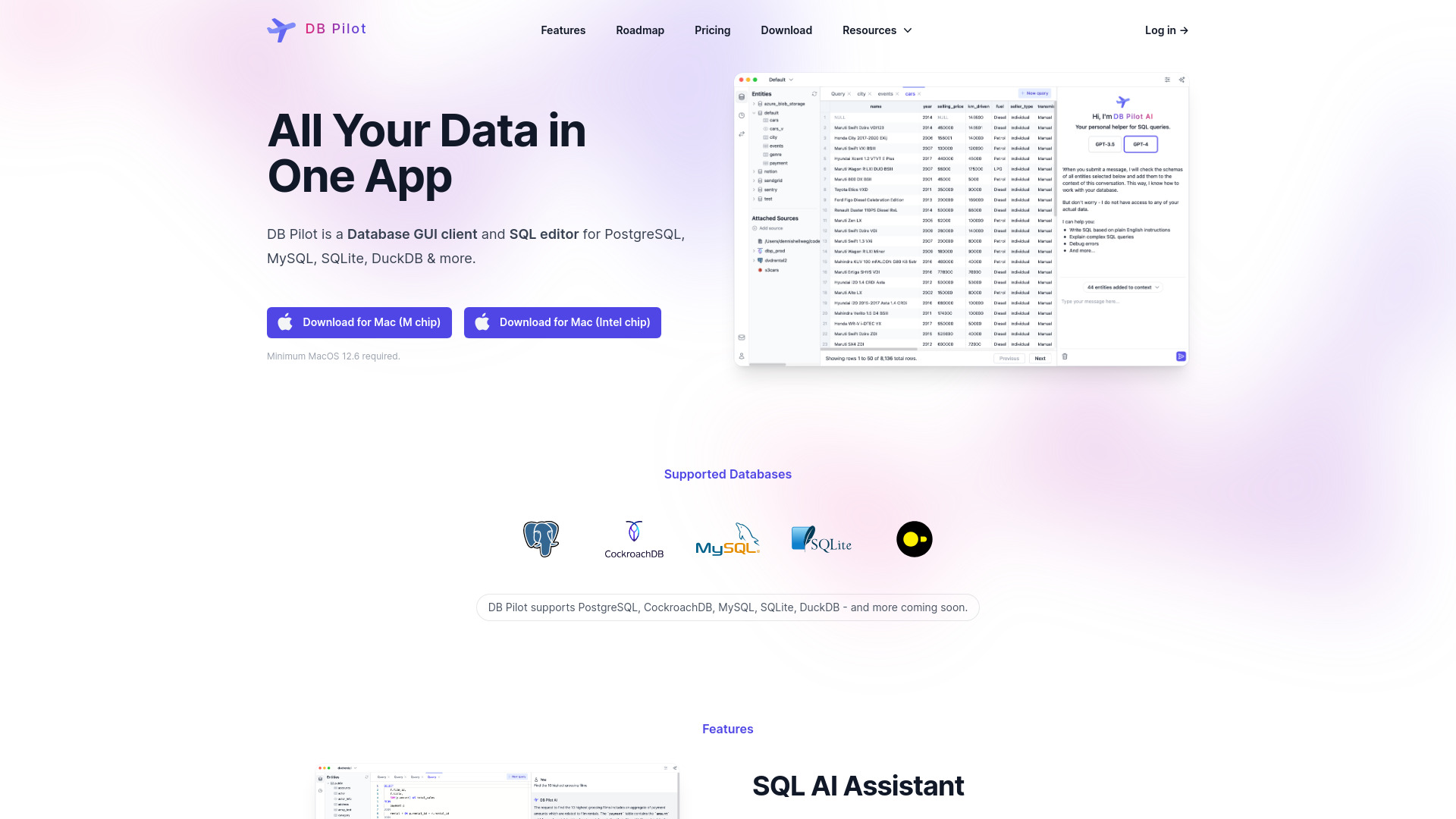
DB Pilot is an AI-native database tool that combines a graphical database client, a powerful SQL editor, and a block-based notebook environment for SQL and Python. It is designed for engineers, analysts, and business owners who want to explore, edit, and visualize data without juggling multiple tools. The application connects to PostgreSQL, MySQL, SQLite, DuckDB, and CockroachDB, and runs locally on the user's machine so that database connectivity happens directly between the computer and the database server. At its core is a SQL editor with smart, context-aware autocomplete that suggests tables, columns, keywords, and functions, along with automatic formatting, query history, and favorites. A table viewer lets users insert, update, and delete records as easily as editing a spreadsheet, and results can be exported as CSV, JSON, NDJSON, or Markdown. The notebook feature lets users mix SQL queries, Python code, text, interactive tables, and charts in one interface similar to Jupyter, with query results and Pandas or Polars dataframes shared across blocks. Notebooks can also be assembled into interactive dashboards with input fields, date filters, and Jinja templating. DB Pilot's AI assistant can generate and refine SQL from natural language, explain complex queries, fix errors, and help build charts, using models from OpenAI, Anthropic, Google, and xAI or custom providers. The assistant is given knowledge of table and column structure but not the underlying data, and all application data and credentials stay on the local machine. Pricing includes a free tier with limited AI usage and a one-time $79 license with a year of updates, making it attractive to users who want an AI-enabled database workbench they own outright.
SpecificationsAI-estimated
Key Features of DB Pilot
Use Cases for DB Pilot
Everyday database administration
Browse tables, edit records, and run queries against PostgreSQL or MySQL through a clean graphical interface.
Ad hoc data exploration
Use the SQL editor and notebooks to iteratively query, transform, and join data from multiple sources.
Building internal dashboards
Assemble notebooks with input fields, filters, charts, and tables into shareable interactive dashboards.
Learning and writing SQL
Describe what you need in plain English and let the AI assistant draft, explain, or debug queries.
Combining SQL with Python analysis
Pass query results into Pandas or Polars dataframes and continue analysis in Python within the same notebook.
Lightweight local analytics with DuckDB
Work with DuckDB and local files for fast analytics without setting up a server.
How to use DB Pilot?
Download and install
Download DB Pilot for Mac from the website and install it on a machine running macOS 15 or later.
Connect a database
Add a connection to PostgreSQL, MySQL, SQLite, DuckDB, or CockroachDB; credentials are stored securely in the device keychain.
Explore and edit data
Open the table viewer to browse records, or use the SQL editor with autocomplete to run queries.
Enable AI features
Add your own API keys for OpenAI, Anthropic, Google, or another provider to use the AI assistant.
Build notebooks and dashboards
Create a notebook, mix SQL and Python blocks, and add inputs and charts to turn analyses into dashboards.
Pros & Cons of DB Pilot
Pros
- Local-first design keeps database data and credentials on the user's machine, with passwords stored in the system keychain
- Notebooks combine SQL and Python blocks with shared results, interactive charts, and dashboards in one interface
- AI assistant supports multiple frontier model providers and can use custom models, with inline help in the SQL editor and Python blocks
- Spreadsheet-like table editor and smart autocomplete lower the barrier for non-specialist users
Cons
- Currently available only for Mac (Apple Silicon, macOS 15+), with Linux and Windows support still listed as coming soon
- AI features require users to supply their own API keys beyond the limited free trial
- Supported database list is narrower than some established database clients, with more databases only promised
Frequently Asked Questions
Which operating systems does DB Pilot support?
DB Pilot currently runs on Mac, with both Apple Silicon (M chip) and Intel supported. Linux and Windows support is listed as coming soon.
Which databases can I connect to?
You can connect to PostgreSQL, CockroachDB, MySQL, SQLite, chDB (local ClickHouse), and DuckDB, with more databases planned.
Is my data sent to DB Pilot's servers?
No. All app data and connection credentials are stored locally, and database connections go directly from your computer to the database server.
Can the AI assistant see my actual data?
No. The assistant knows table and column names to help write better queries, but it does not have access to the data stored in your tables.
How much does DB Pilot cost?
A free tier is available with a limited number of AI uses. A one-time purchase costs $79 and includes premium features and updates for one year.
Do I need my own API keys to use the AI features?
Yes. AI features use your own API keys from providers such as OpenAI, Anthropic, or Google AI, both on the free tier and with the paid license.
What are notebooks used for?
Notebooks let you combine SQL queries, Python code, text, and interactive charts in one place for iterative data exploration, multi-source analysis, and building dashboards.
Pricing Overview
View full pricing →DB Pilot offers a free tier, plus a one-time purchase of $79 that includes one year of updates and unlocks premium features and AI features with your own API keys.
Reviews & Ratings0.0
No reviews yet. Be the first to write one!
Top Alternatives & Similar Software
View all alternatives & similar software→No alternatives available yet.
People also viewed

Related searches
Is this your tool?
Claim this page to update details, reply to user reviews, and drive more traffic to your product.
Claim this Product →
Tags
Explore Related Topics
Keep up with DB Pilot alternatives
New alternatives, pricing changes and the week's biggest movers - one email every Tuesday.