


DealDraft
AI-generated, jurisdiction-aware contracts for independent workers that stay with you through negotiation and signature.
What is DealDraft?
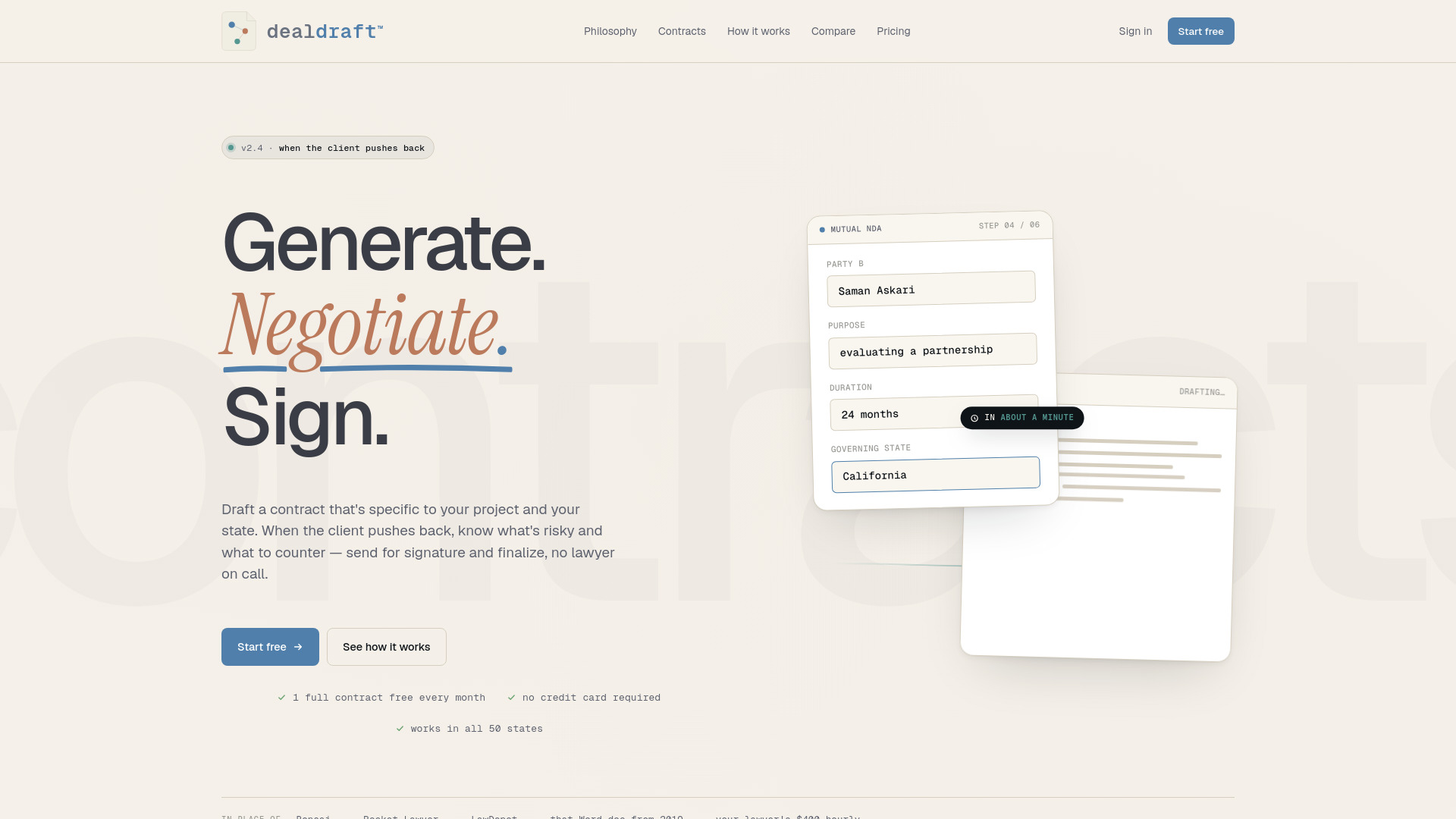
DealDraft is an AI-powered contract platform built for independent workers, freelancers, and consultants. Instead of filling in a static template, users answer a short set of questions about their project, counterparty, and governing state, and DealDraft generates a complete, ready-to-sign contract that preserves every specific fact provided while adding the legal protections a good attorney would typically include. It covers the full non-employee work lifecycle, including NDAs, master service agreements with linked SOWs, freelance agreements, consulting agreements, and independent contractor agreements. What sets DealDraft apart is its focus on what happens after a contract is sent. When a client proposes changes, DealDraft explains each proposed change in plain English, flags what is risky, and suggests the wording to counter with, round by round, until the language is settled. The platform also includes built-in legally binding e-signature and tracks every version and agreed change from first draft to countersigned copy. Jurisdiction awareness is a core feature, with deeper coverage for California, New York, Texas, and Florida, which have the most freelance-specific statutes, and base contracts tailored to all 50 states. DealDraft is aimed primarily at freelancers, independent consultants, and small agencies who need professional contracts without the cost of hourly attorney work or the friction of generic template libraries. The platform gets faster with use, auto-filling business profiles and client details, and offers a free tier with one full contract per month alongside paid Pro and Business plans.
SpecificationsAI-estimated
Key Features of DealDraft
Use Cases for DealDraft
Pre-project NDAs
Create mutual or one-way NDAs before pitches, due diligence, or first client conversations.
Freelance project agreements
Draft scope-defined project contracts with milestones, IP terms, kill fees, and late-payment penalties.
Consulting engagements
Set up advisory agreements with retainer or hourly terms and clear scope boundaries.
Repeat client relationships
Negotiate master service agreements once, then issue linked SOWs for each new project.
Hiring independent contractors
Create contractor agreements designed to withstand worker classification scrutiny.
Handling client redlines
Receive plain-English explanations and counter-language for each proposed change until terms are agreed.
How to use DealDraft?
Answer guided questions
Describe your project, counterparty, shared materials, jurisdiction, and term in plain English.
Generate the contract
DealDraft produces a complete draft that preserves your specifics and adds relevant legal protections.
Send for review
Share the contract with your client, who can propose changes without needing an account.
Negotiate round by round
Review each proposed change with risk notes and suggested counter-language, then accept, reject, or counter.
Sign and track
Execute with built-in e-signature and keep every version and agreed change in one record.
Pros & Cons of DealDraft
Pros
- Generates custom contracts from a short guided questionnaire rather than static fill-in-the-blank templates
- Provides plain-English negotiation guidance on each client redline, including risk flags and suggested counter-language
- Includes built-in e-signature and tracks every version and agreed change in one place
- Jurisdiction-aware drafting for all 50 states, with deeper statutory coverage in CA, NY, TX, and FL
- Gets faster with use through saved business profiles, client directory, and reusable templates
Cons
- Not a law firm, and output is not legal advice; high-stakes deals still warrant attorney review
- Less comprehensive than established invoicing suites like Bonsai for broader freelance back-office needs
- Deeper statutory coverage is limited to four states, with Texas and Florida still being deepened
- Free tier is capped at one full contract per month
Frequently Asked Questions
Are DealDraft contracts legally binding?
Yes, once both parties agree to the terms and sign. The contracts are complete and ready to sign, though high-stakes deals should still be reviewed by an attorney.
Is DealDraft legal advice?
No. DealDraft is software, and using it does not create an attorney-client relationship.
Does DealDraft work in every US state?
Yes, it generates jurisdiction-aware contracts for all 50 states, with deeper statutory coverage in California, New York, Texas, and Florida.
Can I edit the generated contract?
Yes. The in-app editor, available on Pro, lets you change any clause before sending.
What happens when a client requests changes?
Clients can propose changes directly on the contract without an account. DealDraft explains each change, flags risk, and suggests counter-language, with a record kept of every round.
Is my data used to train AI models?
No. Customer contracts and data are not used to train AI models, are encrypted in transit and at rest, and remain yours after cancellation.
Pricing Overview
View full pricing →DealDraft offers one full contract free each month with no credit card required, with paid plans for additional use; specific paid plan prices are not stated on the page content provided.
Reviews & Ratings0.0
No reviews yet. Be the first to write one!
Top Alternatives & Similar Software
View all alternatives & similar software→No alternatives available yet.
People also viewed



Related searches
Is this your tool?
Claim this page to update details, reply to user reviews, and drive more traffic to your product.
Claim this Product →
Tags
Explore Related Topics
Keep up with DealDraft alternatives
New alternatives, pricing changes and the week's biggest movers - one email every Tuesday.