


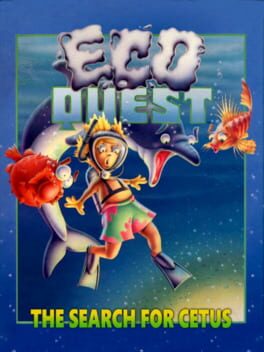
EcoQuest: The Search for Cetus
Dive into an underwater adventure where learning meets fun.
Best for
Kids 6‑12 and families wanting educational underwater adventure
Skip if
Gamers needing replay value, modern graphics, or console support

What is EcoQuest: The Search for Cetus?
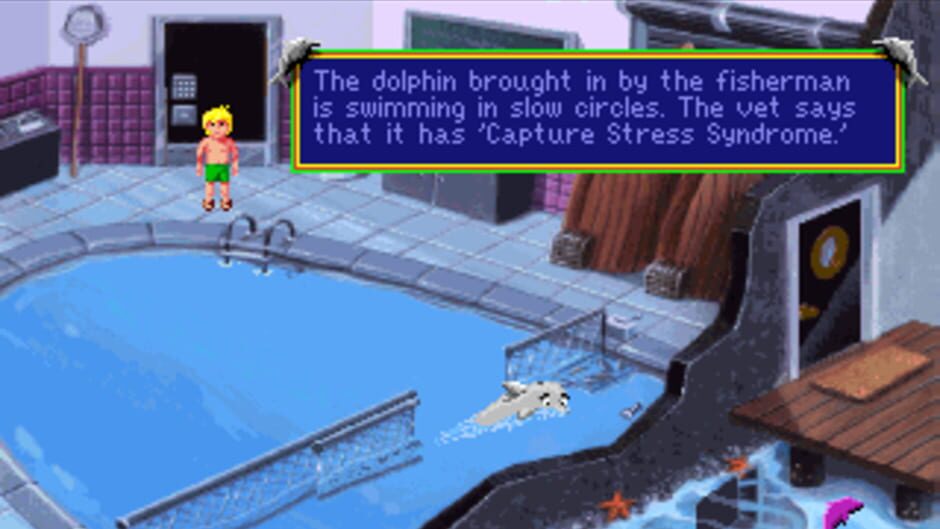
You play as Adam, a 12‑year‑old scuba diver who befriends a talking dolphin named Delphineus, messenger of the whale king Cetus. Together you explore the hidden underwater kingdom of Eluria, solving puzzles and learning about marine life. The game uses Sierra’s classic point‑and‑click interface with simple verb icons, and is designed for younger players – there’s no way to die or become permanently stuck, making it an educational yet safe adventure.
SpecificationsAI-estimated
Key Features of EcoQuest: The Search for Cetus
Use Cases for EcoQuest: The Search for Cetus
Classroom Education
Use the game to teach students about marine ecosystems in an interactive way.
Home Learning
Kids can explore ocean science independently while having fun with puzzles.
Family Gaming Night
Parents and children can play together, discussing environmental topics.
Intro to Adventure Games
A gentle entry point for young gamers new to point‑and‑click adventures.
Pros & Cons of EcoQuest: The Search for Cetus
Pros
- Engaging educational content about marine life
- Simple, child‑friendly controls and no‑death design
- Rich, hand‑drawn underwater visuals
- Narrative encourages environmental awareness
Cons
- Limited replay value after puzzles are solved
- Graphics are dated by modern standards
- Only available on PC, no modern console ports
Frequently Asked Questions
What age group is EcoQuest suitable for?
The game is rated ESRB E and is ideal for children ages 8 and up.
Can I get stuck and have to restart?
No. The game is designed so you cannot die or become permanently stuck.
Is there any educational material included?
Yes, the game provides factual information about marine species, habitats, and human impacts.
Do I need any special hardware to play?
A standard PC with DOS/Windows compatibility is sufficient; no special peripherals are required.
Pricing Overview
View full pricing →Detailed plans are not listed. Visit the official website for pricing information.
Reviews & Ratings0.0
No reviews yet. Be the first to write one!
Top Alternatives & Similar Games
View all alternatives & similar games→No alternatives available yet.
People also viewed




Best For
Related searches
Is this your tool?
Claim this page to update details, reply to user reviews, and drive more traffic to your product.
Claim this Product →
Tags
Explore Related Topics
Keep up with EcoQuest: The Search for Cetus alternatives
New alternatives, pricing changes and the week's biggest movers - one email every Tuesday.