


EmojiZoo
A searchable emoji reference that lets you find, copy, and download emojis in PNG or SVG with their meanings explained.
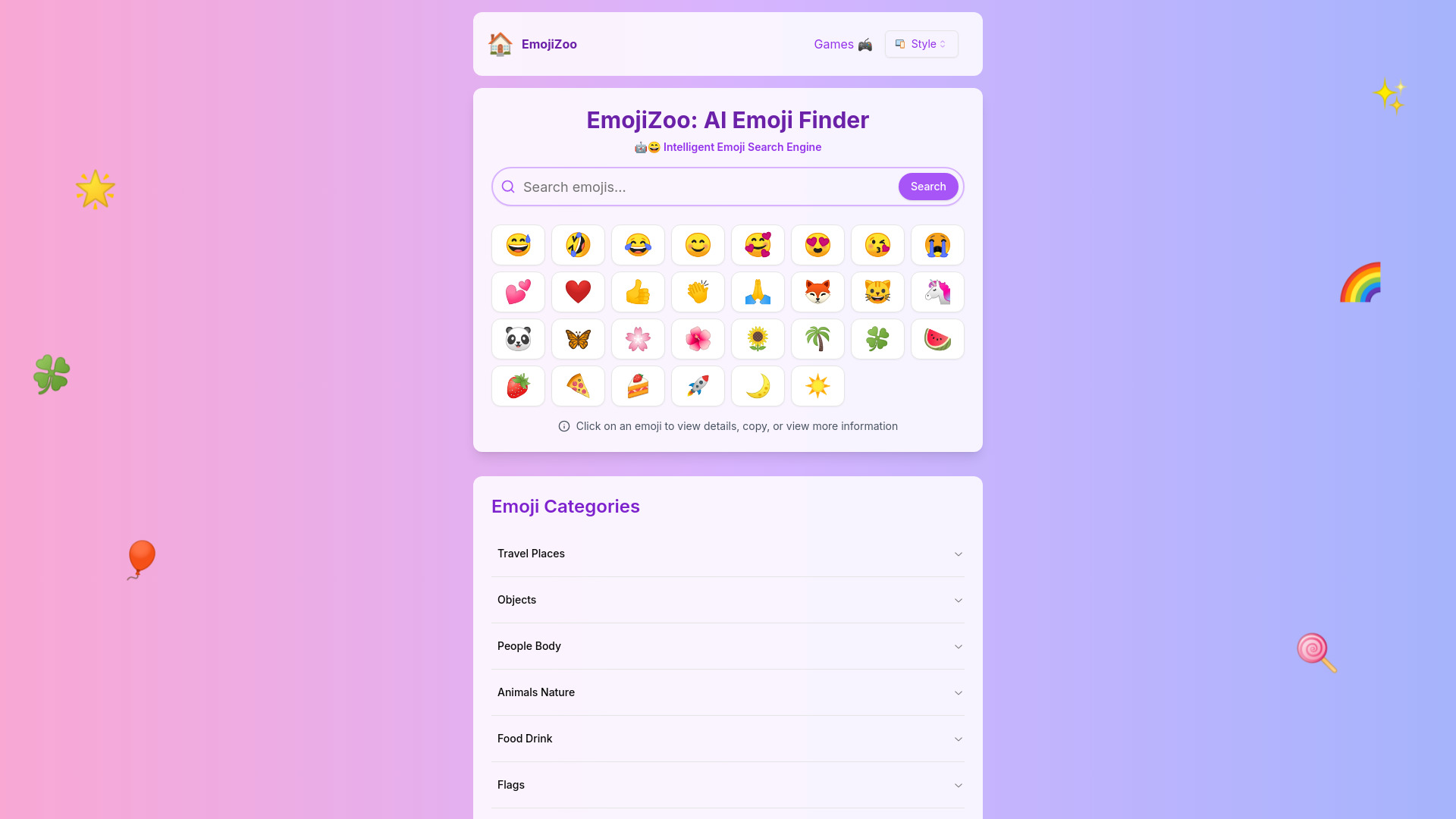
What is EmojiZoo?
EmojiZoo is a web-based emoji reference and utility platform that helps users find, understand, and reuse emojis quickly. Visitors can search by name or keyword (for example "birthday", "happy", or "rain"), browse emojis organized into categories such as Smileys & Emotion, Animals & Nature, Food & Drink, Travel & Places, Activities, Objects, Symbols, and Flags, or jump directly to popular themed collections. Each emoji has its own detail page showing its meaning, Unicode code, and usage examples, along with one-click copy-and-paste functionality. Beyond basic lookup, EmojiZoo offers practical tools for everyday use. Users can download emojis as transparent PNG or SVG files for use in designs, presentations, or other media. The site also supports switching between emoji styles and languages, and features an Emoji Kitchen section for creating emoji combinations. The FAQ addresses common questions such as why emojis render differently across iPhone, Android, and Windows, helping users understand platform-specific design differences. EmojiZoo is aimed at anyone who regularly communicates with emojis, including casual messaging users, social media creators, marketers, educators, and designers who need quick access to consistent, downloadable emoji assets. The service is presented as free to use, making it a convenient bookmark for finding the right expressive symbol for any occasion.
SpecificationsAI-estimated
Key Features of EmojiZoo
Use Cases for EmojiZoo
Quick messaging
Find and copy the right emoji to add tone and expression to texts, chats, and social posts.
Design and presentations
Download transparent PNG or SVG emojis for slides, graphics, and marketing materials.
Understanding emoji meanings
Check what an emoji actually conveys before using it in professional or cross-cultural communication.
Occasion-based selection
Find emojis for birthdays, holidays, love messages, or work emails using themed topics.
Cross-platform awareness
Learn why an emoji looks different on iPhone, Android, or Windows before sending important messages.
Content creation
Source consistent emoji assets for blogs, videos, newsletters, and social media graphics.
How to use EmojiZoo?
Search or browse
Type a keyword such as 'happy' or 'rain' in the search bar, or pick a category like Animals & Nature.
Open an emoji
Click an emoji to view its detail page with meaning, Unicode code, and usage examples.
Copy or download
Use the copy button to paste the emoji anywhere, or download it as a PNG or SVG file.
Adjust style or language
Use the style and language switchers to change how emojis are displayed or read.
Pros & Cons of EmojiZoo
Pros
- Fast search by name or keyword with clearly organized emoji categories
- One-click copy-and-paste plus transparent PNG and SVG downloads
- Detail pages explain meanings, Unicode codes, and usage examples
- Free to use with multiple emoji style and language options
Cons
- Relies on ads, which may distract from browsing
- Emoji rendering still varies by platform, which the site can only explain rather than fix
- Limited information on the Emoji Kitchen feature beyond a brief mention
Frequently Asked Questions
How do I copy and paste an emoji on EmojiZoo?
Click an emoji to open its detail page and use the copy button, then paste it wherever you need it.
How does emoji search work?
You can search by emoji name or by keywords such as birthday, happy, or rain to find matching emojis.
Can I download emojis as transparent PNG or SVG images?
Yes, each emoji can be downloaded as a transparent PNG or as an SVG file from its detail page.
Why do emojis look different on iPhone, Android, and Windows?
Each platform uses its own emoji artwork design, so the same Unicode character can look different across devices.
What is Emoji Kitchen?
Emoji Kitchen is a feature for combining two emojis into a new mixed emoji.
Is EmojiZoo free to use?
Yes, the site is presented as free to use, though it displays advertisements.
Pricing Overview
View full pricing →EmojiZoo's page content makes no explicit pricing statements, but its FAQ states that EmojiZoo is free to use, and the site offers emoji search, copy-paste, meanings, and downloads without listed paid tiers.
Detailed plans are not listed. Visit the official website for pricing information.
Reviews & Ratings0.0
No reviews yet. Be the first to write one!
Top Alternatives & Similar Software
View all alternatives & similar software→No alternatives available yet.
People also viewed


Related searches
Is this your tool?
Claim this page to update details, reply to user reviews, and drive more traffic to your product.
Claim this Product →
Tags
Keep up with EmojiZoo alternatives
New alternatives, pricing changes and the week's biggest movers - one email every Tuesday.