


FaceRig
Turn your webcam into a live animated character for streaming and video chat.
Best for
Live streamers who want quick, ready‑made animated avatars
Skip if
Users needing extensive avatar customization or low‑spec hardware







What is FaceRig?
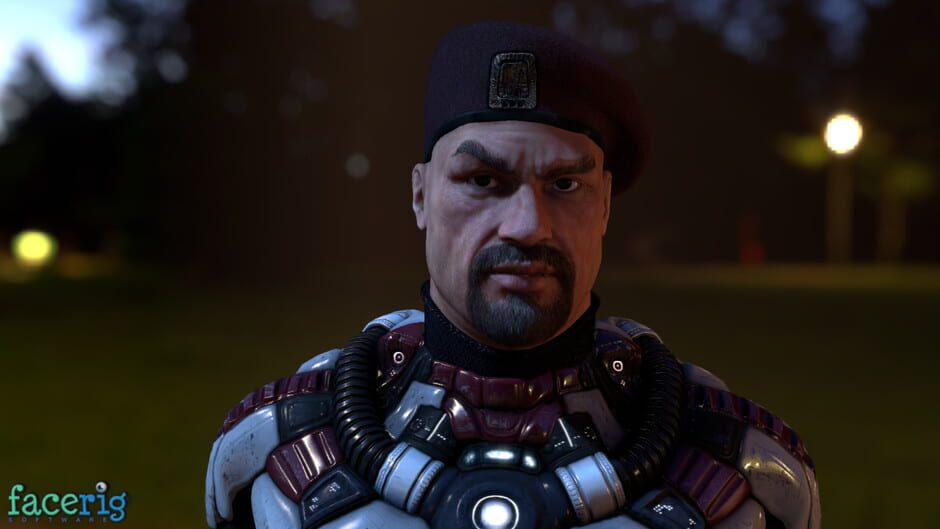
FaceRig lets anyone with a webcam embody digital characters in real time, turning ordinary video calls into entertaining performances. Record your sessions as movies or broadcast them live on platforms like Twitch, Skype, and Hangouts. The program includes a library of expressive avatars and supports custom content, making it a versatile tool for creators, gamers, and anyone who wants to add a comedic twist to their online presence.
SpecificationsAI-estimated
Key Features of FaceRig
Use Cases for FaceRig
Live streaming
Broadcast animated avatars while playing games on Twitch.
Video calls
Add a fun character to Zoom or Skype meetings.
Content creation
Record comedic skits with virtual personas for YouTube.
Cosplay streaming
Stream as a favorite character without costly costumes.
Pros & Cons of FaceRig
Pros
- Easy to set up with any webcam.
- Wide variety of ready‑made avatars.
- Real‑time performance suitable for live streaming.
- Cross‑platform support for PC and Android.
Cons
- Limited avatar customization without additional purchases.
- Higher system requirements for smooth tracking.
- No multiplayer interaction within the app.
Frequently Asked Questions
What platforms does FaceRig run on?
FaceRig is available for Windows PC and Android devices.
Can I use FaceRig with any streaming service?
Yes, it works with any service that accepts a webcam feed, such as Twitch, YouTube, Skype, and Hangouts.
Do I need a special webcam?
No, any standard webcam that works with your computer or Android device will work, though higher‑resolution cameras improve tracking accuracy.
Is there a free version?
FaceRig is a paid one‑time purchase; there is no free version, though occasional discounts may be offered.
Pricing Overview
View full pricing →Detailed plans are not listed. Visit the official website for pricing information.
Reviews & Ratings0.0
No reviews yet. Be the first to write one!
Top Alternatives & Similar Games
View all alternatives & similar games→No alternatives available yet.
People also viewed




Best For
Related searches
About the Product
Is this your tool?
Claim this page to update details, reply to user reviews, and drive more traffic to your product.
Claim this Product →
Explore Related Topics
Keep up with FaceRig alternatives
New alternatives, pricing changes and the week's biggest movers - one email every Tuesday.