


Ghibli Magic Maker
An AI tool that turns your photos into cozy, hand-painted Studio Ghibli-style artwork.
What is Ghibli Magic Maker?
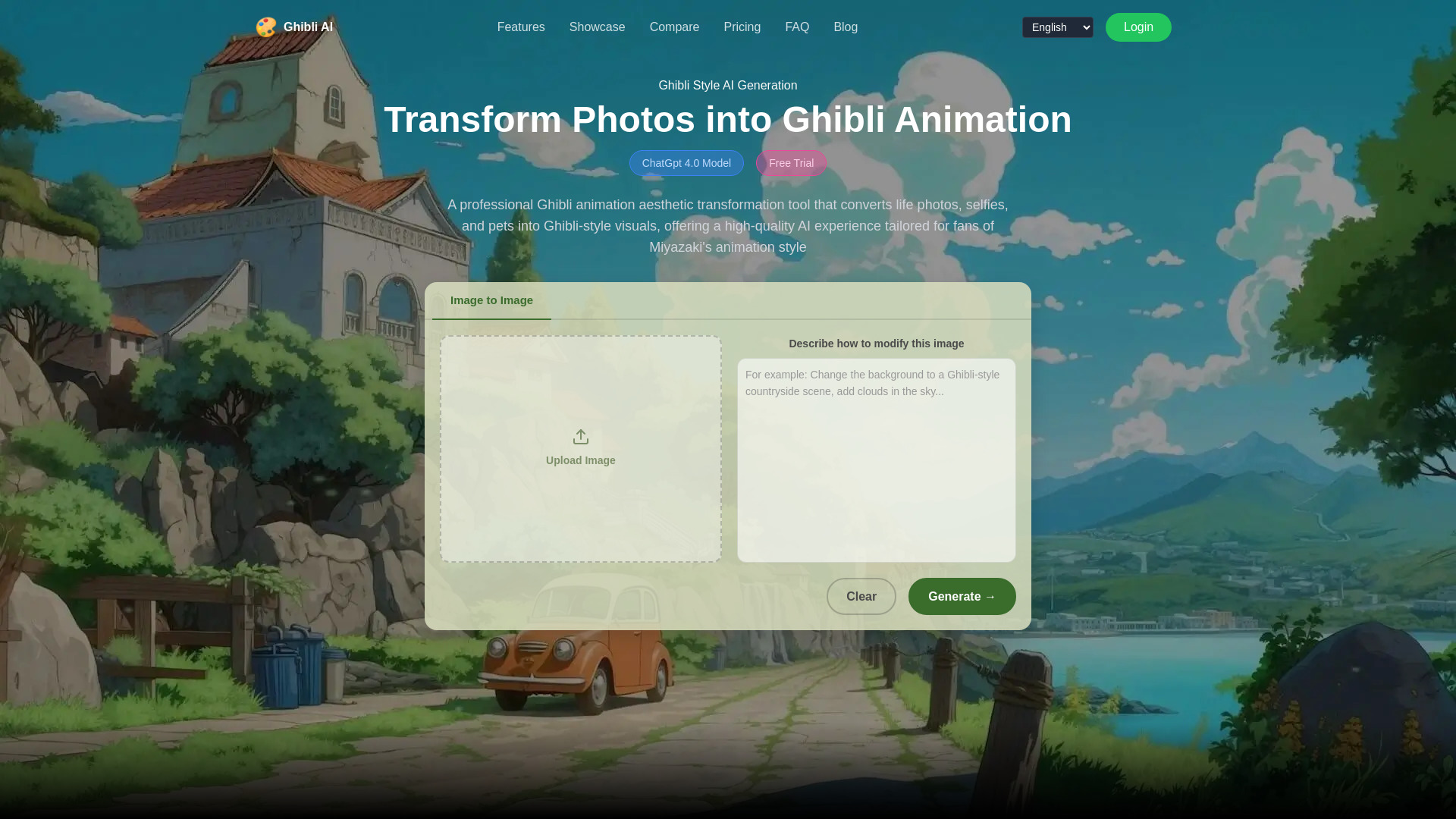
Ghibli Magic Maker is an online AI image generator that transforms ordinary photos, selfies, and pet pictures into artwork styled after Studio Ghibli and Hayao Miyazaki's animation. Built on OpenAI's GPT-4o image generation model, it accepts a photo plus an optional text prompt describing how the image should be modified, then returns a painted-looking rendering featuring soft watercolor gradients, fantastical architecture, and ethereal lighting. The site presents a simple upload-describe-generate workflow aimed at fans who want to see their own lives reimagined in the look of films like Spirited Away or My Neighbor Totoro. The platform's showcase emphasizes warm, everyday scenes: family walks, afternoon tea, shared meals, sea breezes, and travel moments rendered with the cozy, nostalgic atmosphere associated with Ghibli. Beyond straight photo filters, users can transform themselves, friends, or original characters into Ghibli-style figures, and generate fantasy landscapes such as floating islands and magical forests. The product also advertises support for other animation looks, including Makoto Shinkai-inspired and Pixar-like styles. Ghibli Magic Maker is positioned for hobbyists, fans, and light creative professionals who want quick results without any drawing background. Access is credit-based, with free registration credits and paid monthly tiers, and the site states that output images are not retained on the server for long and that no identity information is required. Because the underlying model enforces content policies, requests involving copyrighted characters, public figures, or sensitive wording may be refused and need to be reworded.
SpecificationsAI-estimated
Key Features of Ghibli Magic Maker
Use Cases for Ghibli Magic Maker
Personal Portraits
Turn selfies into Ghibli-style character portraits to share on social media or as profile pictures.
Family Memories
Transform family photos like walks, meals, and outings into cozy, nostalgic illustrated scenes.
Pet Portraits
Create whimsical Ghibli-style renderings of pets for gifts or social posts.
Travel Storytelling
Reimagine vacation photos as fairy-tale exploration scenes with a storybook feel.
Original Character Design
Visualize original characters or concept ideas in a Miyazaki-inspired art style.
Fan Creations
Produce fan art and themed content for Studio Ghibli-loving communities.
How to use Ghibli Magic Maker?
Create an Account
Register to receive your free creation credits.
Upload Your Image
Choose a selfie, pet photo, or everyday picture to transform.
Describe the Changes
Optionally enter a short text prompt describing how the image should be modified.
Generate and Download
Click Generate, review the Ghibli-style result, and download your artwork.
Pros & Cons of Ghibli Magic Maker
Pros
- Produces convincing Ghibli-style watercolor renderings with soft gradients and ethereal lighting
- No art or design background needed; a photo and a short text description are enough
- Works on phones through mobile browsers with touch-friendly operation
- Output can be used commercially, subject to avoiding third-party trademarked characters
- Temporary data retention and no identity requirement support privacy
Cons
- Results depend on the underlying model's content rules, so some requests are refused or need rewording
- Free tier is very limited, offering only two generations for new users
- Copyrighted characters, public figures, and sensitive prompts are restricted
- Dedicated mobile app is still in development and not yet available
Frequently Asked Questions
What makes Ghibli Magic Maker different from other AI drawing tools?
It is built on the GPT-4o model and focuses specifically on reproducing the aesthetic of Miyazaki's animations, aiming for high output precision and accurate style reproduction.
Do I need any art background to use it?
No. You can get professional-looking results by uploading a photo and entering a text description, with no design experience required.
Can I use the generated images commercially?
Yes, users hold digital rights to outputs and may use them commercially, but should avoid third-party elements with clear copyright such as well-known cartoon characters or trademarks.
Will a failed generation use up my credits?
No. Generations that fail due to system exceptions do not deduct quota.
How is my data handled?
Input text and output images are stored only temporarily and are not retained on the server long-term, and no identity information is required.
Why was my generation refused?
Requests involving copyrighted characters such as Disney IPs, public figures, or sensitive vocabulary violate content review rules. Adjust the description or visual elements and try again.
How many free generations do I get?
New users receive two free creations upon registration, after which monthly subscription plans apply.
Pricing Overview
View full pricing →Ghibli Magic Maker offers two monthly subscription plans, Premium at $5/month and Ultimate at $10/month, with a free trial referenced on the page.
Reviews & Ratings0.0
No reviews yet. Be the first to write one!
Top Alternatives & Similar Software
View all alternatives & similar software→No alternatives available yet.
People also viewed


Related searches
Is this your tool?
Claim this page to update details, reply to user reviews, and drive more traffic to your product.
Claim this Product →
Tags
Explore Related Topics
Keep up with Ghibli Magic Maker alternatives
New alternatives, pricing changes and the week's biggest movers - one email every Tuesday.