


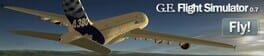
Google Earth Flight Simulator
Fly real-world scenery using Google Earth's satellite imagery
Best for
Geography buffs who want free, real‑world flight exploration
Skip if
Players seeking multiplayer or extensive aircraft selection

What is Google Earth Flight Simulator?
Google Earth Flight Simulator lets you pilot aircraft over the planet's actual satellite images, offering a unique blend of flight simulation and geographic exploration. Accessible via simple keyboard shortcuts, the feature integrates directly into Google Earth on Linux, PC, and Mac, providing a free, single‑player experience.
SpecificationsAI-estimated
Key Features of Google Earth Flight Simulator
Use Cases for Google Earth Flight Simulator
Geography Education
Students can explore global landmarks while learning about geography.
Pilot Training Basics
Aspiring pilots can practice basic flight controls in a low‑risk environment.
Virtual Tourism
Travelers can virtually fly over destinations before planning real trips.
Recreational Flying
Casual gamers can enjoy free flight sessions over any part of the world.
Pros & Cons of Google Earth Flight Simulator
Pros
- Free to use with Google Earth
- Accurate satellite-based terrain
- Two distinct aircraft with different handling
- Cross‑platform support on Linux, PC, and Mac
Cons
- Limited to only two aircraft models
- No multiplayer or advanced mission content
- Controls can be unintuitive without a dedicated controller
Frequently Asked Questions
How do I start the flight simulator?
Press Ctrl+Alt+A (Windows), Ctrl+A (Linux), or Cmd+Option+A (Mac) and then Enter; after the first use it appears under the Tools menu.
Which aircraft are available?
The F‑16 Fighting Falcon and the Cirrus SR‑22 are the only selectable planes.
Can I play with friends?
No, the simulator is single‑player only.
Is the simulator available on all operating systems?
Yes, it runs on Linux, Windows PC, and macOS as part of Google Earth.
Pricing Overview
View full pricing →Detailed plans are not listed. Visit the official website for pricing information.
Reviews & Ratings0.0
No reviews yet. Be the first to write one!
Top Alternatives & Similar Games
View all alternatives & similar games→No alternatives available yet.
People also viewed


Best For
Related searches
About the Product
Is this your tool?
Claim this page to update details, reply to user reviews, and drive more traffic to your product.
Claim this Product →
Tags
Explore Related Topics
Keep up with Google Earth Flight Simulator alternatives
New alternatives, pricing changes and the week's biggest movers - one email every Tuesday.