



HandtextAI
Transform your text into handwriting.
What is HandtextAI?
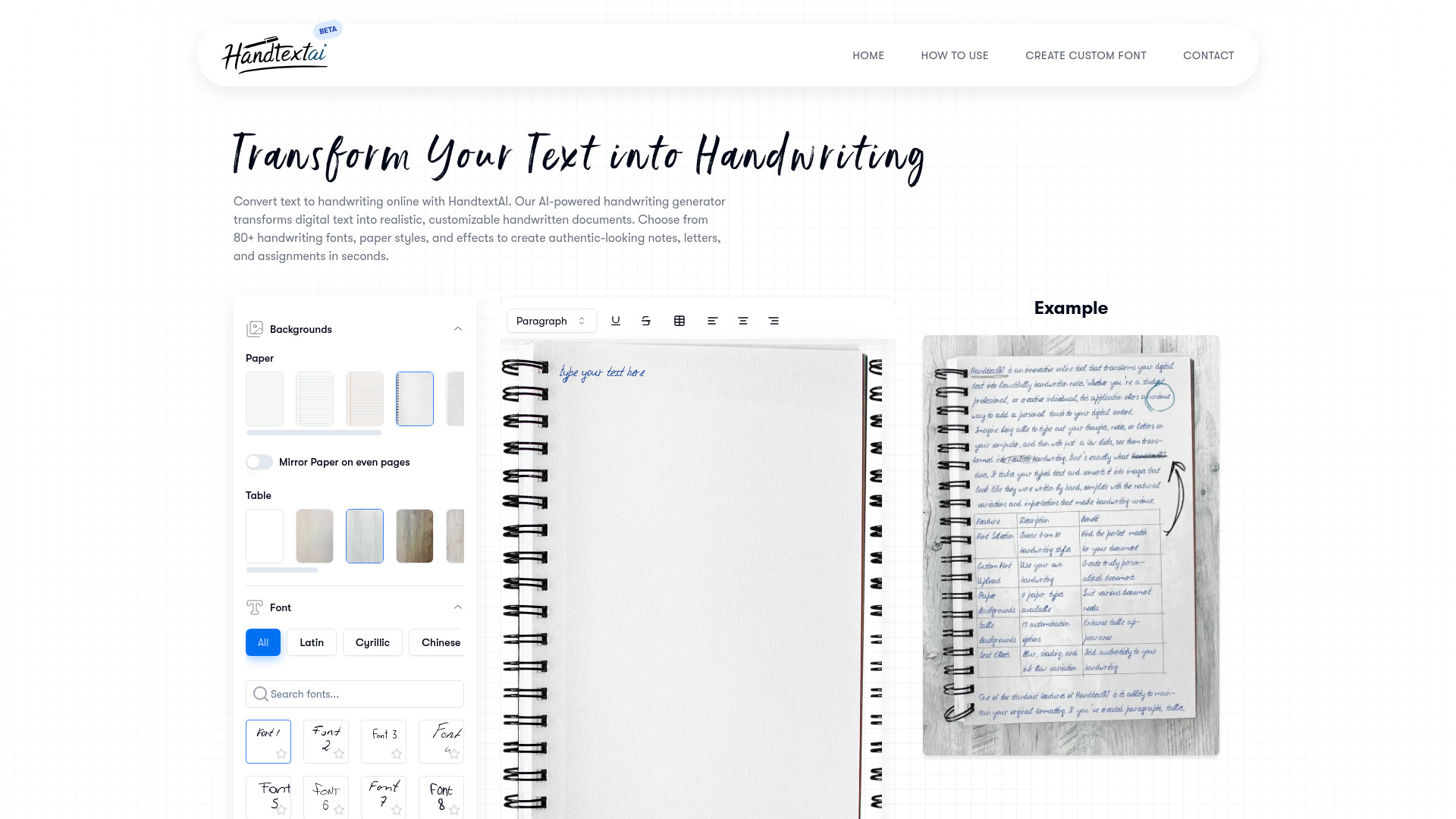
HandtextAI is a text-to-handwriting converter that transforms typed or pasted text into realistic handwritten pages. It offers print and photo modes, multiple handwriting fonts, paper styles, scene effects, PDF/DOCX import, math support, custom font uploads, and an API for business print workflows.
SpecificationsAI-estimated
Key Features of HandtextAI
Use Cases for HandtextAI
Handwritten homework assignments
Convert typed text into handwritten pages and print them on real paper for assignments.
Study notes and class notes
Generate handwritten-style study material from digital notes.
Handwritten letters and business notes
Create printed handwritten letters, business notes, and personalized stationery.
Notebook-style photo output
Use Photo mode to place handwriting into a notebook or desk scene for visual samples.
Business print workflows
Use the API for postcards, envelopes, personalized notes, and batch generation.
How to use HandtextAI?
Input Your Text
Type, paste, or upload a PDF/DOCX into the rich text editor.
Customize Your Handwriting Style
Choose a handwriting font, paper style or scene, margins, spacing, and realism settings.
Generate Your Preview
Render a preview and adjust until the handwriting looks right.
Download Your Document
Export as PDF or image files, then print or use as needed.
Pros & Cons of HandtextAI
Pros
- Realistic handwritten output with natural spacing and variation
- Print mode for clean pages and Photo mode for notebook-style scenes
- Supports PDF, DOCX, images, tables, shapes, and math equations
- Custom handwriting font upload on premium plan
- Multilingual support
- Developer API for business print workflows and batch personalization
Cons
- Custom font upload requires premium plan
- Some export formats and quality options depend on paid plan
- Very large documents need to be split due to character and page limits
Frequently Asked Questions
What does HandtextAI do?
HandtextAI converts typed or pasted text into handwritten-looking pages for homework assignments, class notes, study material, handwritten letters, printable pages, and notebook-style photo results.
How do I convert typed text to handwriting?
Paste your text into the editor, choose a handwriting font, select Print mode or Photo mode, adjust settings, generate a preview, then download the result.
Should I use Print mode or Photo mode?
Use Print mode for clean pages, PDFs, assignments, study notes, and letters. Use Photo mode when you want the handwriting placed into a notebook-style scene.
Can I print the handwritten pages?
Yes. Start with Print mode, choose paper style and layout, preview pages, and download the result for printing.
What are the document limits?
The web editor accepts up to 1,000,000 characters. PDF download supports up to 500 pages, each page image up to 20 MB, and one PDF download up to 120 MB total.
Is there an API?
Yes, the HandtextAI API is separate from the web editor and is built for print-oriented business workflows such as postcards, letters, envelopes, personalized notes, and batch generation with variables.
Reviews & Ratings0.0
No reviews yet. Be the first to write one!
Top Alternatives & Similar Software
View all alternatives & similar software→
People also viewed


Related searches
About the Product
Is this your tool?
Claim this page to update details, reply to user reviews, and drive more traffic to your product.
Claim this Product →
Tags
Keep up with HandtextAI alternatives
New alternatives, pricing changes and the week's biggest movers - one email every Tuesday.