


Image to Image AI
Turn existing images into new AI-powered variations while keeping their original structure intact.
What is Image to Image AI?
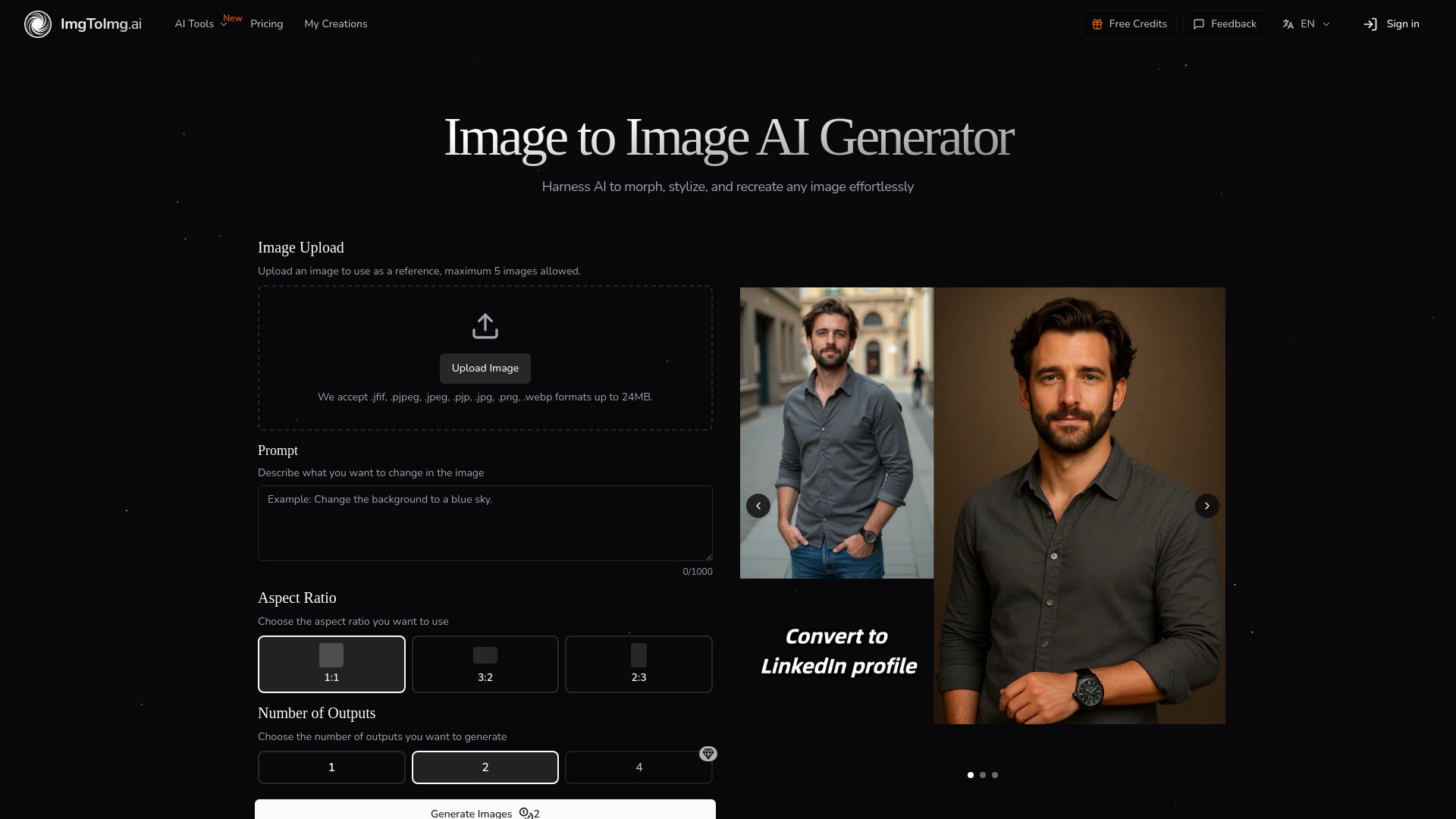
Image to Image AI is an online transformation tool that uses neural networks to turn existing images into new variations while preserving the original composition. Unlike text-to-image generators, it takes a source photo as a visual anchor and applies user-written prompts to modify styles, elements, colors, and settings. The result is a fast, intuitive image-to-image workflow designed for both beginners and professionals. On the technical side, the service accepts JPEG, PNG, and WEBP files up to 24MB and 4096x4096 pixels. Users have fine-grained controls including aspect ratio, number of outputs, and transformation strength, which balances fidelity to the original with the requested changes. Most transformations complete in seconds, with more complex edits taking up to a minute, making it practical for rapid iteration. The platform is aimed at designers visualizing concepts, marketers creating campaign variations, product teams generating visual assets, and creative enthusiasts experimenting with styles from oil paintings to cyberpunk aesthetics. No design skills are required: upload a photo, describe the change, and the AI handles the rest. Paid plans add higher monthly limits and commercial licensing rights, while a free tier provides a monthly allocation for casual experimentation.
SpecificationsAI-estimated
Key Features of Image to Image AI
Use Cases for Image to Image AI
Design Concept Visualization
Quickly explore different visual directions and mood boards by transforming reference images into concept variations.
Marketing Campaign Variations
Create multiple versions of campaign assets, social media graphics, or advertising imagery without reshooting or redesigning from scratch.
Artistic Style Experimentation
Apply artistic styles like oil painting, cyberpunk, or other aesthetics to personal photos and creative experiments.
Product Visualization
Alter product photos by changing colors, backgrounds, lighting, or surrounding environments for e-commerce and listings.
Social Media Content Creation
Generate polished, high-quality image variations for websites, blogs, and social media posts.
Environment and Mood Changes
Change elements such as time of day, environment, or mood while keeping the main subject recognizable.
How to use Image to Image AI?
Upload Your Photo
Select an image from your device to use as the starting point. For best results, use clear images with good lighting and resolution that match your desired output aspect ratio.
Describe Your Changes
Write a prompt describing how you want to transform the image. Be specific about style, colors, modifications, or artistic effects you want to apply.
Adjust Settings
Fine-tune transformation parameters like aspect ratio, output count, and transformation strength to control how closely the result resembles your original image.
Generate and Download
Click generate and watch as AI transforms your image. Browse the results, select your favorites, and download high-quality versions ready for use.
Pros & Cons of Image to Image AI
Pros
- Preserves the original structure and composition of the source image
- Fast generation of multiple variations
- No design skills required
- Free monthly allocation for casual users
- Commercial licensing available on paid plans
Cons
- Free users only receive a limited monthly allocation of transformations
- Only accepts JPEG, PNG, and WEBP files up to 24MB and 4096 x 4096 pixels
- Results depend heavily on prompt clarity and the quality of the source image
- Commercial licensing rights require a paid subscription plan
Frequently Asked Questions
How does Image to Image differ from Text to Image generation?
Image to Image uses your existing image as a starting point, maintaining its core structure while applying transformations. Text to Image creates completely new images from text descriptions with no visual reference point.
What types of images work best with the transformation?
The best results come from clear, well-lit images with defined subjects. The system works with portraits, landscapes, product photos, and more. For optimal results, use images that match your desired output aspect ratio.
How much control do I have over the transformation process?
You can control transformation strength to determine how closely the output resembles your original image, specify detailed prompts to guide the AI, and generate multiple variations to choose from.
How long does the transformation process take?
Most transformations complete in seconds, with more complex changes taking up to a minute. You can generate multiple outputs simultaneously to explore different options efficiently.
What image formats and sizes are supported?
We accept JPEG, PNG, and WEBP formats up to 24MB and 4096 x 4096 pixels. Output images are provided in high-quality formats optimized for your intended use.
Can I use the transformed images commercially?
Yes, paid subscription plans include commercial licensing rights, allowing you to use transformed images for business purposes including marketing, advertising, and product displays.
What if I'm not satisfied with the transformation results?
We recommend adjusting your prompt to be more specific, trying different transformation strength settings, or generating multiple variations. Our support team is also available to help optimize your results.
Is there a limit to how many images I can transform?
Free users receive a monthly allocation of transformations. Paid subscription plans offer higher monthly limits with options to purchase additional credits as needed.
Reviews & Ratings0.0
No reviews yet. Be the first to write one!
Top Alternatives & Similar Software
View all alternatives & similar software→No alternatives available yet.
People also viewed



Related searches
About the Product
Is this your tool?
Claim this page to update details, reply to user reviews, and drive more traffic to your product.
Claim this Product →
Tags
Explore Related Topics
Keep up with Image to Image AI alternatives
New alternatives, pricing changes and the week's biggest movers - one email every Tuesday.