



ImageEnhancerAI
A browser-based AI studio that upscales, enhances, and edits your images through simple drag-and-drop and conversational prompts.
What is ImageEnhancerAI?
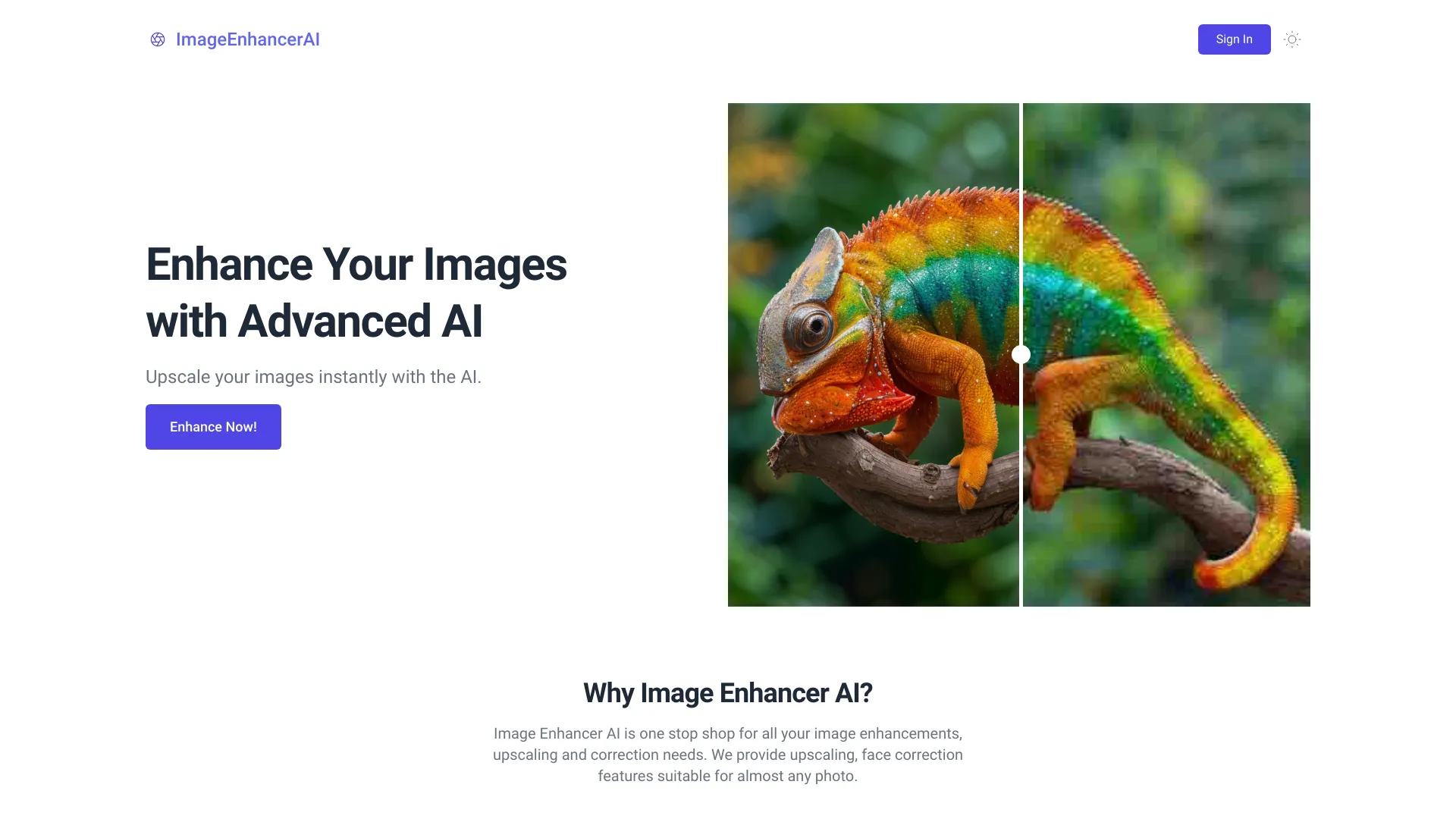
ImageEnhancerAI is an AI-powered web platform for enhancing, upscaling, and editing images. It is built around a suite of machine learning tools that transform ordinary photos into sharper, higher-definition visuals. The platform offers image enhancement and upscaling, background removal, and an interactive AI image generator, all accessible from a browser without any installation. Its standout offering is the conversational AI image generator, which lets users create images from text descriptions or upload a photo and edit it through natural-language chat. Multiple edits can be layered within a single session, so users can iterate on a visual without starting over. The interface is designed around a simple drag-and-drop workflow, with results returned in seconds. The platform targets general consumers who want quick photo improvements, as well as freelancers, designers, and small teams who need fast, professional-grade results without learning complex desktop editing software. Pay-per-use pricing with a Standard and a Pro tier makes it accessible for both occasional and heavier usage.
SpecificationsAI-estimated
Key Features of ImageEnhancerAI
Use Cases for ImageEnhancerAI
Upscaling old or low-resolution photos
Turn small or blurry family photos and archive images into sharper, larger versions suitable for printing or framing.
Preparing product photos for e-commerce
Enhance product shots and remove backgrounds to create clean, consistent listings for online stores.
Improving social media visuals
Quickly polish images for posts, profiles, and ads without opening complex editing software.
Generating concept images from text
Create visual mockups or illustrations for presentations and creative projects using text descriptions.
Iterative creative editing via chat
Refine an image through successive conversational instructions, adjusting details until the result matches the vision.
Freelance and client design work
Deliver higher-quality image assets to clients faster by offloading enhancement and cleanup to AI.
How to use ImageEnhancerAI?
Open the platform
Visit imageenhancerai.com in your web browser. No installation or account setup is required to get started.
Upload your image
Drag and drop the photo you want to enhance or upscale into the upload area.
Choose your tool or describe your edit
Select the enhancement or upscaling tool, or use the AI chat to describe the changes you want to make.
Review and refine
Check the result and send follow-up instructions in the chat to make additional edits in the same session.
Download your image
Save the enhanced or generated image to your device once you are satisfied with the result.
Pros & Cons of ImageEnhancerAI
Pros
- Conversational AI editing lets users change images by simply describing what they want
- Fast, drag-and-drop workflow with results in seconds and no software to install
- Combines enhancement, upscaling, background removal, and image generation in one platform
- Transparent, low-cost pricing with all tools included in every plan
Cons
- Credit-based limits (10 or 50 enhancements) may be restrictive for heavy users
- Limited public detail on the underlying AI models and output resolution limits
- Results for complex edits may vary and require multiple iterations
Frequently Asked Questions
What does ImageEnhancerAI do?
It uses AI to enhance and upscale images into higher-definition, higher-quality versions, and also offers background removal and a chat-based image generator and editor.
Do I need to install any software?
No. ImageEnhancerAI runs entirely in your web browser using a simple drag-and-drop interface.
How does the AI image generator work?
You can describe an image in text to create it, or upload an existing image and describe changes in a chat. The AI applies the edits and you can continue refining in the same session.
How much does it cost?
The Standard plan costs $5 for 10 image enhancements, and the Pro plan costs $20 for 50 image enhancements. All plans include access to all tools.
Are my images kept private?
The platform states that images are processed securely and are never shared with third parties.
How quickly are results delivered?
Results are typically returned within seconds after uploading an image.
Can I make several edits to one image?
Yes. The chat interface supports multiple successive edits within a single session.
Pricing Overview
View full pricing →ImageEnhancerAI offers two plans, Standard at $5 for 10 image enhancements and Pro at $20 for 50 image enhancements, with access to all tools included in each plan.
Reviews & Ratings0.0
No reviews yet. Be the first to write one!
Top Alternatives & Similar Software
View all alternatives & similar software→No alternatives available yet.
People also viewed


Related searches
Is this your tool?
Claim this page to update details, reply to user reviews, and drive more traffic to your product.
Claim this Product →
Tags
Explore Related Topics
Keep up with ImageEnhancerAI alternatives
New alternatives, pricing changes and the week's biggest movers - one email every Tuesday.