


ImageGeneratorAI
A free, no-signup browser tool that turns text prompts into high-quality AI images in seconds.
What is ImageGeneratorAI?
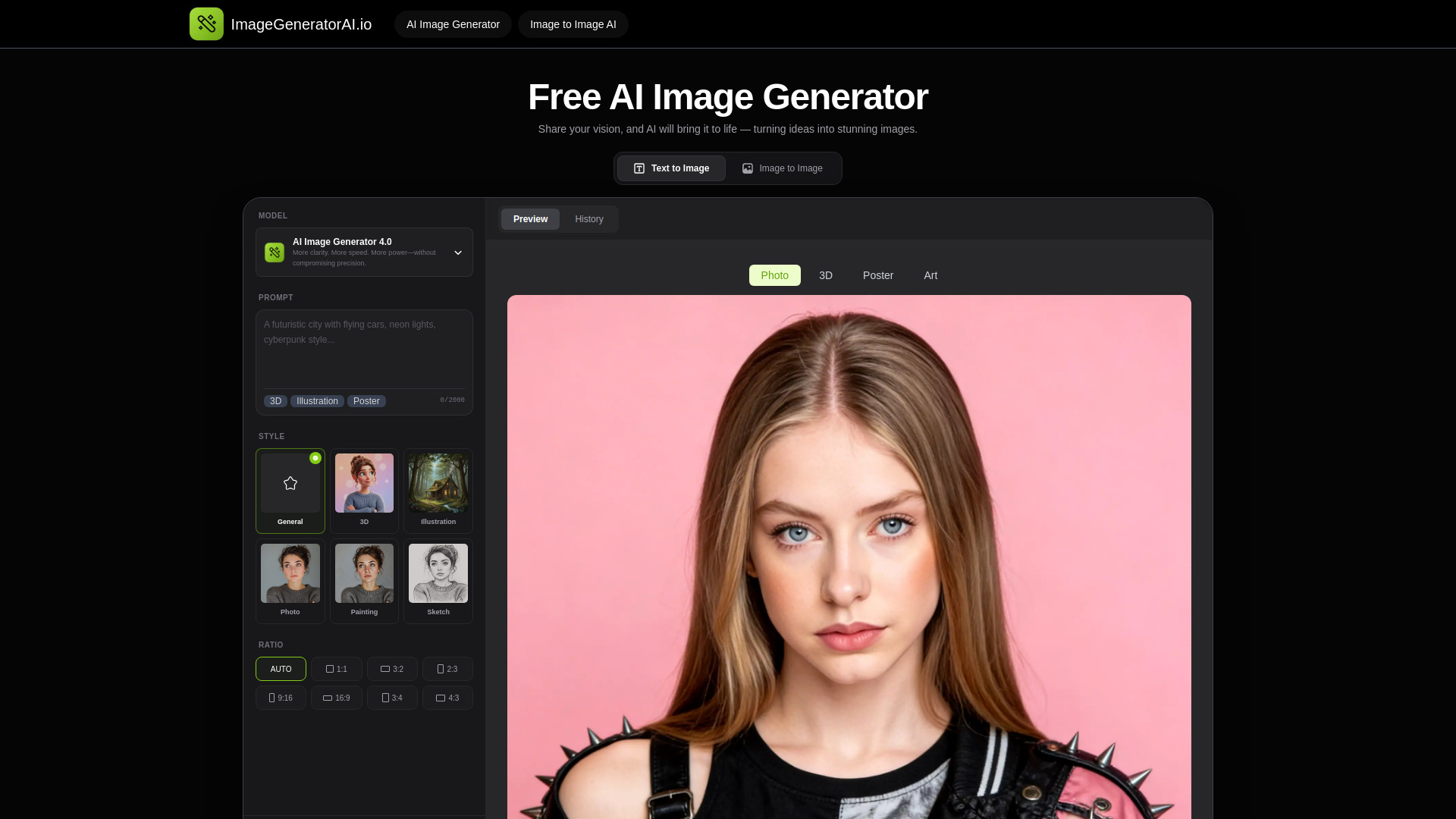
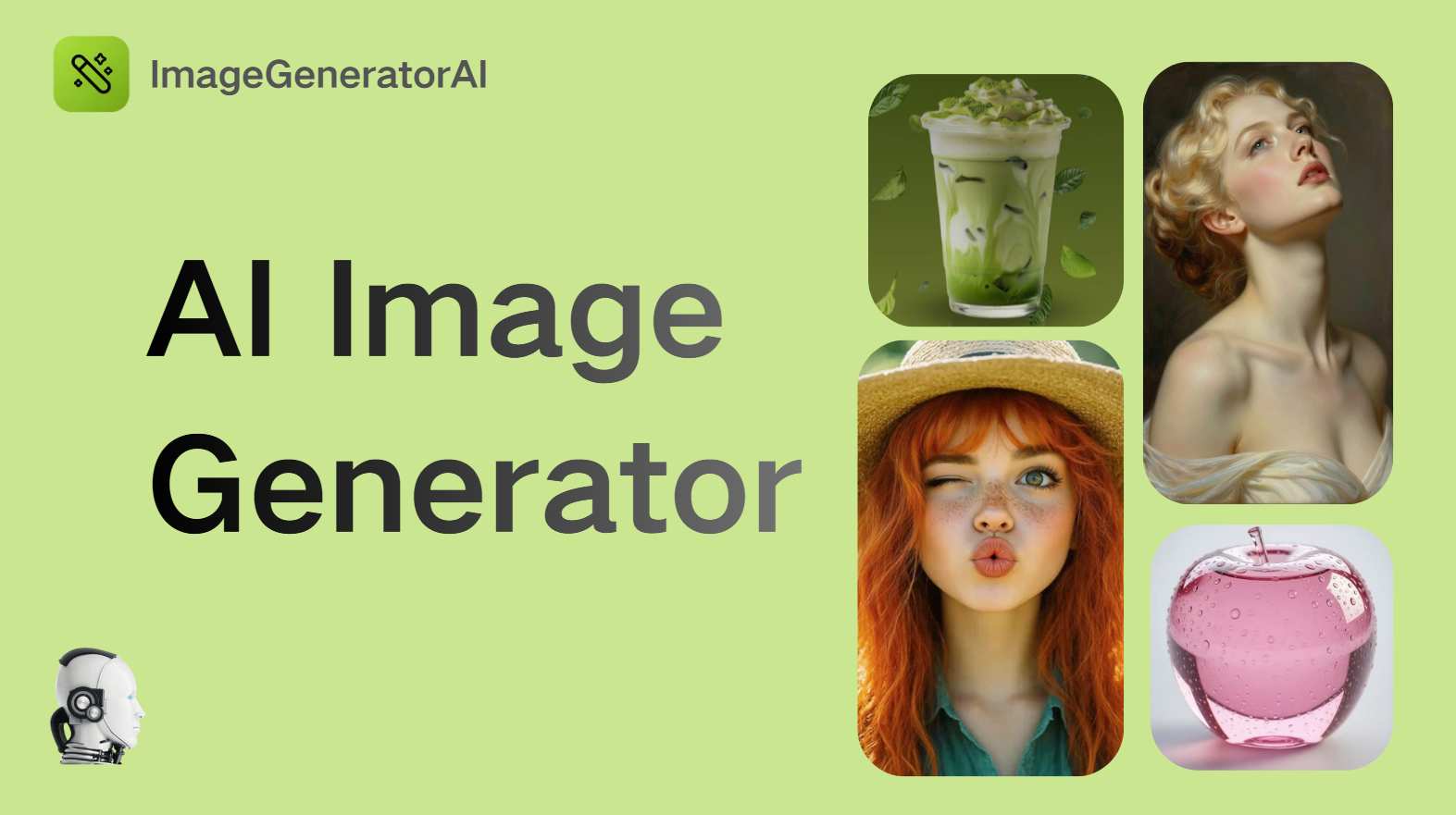
ImageGeneratorAI is a browser-based text-to-image generator that turns written prompts into original images in seconds. Users describe the scene, subject, or style they have in mind, choose a model, aspect ratio, and size, and receive a high-resolution result ready to preview and download. The service is positioned as a free, no-login alternative for quick visual creation, with no software installation required. Under the hood, the platform is built on modern diffusion-style models such as Flux and SDXL, which the site cites for detail, lighting, and composition. The workflow is intentionally simple: enter a prompt, pick a model and style, then generate and download. Because the tool runs entirely in the browser, it is accessible from most desktop and mobile devices without an account, credit card, or download, and results can be iterated quickly by adjusting the prompt or settings. The tool is aimed primarily at bloggers, marketers, social media managers, and designers who need fast concept art, illustrations, or social visuals without a design background. Free usage limits apply to keep access fair, with premium options mentioned for heavier usage. Its low-friction, no-signup approach makes it well suited for quick experiments and first drafts, though users with strict requirements for licensing, consistency, or fine control should evaluate outputs carefully.
SpecificationsAI-estimated
Key Features of ImageGeneratorAI
Use Cases for ImageGeneratorAI
Blog Illustrations
Create custom header images and in-article visuals that match the topic of a post without stock photo searches.
Social Media Content
Generate eye-catching visuals sized for different platforms to fill posts and campaigns quickly.
Marketing Campaigns
Prototype ad concepts and campaign visuals to test ideas before investing in full production.
Product Mockups
Visualize product concepts and packaging ideas from written descriptions during early design stages.
Concept Art
Explore characters, environments, and scenes for games, stories, and creative projects.
Rapid Prototyping for Designers
Iterate on visual directions quickly by generating multiple variations from a single prompt.
How to use ImageGeneratorAI?
Enter your prompt
Describe the image you want in clear, specific detail, including subject, setting, and mood.
Choose model, style, and size
Select the AI model, visual style, aspect ratio, and image size that fit your project.
Generate
Click generate and wait a few seconds for the AI to create your image.
Preview and download
Review the result and download the high-resolution version for your use.
Pros & Cons of ImageGeneratorAI
Pros
- Completely free to start, with no account, login, or credit card required
- Fast generation with no waiting queues, producing high-resolution output
- Uses modern Flux and SDXL models for detailed, well-composed images
- Simple three-step workflow with options for model, style, aspect ratio, and size
- Generated images are described as usable commercially for marketing and content
Cons
- Free usage limits apply, and heavier use requires paid options
- Outputs can vary between generations even with the same prompt, reducing repeatability
- Fine-grained control and advanced editing features are limited compared to professional tools
- Commercial usage rights are stated only in general terms and should be verified for specific projects
Frequently Asked Questions
Is this AI image generator free?
Yes, it is free to use directly in the browser without registration. Free usage limits may apply, and premium options may be available for more generations or advanced features.
Can I use the generated images commercially?
The site states that AI-generated images can generally be used for marketing, websites, blogs, social media, and business projects. Check the platform's terms for specific licensing details.
What is a text-to-image AI?
It is a tool that creates pictures from written descriptions. The AI analyzes your prompt and generates an image based on machine learning models trained on large image datasets.
Do I need to sign up or install anything?
No. The tool works directly in your browser with no account, login, credit card, or download required.
Will I get the same image every time with the same prompt?
Not exactly. Each generation is unique, so results can vary slightly even with identical prompts, which is part of the creative process.
Can I customize the generated images?
Yes. You can adjust styles, colors, and aspect ratios, and some options allow uploading reference images to guide the look and feel of the output.
Which AI models does it use?
The platform uses the latest Flux and SDXL models, which are designed to produce detailed lighting, composition, and visual quality.
Pricing Overview
View full pricing →The AI image generator is free to use with no registration, though free usage limits may apply and premium options may be available for more generations or advanced features.
Detailed plans are not listed. Visit the official website for pricing information.
Reviews & Ratings0.0
No reviews yet. Be the first to write one!
Top Alternatives & Similar Software
View all alternatives & similar software→No alternatives available yet.
People also viewed


Related searches
Is this your tool?
Claim this page to update details, reply to user reviews, and drive more traffic to your product.
Claim this Product →
Tags
Explore Related Topics
Keep up with ImageGeneratorAI alternatives
New alternatives, pricing changes and the week's biggest movers - one email every Tuesday.