


ImgEnhancer.ai
An AI image-to-image tool that upscales, restyles, and creatively reconstructs your photos from a simple text prompt.
What is ImgEnhancer.ai?
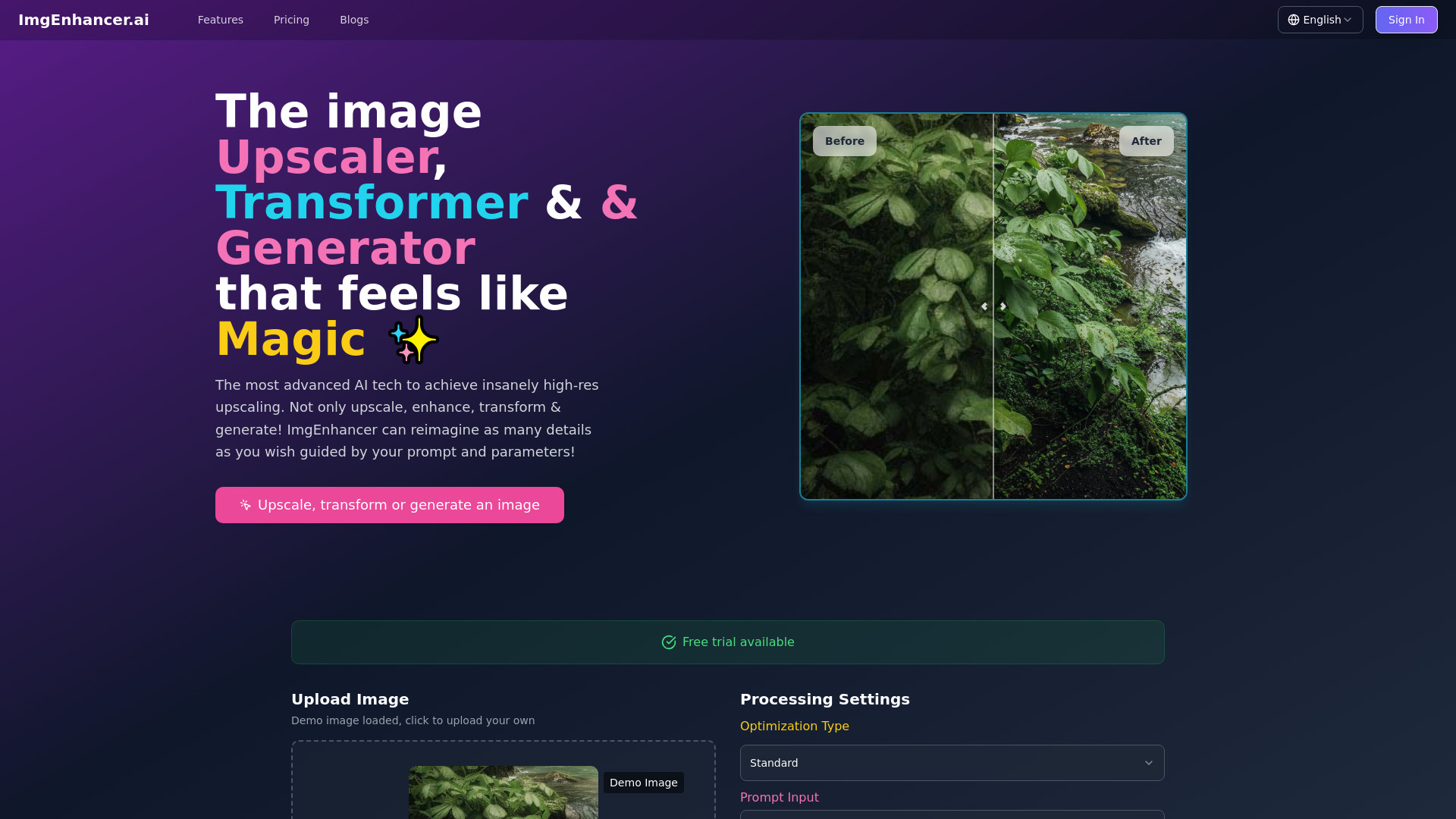
ImgEnhancer.ai is an AI-powered image enhancement platform that lets users upload a reference image, describe the changes they want in a text prompt, and generate upscaled, restyled, or creatively reconstructed versions of it. The core workflow is a one-step image-to-image process: users upload up to five images (JPEG, JPG, PNG, or WebP up to 24MB), write a prompt, choose an aspect ratio (such as 1:1, 3:2, or 2:3), and select how many outputs to generate (1, 2, or 4). Processing runs on cloud GPUs and typically completes in a few minutes. Beyond basic upscaling, the platform positions itself as a creative tool. Users can control the amount of new detail the AI invents through a Creativity setting, adjust HDR and Resemblance sliders, and steer results with natural-language prompts. The site also promotes sibling tools for AI image generation, background removal, and upscaling up to 8K resolution, presenting the service as a one-stop shop for image work. The platform targets photographers, graphic designers, digital artists, illustrators, and AI image creators who need higher resolution output or stylistic transformations. Marketing claims include a 99.9% success rate, sub-two-minute average processing, and encrypted transmission with automatic deletion of uploads after processing. A free trial is offered without registration, with paid subscriptions handled through Stripe and annual plans offering two months free.
SpecificationsAI-estimated
Key Features of ImgEnhancer.ai
Use Cases for ImgEnhancer.ai
Upscaling low-resolution photos
Enlarge old or small photos to higher resolution with added detail for printing or large displays.
Restyling product and brand imagery
Transform existing visuals into new artistic styles or color treatments while keeping the original composition.
Enhancing AI-generated art
Upscale images created by other text-to-image models to add depth, detail, and resolution.
Preparing images for commercial print
Produce 8K-capable outputs suitable for posters, packaging, and other print materials.
Creating social media content
Quickly generate multiple stylistic variations of a photo in different aspect ratios for social posts.
Concept exploration for designers
Iterate on a reference image with prompts to explore moods, palettes, and creative directions before final production.
How to use ImgEnhancer.ai?
Upload your reference image
Select up to five clear JPEG, PNG, or WebP images up to 24MB each as your starting point.
Write a prompt
Describe the style, colors, or changes you want, up to 1000 characters.
Adjust settings
Choose an aspect ratio and the number of outputs, and fine-tune creativity or resemblance controls.
Generate and download
Start processing, review the results, and download your favorite output.
Pros & Cons of ImgEnhancer.ai
Pros
- Prompt-driven control over upscaling and style transformation, with sliders for creativity, HDR, and resemblance
- Free trial without registration and fast cloud GPU processing, typically within a few minutes
- Batch-capable workflow allowing up to five reference images and multiple outputs per run
- Privacy measures including encrypted transfers and automatic deletion of uploaded images after processing
Cons
- Upscaled results can contain artifacts, especially when Creativity or HDR settings are set too high
- No refunds are offered due to GPU processing costs, which is a significant commitment for paid users
- Limited payment options, with no PayPal or cryptocurrency support
Frequently Asked Questions
How does the AI upscaler work?
It transforms an image into a higher-resolution version, adding detail guided by your prompt and controls such as Creativity, which governs how many new details the AI invents.
Is ImgEnhancer suitable for beginners?
Yes. The interface is designed to be intuitive, with tutorials and community support for users of all skill levels.
Will the upscaled images have artifacts?
Sometimes. Artifacts are most likely when Creativity or HDR is set too high or Resemblance is poorly configured, and can usually be reduced with the sliders and prompt adjustments.
What payment methods are accepted?
Credit and debit cards including VISA, MasterCard, and American Express, plus iDeal, SOFORT, Bancontact, Przelewy24, Giropay, EPS, GrabPay, and AliPay. PayPal and cryptocurrency are not accepted.
Can I get a refund?
No. Refunds are not offered because of the substantial GPU costs of AI upscaling, and users agree to this at sign-up.
How do I cancel my subscription?
Log in, open Billing from the top of the ImgEnhancer AI interface, and use the Stripe billing portal to cancel, switch plans, or download invoices.
Pricing Overview
View full pricing →ImgEnhancer.ai offers three annual subscription plans (Pro, Premium, Enterprise) priced at $99.00, $199.00, and $399.00 per year, each with a monthly credit allowance for image upscaling.
Reviews & Ratings0.0
No reviews yet. Be the first to write one!
Top Alternatives & Similar Software
View all alternatives & similar software→No alternatives available yet.
People also viewed


Related searches
Is this your tool?
Claim this page to update details, reply to user reviews, and drive more traffic to your product.
Claim this Product →
Tags
Explore Related Topics
Keep up with ImgEnhancer.ai alternatives
New alternatives, pricing changes and the week's biggest movers - one email every Tuesday.