



Musicaura
Turn moods, scenes, lyrics, and text prompts into original, creator-ready music with AI.
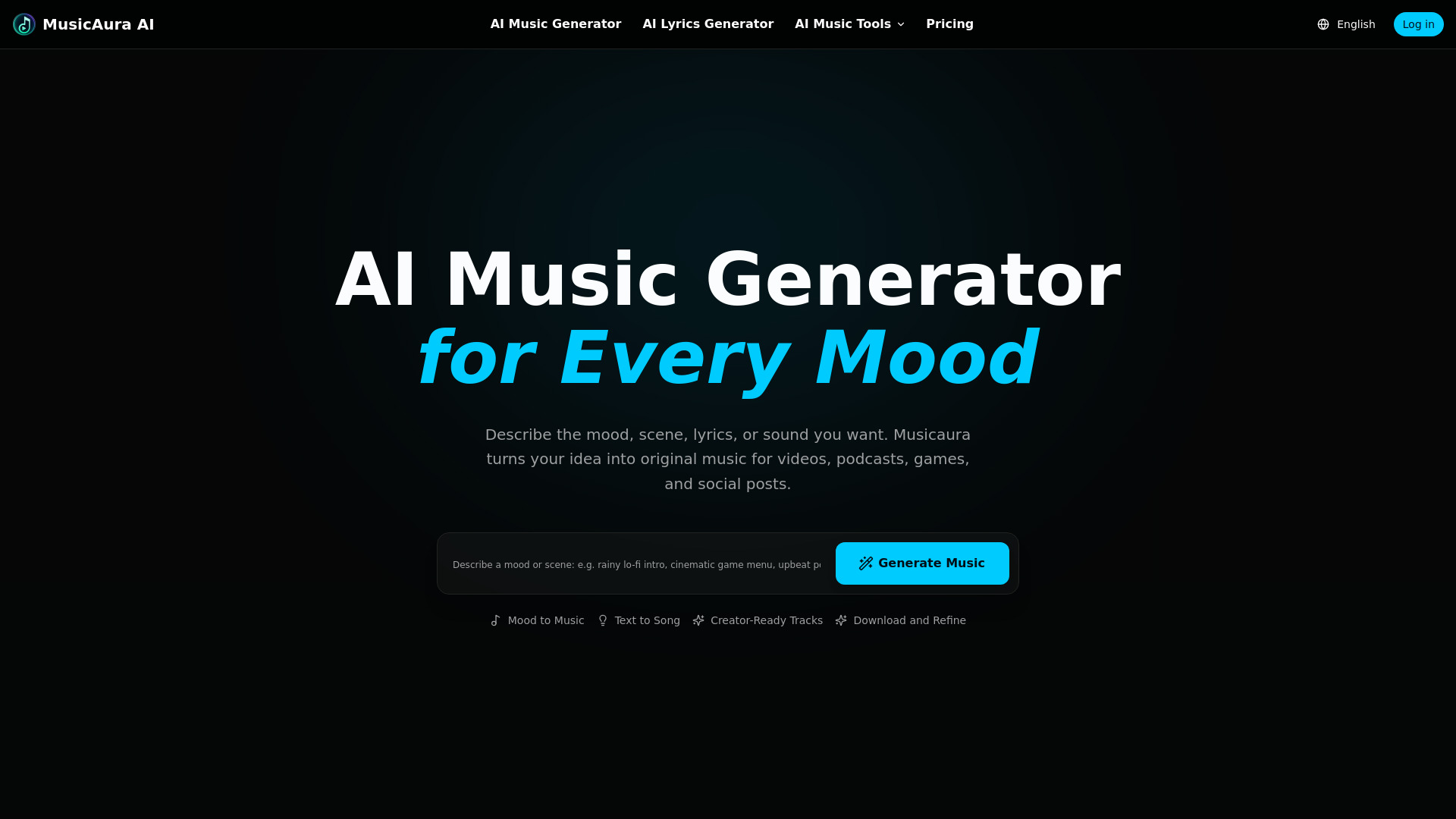
What is Musicaura?
Musicaura is an AI-powered music generation platform designed to turn moods, scenes, lyrics, and text prompts into original tracks. Instead of manually composing music, creators simply describe the atmosphere they want—such as a genre, tempo, mood, or even a lyric idea—and the platform generates music that fits their project. It is aimed at video makers, podcasters, game developers, and social media creators who need custom audio without music production skills. The platform goes beyond basic generation with a full suite of creative audio tools. Its AI Lyrics Generator helps write editable lyrics before converting them into songs, while the AI Vocal Remover and AI Stem Splitter let users separate vocals and instruments for karaoke tracks, remixes, sampling, and cleaner audio references. Musicaura also includes tempo, MIDI, and metadata tools, giving creators more control over their tracks. The service reports 108,764 tracks generated, 5,372+ active creators, and 46+ supported music styles. Musicaura offers a free plan for testing and paid plans with higher generation limits, more concurrent tasks, advanced tools, unlimited downloads on upper tiers, and commercial licenses for published or client work. Its simple text-to-music workflow makes it a practical choice for creators who want mood-based, original music quickly and want to keep control over the final audio files.
SpecificationsAI-estimated
Key Features of Musicaura
Use Cases for Musicaura
Background Music for Videos
Generate original background tracks that match the mood of YouTube videos, vlogs, and visual content.
Podcast Audio
Create intro, outro, and transition music tailored to your show's tone and pacing.
Game Soundtracks
Produce ambient, scene-based, and thematic music for game environments and levels.
Social Media Posts
Make short mood-driven tracks for TikTok, Reels, and other short-form social content.
Karaoke Tracks
Use the AI Vocal Remover to strip vocals from songs for karaoke practice or performance.
Remixing and Sampling
Split tracks into individual stems to remix, sample, or create cleaner audio references.
Client and Commercial Work
Use paid plans with a commercial license for client projects, ads, and published work.
How to use Musicaura?
Describe the Atmosphere
Enter the mood, scene, genre, instruments, tempo, or lyrics you want. A simple phrase is enough to start.
Generate and Preview
Musicaura turns your prompt into music you can listen to, compare, and refine for the project.
Download or Refine
Save the track for your video, podcast, game, ad, or social post, or adjust your prompt when you need another direction.
Use Creative Audio Tools
Use the AI lyrics generator, vocal remover, or stem splitter to build on your tracks without leaving the browser.
Pros & Cons of Musicaura
Pros
- Turns simple mood, scene, or lyric prompts into original, creator-ready music
- All-in-one suite includes AI music generation, lyrics, vocal removal, and stem splitting
- 46+ music styles and adjustable tempo/MIDI/tag tools provide flexibility
- Free credits to start, with commercial licenses available on paid plans
- Trusted by more than 5,000 active creators with over 100,000 tracks generated
Cons
- Free plan is limited to 2 songs per month and is for personal use only
- Requires a browser and internet connection; no native offline desktop app is mentioned
- Lower-tier plans have limited concurrent tasks and monthly download caps, which may slow batch workflows
Frequently Asked Questions
What is Musicaura?
Musicaura is an AI music generator that turns moods, scenes, lyrics, or prompts into original songs, instrumentals, and background music for creator projects.
How do I generate music from a mood or scene?
Describe the atmosphere you want—mood, scene, genre, instruments, tempo, or lyrics—then generate and preview the result. You can download the track or refine the prompt for another direction.
Can I use Musicaura tracks commercially?
Paid plans include a commercial license, while the free plan is for personal use only. You can view the license details at https://musicaura.ai/license.
What does the free plan include?
The free plan includes 2 songs per month, 1 music generation per month, 1 concurrent task, core AI music tools, basic audio processing tools, basic tempo/MIDI/tag tools, music downloads, and email support. It is for personal use only.
Can I write lyrics with Musicaura?
Yes. The AI Lyrics Generator lets you write editable lyrics from a title, prompt, mood, style, structure, and language before turning them into a song.
Can I remove vocals from existing songs?
Yes. The AI Vocal Remover separates vocals and instrumentals from songs online so you can create karaoke tracks, remix ideas, and cleaner audio references.
What are the paid plan options?
Musicaura offers Pro, Creator, and Team plans. All paid plans include a commercial license, higher song/generation limits, more concurrent tasks, and advanced audio tools. Upper tiers add unlimited downloads and priority support.
Reviews & Ratings0.0
No reviews yet. Be the first to write one!
Top Alternatives & Similar Software
View all alternatives & similar software→
People also viewed



Related searches
Is this your tool?
Claim this page to update details, reply to user reviews, and drive more traffic to your product.
Claim this Product →
Explore Related Topics
Keep up with Musicaura alternatives
New alternatives, pricing changes and the week's biggest movers - one email every Tuesday.