


Near Domain
A domain name finder that pairs keyword search with an AI assistant to help you land a memorable .com address.
What is Near Domain?
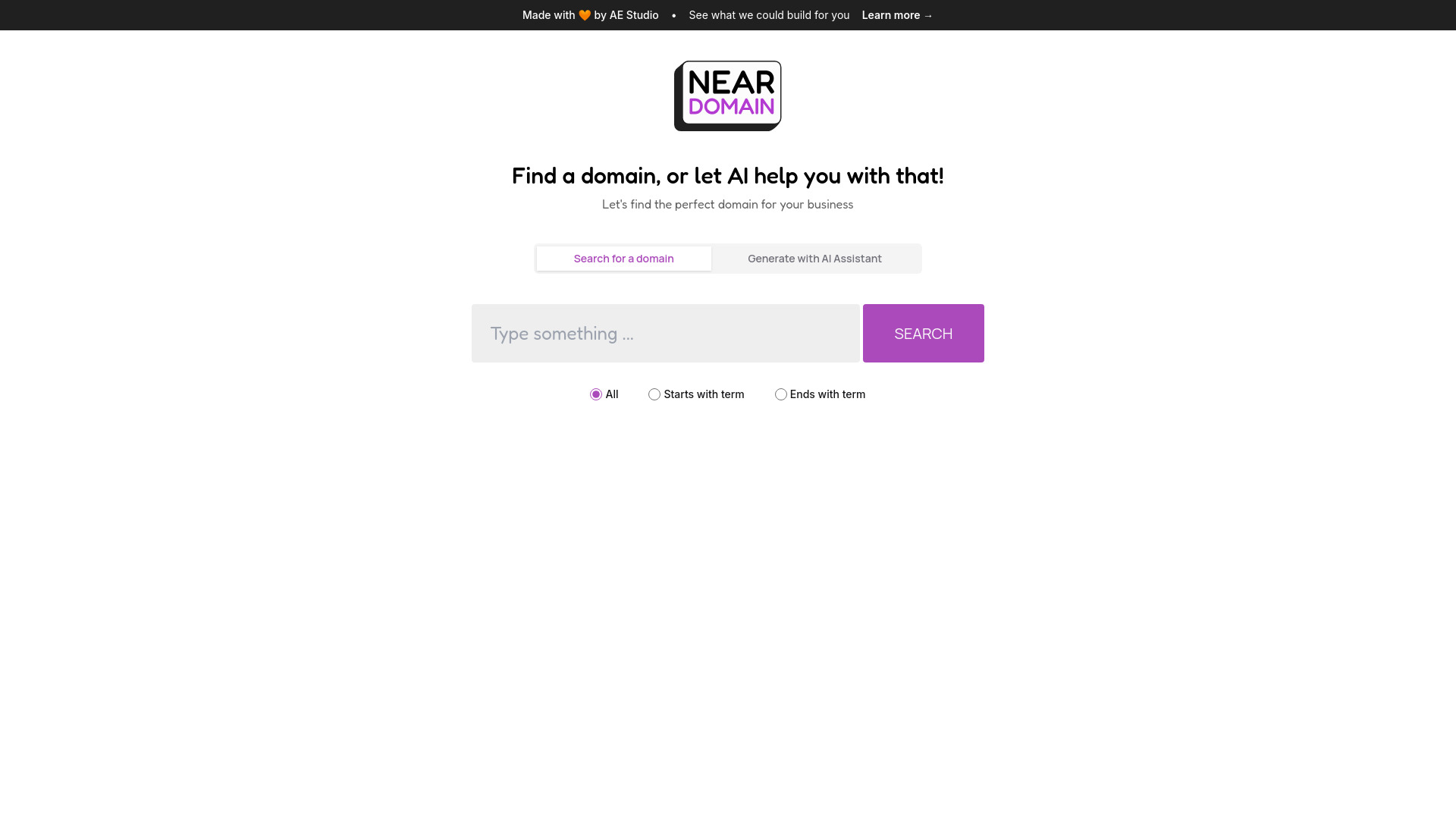
Near Domain is a web-based domain discovery tool designed to help people find an available .com domain name for their website or business. Users enter one or two search terms and the platform surfaces matching domain options, showing each domain alongside an SEO rating and a price, so that naming decisions can be made with both availability and search visibility in mind. The tool supports flexible matching modes, including searches where a domain starts with a given term or ends with one, which broadens the range of ideas beyond exact-match results. Input is deliberately constrained to keep searches focused: a maximum of two terms, and a prompt to remove any existing domain before searching. This keeps results relevant and avoids overly complicated queries. An AI assistant is also available for users who are unsure where to begin. Rather than brainstorming names from scratch, a user can describe their business and let the assistant suggest candidate domains, making Near Domain appealing to founders, small business owners, and bloggers who need a memorable, brandable web address without spending hours on manual searching.
SpecificationsAI-estimated
Key Features of Near Domain
Use Cases for Near Domain
Naming a new startup
Founders can search for brand-friendly .com names that match their product or industry before committing to a company name.
Launching a small business website
Local businesses can find an available .com that reflects their services and location.
Starting a personal blog or portfolio
Creators can locate a short, memorable domain that represents their personal brand.
Rebranding an existing project
Teams changing their name can explore alternative .com options that still match their core keywords.
Brainstorming when stuck for ideas
The AI assistant helps users who have a business concept but no naming direction yet.
Comparing SEO value across options
Users can weigh SEO ratings against price to pick the best value domain for their budget.
How to use Near Domain?
Enter your keyword
Type one or two terms that describe your business, product, or brand into the search field.
Choose a matching mode
Select All, Starts with term, or Ends with term to refine how domains are matched.
Review the results
Compare the returned domains by their SEO rating and price.
Use the AI assistant if needed
Describe your business to the AI assistant to receive domain suggestions when you are short on ideas.
Pros & Cons of Near Domain
Pros
- Simple search interface that accepts one or two terms and returns matching .com options quickly
- Shows an SEO rating alongside each domain, helping users weigh branding against search visibility
- Flexible matching modes (starts with, ends with, or contains) widen the range of name ideas
- AI assistant can generate domain suggestions from a plain-language description of the business
Cons
- Results are limited to .com domains, so users wanting other extensions must look elsewhere
- Search input is restricted to two terms, which may feel limiting for longer brainstorming sessions
- The SEO rating is a simplified metric and should be treated as a guide rather than a guarantee of ranking
Frequently Asked Questions
What is Near Domain?
Near Domain is a tool for discovering available .com domain names for websites and businesses, with keyword search and AI-assisted suggestions.
How many search terms can I use?
You can enter a maximum of two terms per search.
What does the SEO rating mean?
The SEO rating gives a sense of how well a domain may perform in search, helping you compare options beyond their branding appeal.
Can I search for domains that start or end with a word?
Yes, the Starts with term and Ends with term options let you narrow results by where your keyword appears.
What does the AI Assistant do?
The AI Assistant generates domain name suggestions based on a description of your business or idea.
Why do I get a message to remove a domain before searching?
The search is designed for keyword input, so entering a full domain in the search box triggers a prompt asking you to remove it and try again.
Reviews & Ratings0.0
No reviews yet. Be the first to write one!
Top Alternatives & Similar Software
View all alternatives & similar software→No alternatives available yet.
People also viewed

Related searches
Is this your tool?
Claim this page to update details, reply to user reviews, and drive more traffic to your product.
Claim this Product →
Tags
Explore Related Topics
Keep up with Near Domain alternatives
New alternatives, pricing changes and the week's biggest movers - one email every Tuesday.