


NeverBlink
An AI-native database resilience platform that tells your team what to fix, in what order, and with the exact command to run.
What is NeverBlink?
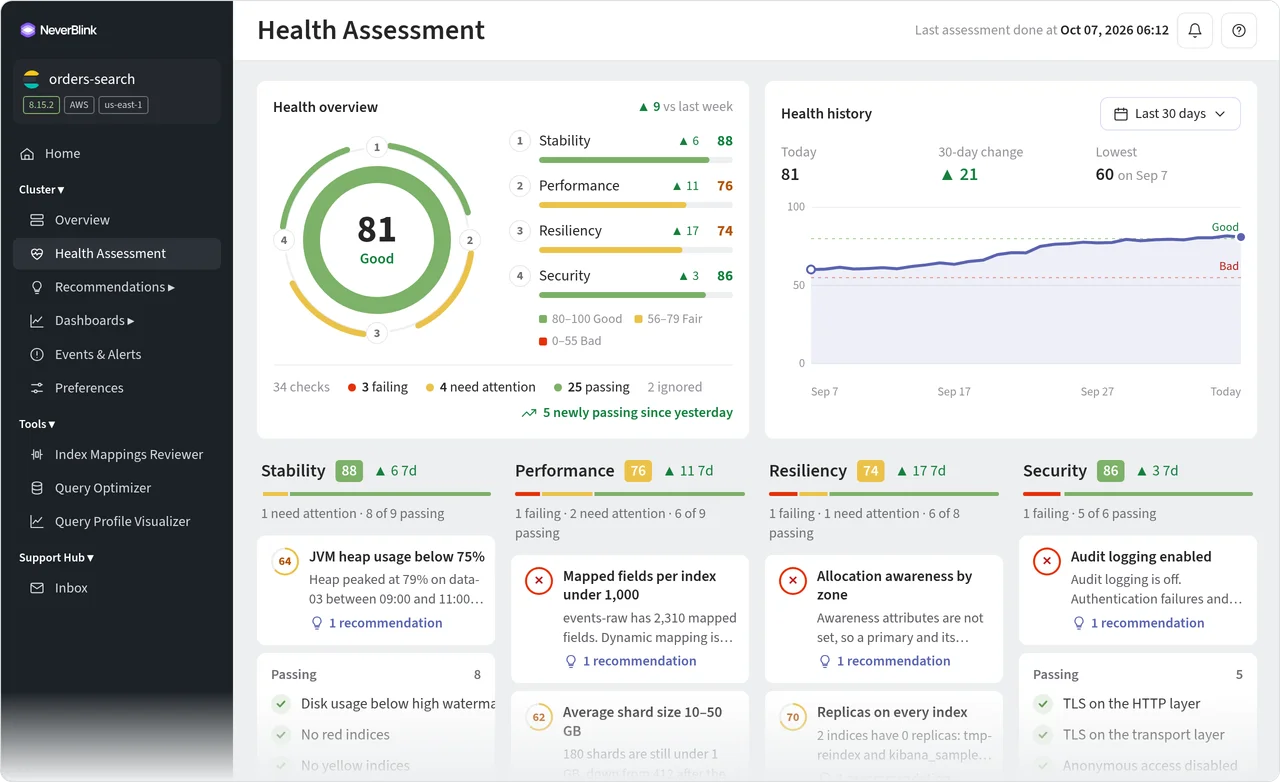
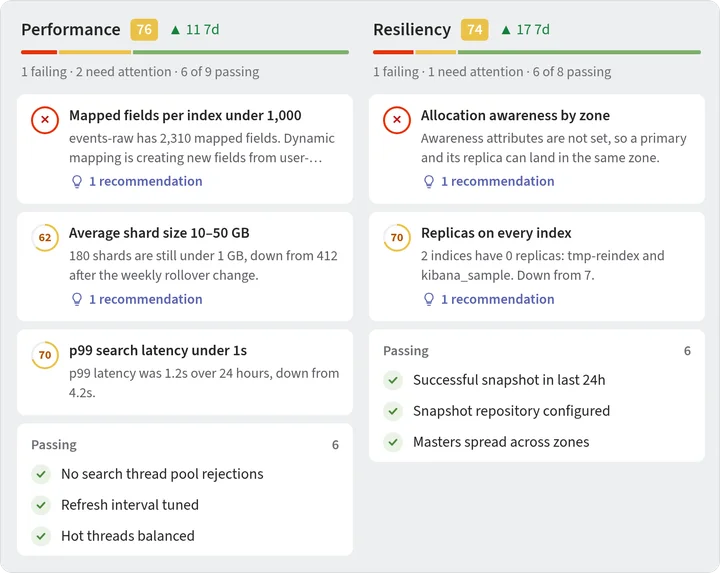
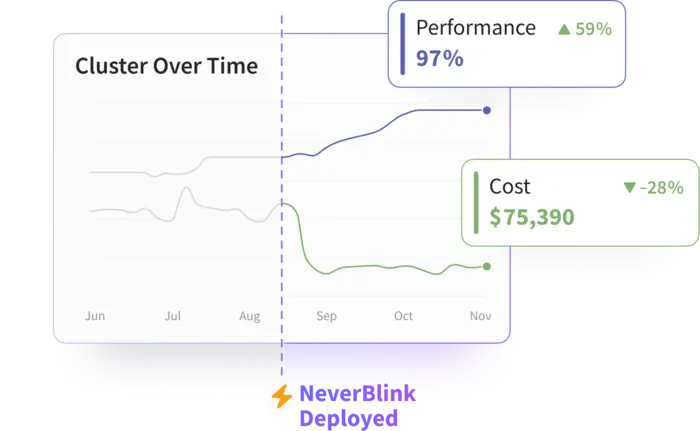
NeverBlink is an AI-native database resilience and optimization platform designed for teams running production databases such as Elasticsearch, OpenSearch, ClickHouse and PostgreSQL. As AI agents increasingly write queries and change schemas, and as product engineers take on data-layer duties without deep DBA expertise, NeverBlink continuously inspects both the infrastructure and how the application uses the database. It then tells teams what to fix, in what priority order, and provides the exact command to run, rather than simply presenting another monitoring dashboard. The platform combines continuous health checks, root-cause analysis and prioritized recommendations, each backed by evidence. Its AI DBA watches every cluster around the clock, and when an issue requires judgment, a senior database engineer from the BigData Boutique team can step in. NeverBlink is deliberately conservative: it recommends and never changes a cluster on its own, leaving engineers in control. It also exposes a REST API and an MCP server so coding agents such as Claude Code and Cursor can reason from live evidence about the data platform. NeverBlink suits engineering and platform teams running self-hosted or managed database clusters who want fewer incidents, lower infrastructure costs and less time spent on database maintenance. Customers such as Frontiers and Aidoc report substantial reductions in management time, faster incident detection and meaningful cost savings. The collector is lightweight, reads only metrics and metadata through a read-only user, and never accesses the rows in the database.
SpecificationsAI-estimated
Key Features of NeverBlink
Use Cases for NeverBlink
Operating self-hosted Elasticsearch or OpenSearch clusters
Teams running their own search clusters get continuous health assessments and expert guidance to reduce incidents and tuning effort.
Controlling AI agent writes to the database
Organizations letting coding agents write queries or change schemas can give agents live context so proposed changes are grounded in evidence.
Reducing database cloud spend
Overprovisioned or inefficient clusters are identified with sizing and query recommendations that can lower monthly bills.
Speeding up slow analytics queries
Teams with slow dashboards, such as ClickHouse-backed analytics, receive query rewrites and sizing insights to improve latency.
Supporting product engineers who own the data layer
Engineers without DBA backgrounds receive clear, prioritized guidance instead of raw metrics they must interpret themselves.
Monitoring managed database services
Managed services keep servers running but not slow queries or poor schemas; NeverBlink covers that remaining layer.
How to use NeverBlink?
Create a read-only monitoring user
Set up a monitoring user on your database with read-only permissions so the collector can gather metrics and metadata.
Deploy the collector
Run the lightweight collector in your environment on Kubernetes, Docker, ECS, Nomad or a VM using your ingest key.
Review your first health assessment
Within 24 hours, receive prioritized findings with reasoning through Slack, email, PagerDuty, the API or MCP.
Apply recommended fixes
Your engineers review the evidence and apply the exact changes they choose; NeverBlink never modifies the cluster on its own.
Monitor continuously
Let the platform watch queries, merges, replication, schema and configuration, catching regressions as they appear.
Pros & Cons of NeverBlink
Pros
- Recommends specific, evidence-backed fixes with the exact command, rather than just raising alerts
- Continuous 24/7 coverage from an AI DBA with escalation to senior database engineers
- Read-only collector that never reads or stores row data and requires nothing installed on database servers
- Supports major engines including Elasticsearch, OpenSearch, ClickHouse, PostgreSQL and managed services
- Exposes a REST API and MCP server so AI coding agents can work from live database context
Cons
- Pricing details beyond a starting point of $29 per cluster per month are not fully specified on the page
- Value depends on the team connecting multiple clusters and acting on recommendations
- Cost and outcome figures are customer-reported and not independently verified
Frequently Asked Questions
Will NeverBlink change my cluster?
No. NeverBlink recommends fixes with the exact command, and your engineers decide what to apply. Every recommendation shows its evidence.
Does NeverBlink access my data?
No. The collector reads operational metrics, system tables and metadata through a read-only user, and never reads, transmits or stores the rows. Query literals are masked before reaching NeverBlink.
Does it work with managed services?
Yes, including Elastic Cloud, Amazon OpenSearch Service, ClickHouse Cloud and Amazon RDS for PostgreSQL. It covers slow queries, schemas and overprovisioning that managed services do not fix.
How long does setup take?
Setup takes minutes, and the first health assessment arrives the same day.
How is NeverBlink different from a general AI SRE tool?
NeverBlink is built only for databases, one engine at a time, with checks drawn from running those specific engines in production. It identifies query shapes and provides rewrites rather than generic advice.
Is NeverBlink secure enough for enterprise use?
It is SOC 2 Type II audited and offers SSO and SAML, role-based access control and agent IP allow-listing.
Pricing Overview
View full pricing →NeverBlink prices per cluster per month across four tiers, with the first cluster on Essentials free, and Premium and Enterprise available by custom quote.
Reviews & Ratings0.0
No reviews yet. Be the first to write one!
Top Alternatives & Similar Software
View all alternatives & similar software→No alternatives available yet.
People also viewed


Related searches
Is this your tool?
Claim this page to update details, reply to user reviews, and drive more traffic to your product.
Claim this Product →
Tags
Explore Related Topics
Keep up with NeverBlink alternatives
New alternatives, pricing changes and the week's biggest movers - one email every Tuesday.