


OneAccord
Real-time AI sermon translation, trained on biblical terms and checked by church interpreters, delivered to any phone through a QR code.

What is OneAccord?
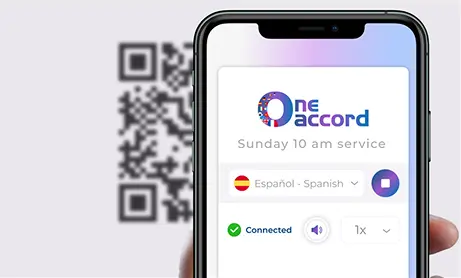
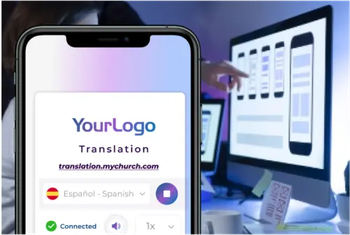
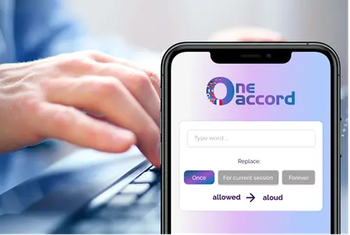
OneAccord is a live AI translation platform built specifically for churches. It delivers real-time translated captions and spoken audio of sermons, announcements, and services in over 60 languages, allowing congregations whose first language differs from the service language to follow along in their own tongue. The platform is designed to be accessed through a web browser on any phone or tablet: a congregation member simply scans a QR code, chooses a language, and presses play, with no app download required. Behind the technology is a team of church interpreters who train the AI models on biblical terminology, church vocabulary, and sermon-style delivery, rather than relying on off-the-shelf translation engines. Churches can enable an optional Moderation mode that lets a human reviewer check and correct the transcript before it is translated, and built-in audio monitoring tools help teams keep the input signal clean, since translation quality depends heavily on audio quality. A dedicated sound technician and weekly quality checks are included with every plan. OneAccord supports both one-way Broadcast mode for Sunday services and interactive Conversation mode for small groups, and it integrates with ProPresenter and OBS so translated captions can appear on main screens and livestreams. It also suits multi-site churches, which can run several concurrent sessions labeled by campus. Pricing starts at $150 per month and is customized by language count, hours, and number of users.
SpecificationsAI-estimated
Key Features of OneAccord
Use Cases for OneAccord
Multilingual Sunday services
Give non-English-speaking members access to the sermon in their own language during the main service.
Immigrant and international congregations
Help newcomers still learning English follow scripture readings and teaching fully.
Multi-site church campuses
Run several translation sessions at once across campuses, each labeled for its congregation.
Livestream accessibility
Add translated lower-third captions to online broadcasts via OBS so remote viewers can follow in their language.
Small group discussions
Use Conversation mode so participants can speak in their own language and hear others translated.
Church announcements and events
Translate announcements and special events so the whole congregation stays informed.
How to use OneAccord?
Connect your audio
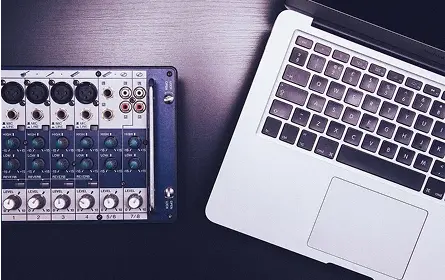
Connect a laptop to the church's sound desk to provide a clean audio feed to OneAccord.
Create a translation session
Set up a session in the platform, select the sound desk as the audio input, and choose the languages needed.
Start translation
Press 'Start translation' and optionally enable Moderation mode to review the transcript before it is translated.
Share the QR code
Display the QR code so congregants can scan it, choose their language, and press play on their phones.
Review and download transcripts
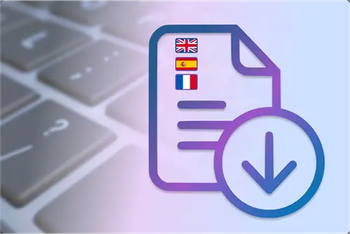
After the service, review usage and download the original and translated transcripts.
Pros & Cons of OneAccord
Pros
- No app download needed: congregants access translations instantly in their mobile browser via QR code
- Custom AI models trained on biblical and church terminology, with optional human moderation of the transcript
- Supports over 60 languages with both written captions and spoken audio translation
- Integrates with ProPresenter and OBS for on-screen captions in the room and on livestreams
Cons
- Translation quality depends heavily on the church's audio setup, so poor sound can degrade results
- Pricing is quote-based beyond the $150/month starting tier, which makes budgeting less transparent
- Spoken translation voices are synthetic and less natural than a human interpreter, as the company itself acknowledges
Frequently Asked Questions
Do congregants need to download an app?
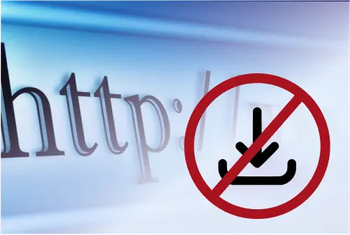
No. Congregants access translations directly in the browser on their phone or tablet by scanning a QR code.
How much does OneAccord cost?
Pricing starts at $150 per month for 5 hours, and is customized based on languages, hours, and number of users. Custom quotes are available.
Is there a setup or onboarding fee?
No. There is no setup or onboarding fee, and a free onboarding call is included with every plan.
What equipment is needed?
A device with internet access and a web browser. If the church has a sound desk, a laptop can be connected to it for audio input.
How accurate is the translation?
The AI is trained on biblical and church terminology and handles varied accents well. Accuracy improves with better audio, and Moderation mode lets a human correct the transcript before translation.
Does it integrate with livestreaming or presentation software?
Yes. It integrates with ProPresenter for main-screen captions and OBS for lower-third overlays on livestreams.
Reviews & Ratings0.0
No reviews yet. Be the first to write one!
Top Alternatives & Similar Software
View all alternatives & similar software→No alternatives available yet.
People also viewed



Related searches
Is this your tool?
Claim this page to update details, reply to user reviews, and drive more traffic to your product.
Claim this Product →
Tags
Explore Related Topics
Keep up with OneAccord alternatives
New alternatives, pricing changes and the week's biggest movers - one email every Tuesday.