


Outfits AI
See exactly how clothes look on you before you buy — just upload a photo and any outfit image.
What is Outfits AI?
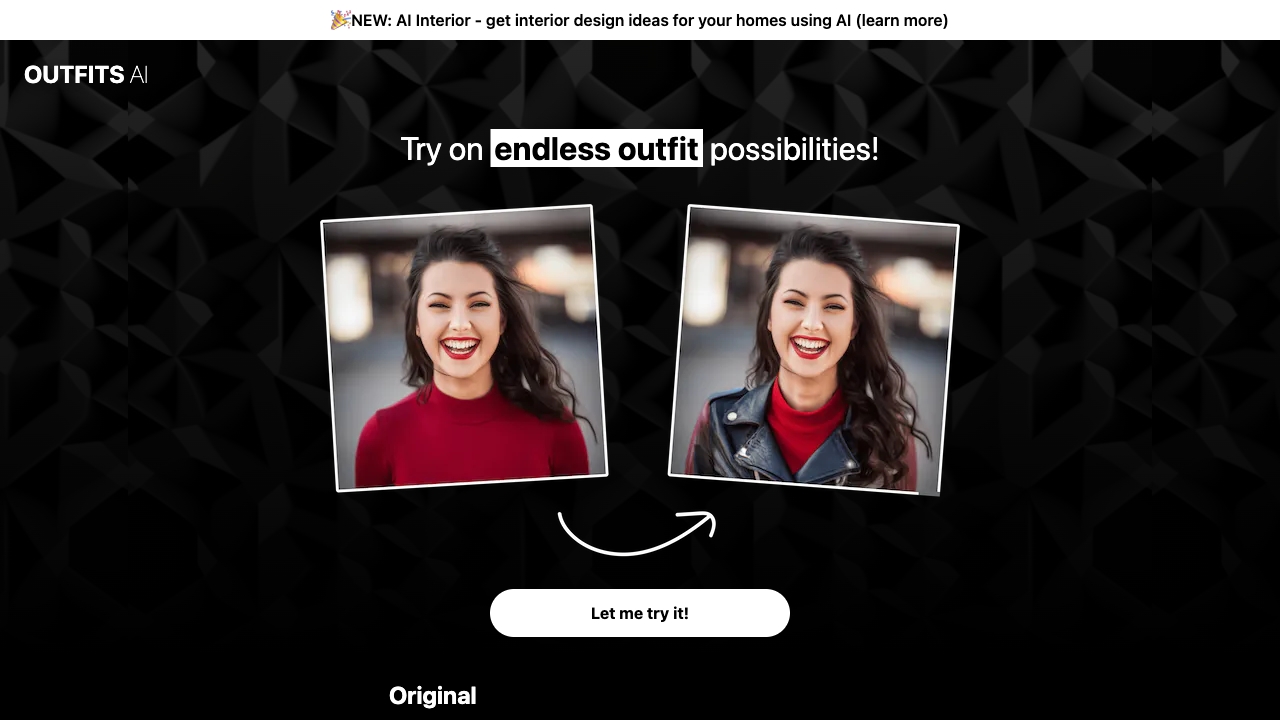
Outfits AI is a virtual clothing try-on platform that lets shoppers see how garments look on their own photo before making a purchase. Instead of guessing sizes or imagining how an outfit will fit, users simply upload a personal photo and a clothing image — often saved as a screenshot from popular online stores like Zara or Shein — and the AI dresses the user in that outfit. The updated try-on model is specifically designed to handle patterns and prints, making it more versatile than earlier virtual fitting room tools.
SpecificationsAI-estimated
Key Features of Outfits AI
Use Cases for Outfits AI
Try on clothes before buying
Preview how a garment from an online store looks on your own body before committing to the purchase.
Create e-commerce product photos
Upload a model or customer photo and dress them in your products to generate realistic product images without a photoshoot.
Experiment with new styles
Experiment with new patterns, prints, and styles to see if they suit you without entering a physical fitting room.
Plan outfits virtually
Use a photo of yourself to plan cohesive outfits or decide between multiple clothing options.
Check patterns and prints
Visualize how patterned garments like plaid, floral, or graphic prints work with your look prior to ordering.
Reduce online shopping returns
Reduce online return rates by giving shoppers a more accurate preview of how clothes will look on them.
Create social media outfit content
Create quick, personalized style inspiration images for social media using your own photos and trending outfits.
How to use Outfits AI?
Upload your photo
Use a clear, well-lit photo of yourself in a front-facing pose where the clothing can be mapped naturally to your body.
Save the outfit image
Find an outfit you like on any online store like Zara or Shein, then save the image or take a screenshot of the clothing item.
Upload the outfit
Open Outfits AI and upload the saved clothing photo, making sure the full item is visible in the image.
Generate try-on result
Press the try-on button and let the AI generate a realistic preview of you wearing that exact outfit.
Review and use the image
Use the final image to decide whether to buy the piece or, if you are a store owner, publish it as product visual content.
Pros & Cons of Outfits AI
Pros
- Lets shoppers see clothes on themselves before buying
- Reduces the likelihood of returns and misfits
- Works with a wide range of clothing images, including patterns and prints
- Saves time compared to visits to physical fitting rooms
- Gives Shopify store owners a quick way to create model-style product photos
Cons
- Visual fit accuracy can vary with poor-quality or low-resolution garment photos
- Does not physically replicate fabric drape, stretch, or movement on the body
- Results depend on the clarity and angle of the user's uploaded photo
- Limited to static images rather than live video try-on
Frequently Asked Questions
What is Outfits AI?
Outfits AI is an online AI-powered tool that lets you upload a photo of yourself and a clothing image, then shows you what that garment would look like on you virtually.
How does Outfits AI work?
The AI analyzes both your photo and the garment image, then transfers the clothing onto your body with realistic placement and styling. You just upload your photo, upload the outfit, and click try-on.
Can I try on clothes with patterns and prints?
Yes, the latest version of the try-on model works with patterns and prints, so you can test plaid, floral, animal prints, and other patterned clothing.
Which online stores can I use with Outfits AI?
You can use any clear image of a clothing item, including screenshots from online stores like Zara, Shein, ASOS, or any other fashion retailer. The AI works from the uploaded clothing photo.
Do I need to download an app to use Outfits AI?
Outfits AI is a web-based tool, so it runs directly in your browser on desktop or mobile. You do not need to install a separate app.
Is Outfits AI useful for e-commerce store owners?
Yes, Shopify store owners can upload a photo of a real model or customer and try on their products to generate unique product photos without needing a full photoshoot.
How can I get the best try-on results?
For best results, use a clear, front-facing photo of yourself with good lighting and a full or upper-body view. The garment image should also be clear and show the full piece.
Does Outfits AI help reduce online shopping returns?
Outfits AI is designed to help shoppers reduce guesswork before buying clothes online and to help sellers create better product visualizations, which can reduce returns.
Reviews & Ratings0.0
No reviews yet. Be the first to write one!
Top Alternatives & Similar Software
View all alternatives & similar software→No alternatives available yet.
People also viewed

Related searches
About the Product
Is this your tool?
Claim this page to update details, reply to user reviews, and drive more traffic to your product.
Claim this Product →
Tags
Explore Related Topics
Keep up with Outfits AI alternatives
New alternatives, pricing changes and the week's biggest movers - one email every Tuesday.