


PaletteMaker
A free palette generator that previews your colors on real logo, UI, poster, and pattern designs before you commit.

What is PaletteMaker?
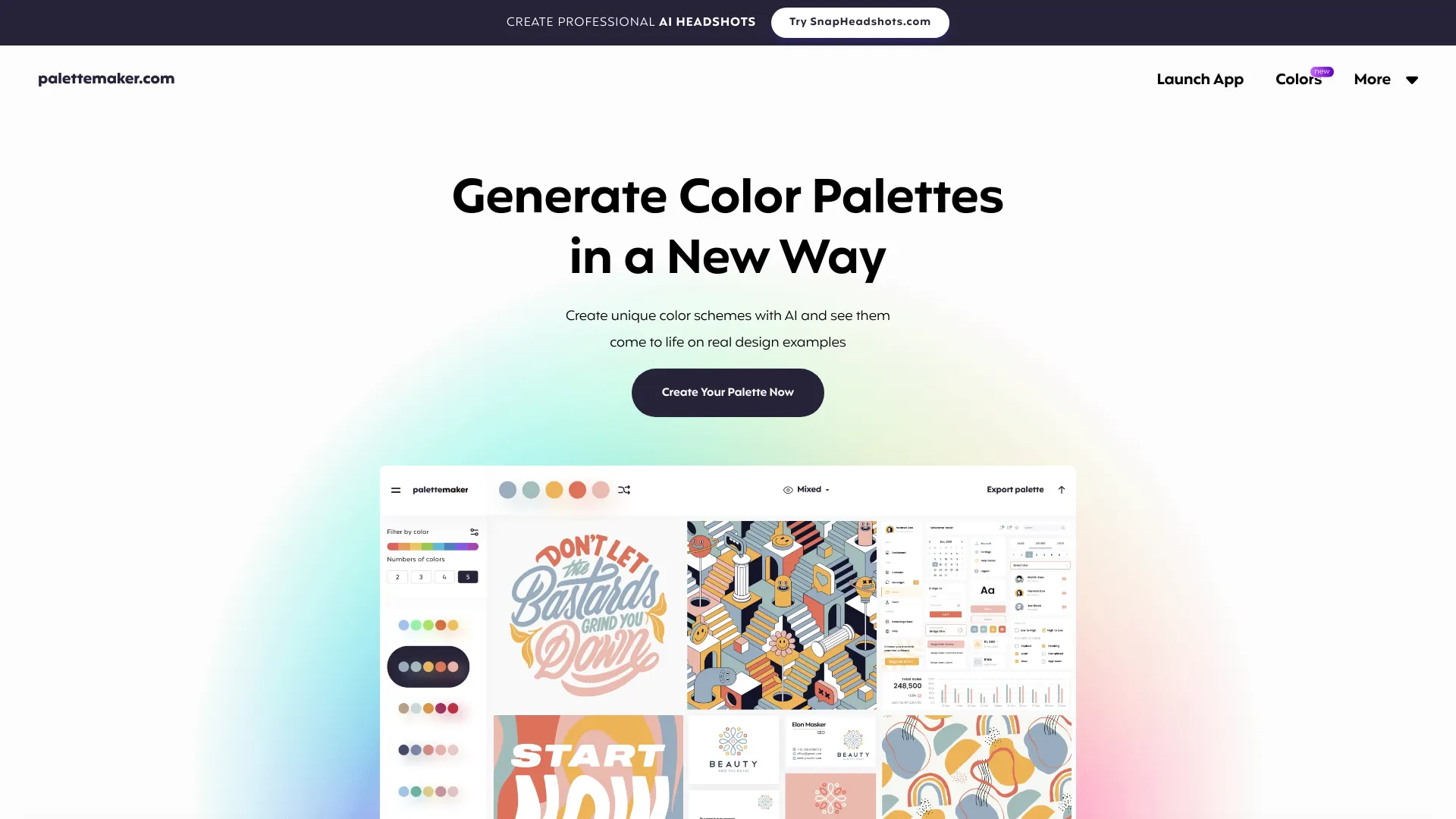
PaletteMaker is a free, browser-based tool for creating color palettes and seeing how those colors behave inside realistic design examples. Rather than judging a palette as a flat row of swatches, it lets creative professionals and color enthusiasts preview their colors on pre-made mockups drawn from common creative fields such as logo design, UI/UX, patterns, posters, and illustrations. This makes it much easier to understand how a palette will actually perform in context, including contrast, balance, and overall mood. The workflow is intentionally simple. A main palette sits at the top of the interface, and users can browse curated color schemes from a side panel, randomize colors, adjust individual swatches, or remove cells entirely. The tool automatically adapts to 2-, 3-, 4-, and 5-color palettes, and AI-assisted filtering helps narrow results by color tone and number of colors. Palettes can be exported in several formats, including Procreate, Adobe ASE, image files, and code snippets, so they can move directly into a designer's existing toolchain. PaletteMaker is aimed primarily at designers who want fast, contextual feedback on their color choices, but it is also approachable for non-designers who simply enjoy experimenting with color. Because it is completely free and the team has stated the core features will remain so, it works well for students, freelancers, and hobbyists as well as working professionals.
SpecificationsAI-estimated
Key Features of PaletteMaker
Use Cases for PaletteMaker
Testing brand colors
Check how a proposed brand palette holds up on a logo or business card mockup before finalizing it.
Validating UI color schemes
Preview a palette on interface examples to judge contrast, hierarchy, and readability.
Exploring poster and print palettes
See how bold or subtle color combinations feel on poster layouts.
Building illustration palettes
Experiment with harmonious color sets for illustrations and character art.
Creating patterns and textiles
Test how colors interact across repeating pattern designs.
Learning color theory
Non-designers can experiment with palette combinations and quickly see what works visually.
How to use PaletteMaker?
Start with the main palette
Use the palette bar at the top of the screen (bottom on mobile) as your primary working area.
Browse or generate a scheme
Pick a color scheme from the left panel, or use randomize to generate new combinations.
Refine individual colors
Change or delete specific color cells to fine-tune the palette to your needs.
Preview in context
Check how the palette looks across the logo, UI, poster, and other design examples.
Export your palette
Download the finished palette as a Procreate file, Adobe ASE, image, or code snippet.
Pros & Cons of PaletteMaker
Pros
- Previews palettes on realistic design examples across multiple creative fields, not just swatches
- Completely free to use, with the core features promised to stay free
- Flexible export options including Procreate, Adobe ASE, image, and code formats
- Simple, intuitive interface that works for both designers and non-designers
Cons
- Excludes black and white by design, which may frustrate users who need neutrals for their work
- Limited to pre-made design examples, so highly custom layouts cannot be previewed directly
- Relies on a web browser, so it is not available as a native desktop or mobile application
Frequently Asked Questions
How to use PaletteMaker?
The main palette sits at the top of the screen. Browse schemes on the left, apply them, then randomize, edit, or delete individual colors. It automatically adapts to 2 through 5 color palettes.
Is it really free to use?
Yes. PaletteMaker is a 100% free web app, and all current features are free forever.
Is it suitable for non-designers?
Yes. It was built so both designers and non-designers can enjoy using it.
Why are black and white never included in the palettes?
Black and white are typically treated as background or text colors rather than palette colors in graphic design, so they are excluded from the generated palettes.
How do I create a palette in PaletteMaker?
Use the main palette bar and the side panel to start from a scheme, then adjust colors individually. The site also provides a quick guide titled How to Create Color Palette.
What export formats are supported?
Palettes can be exported as Procreate files, Adobe ASE, images, and code.
Pricing Overview
View full pricing →PaletteMaker is a completely free web app, and the page states all current features are free forever.
Reviews & Ratings0.0
No reviews yet. Be the first to write one!
Top Alternatives & Similar Software
View all alternatives & similar software→No alternatives available yet.
People also viewed


Related searches
Is this your tool?
Claim this page to update details, reply to user reviews, and drive more traffic to your product.
Claim this Product →
Tags
Explore Related Topics
Keep up with PaletteMaker alternatives
New alternatives, pricing changes and the week's biggest movers - one email every Tuesday.