


PromptShow
Turn your LLM prompts into beautiful, shareable images in seconds.
What is PromptShow?
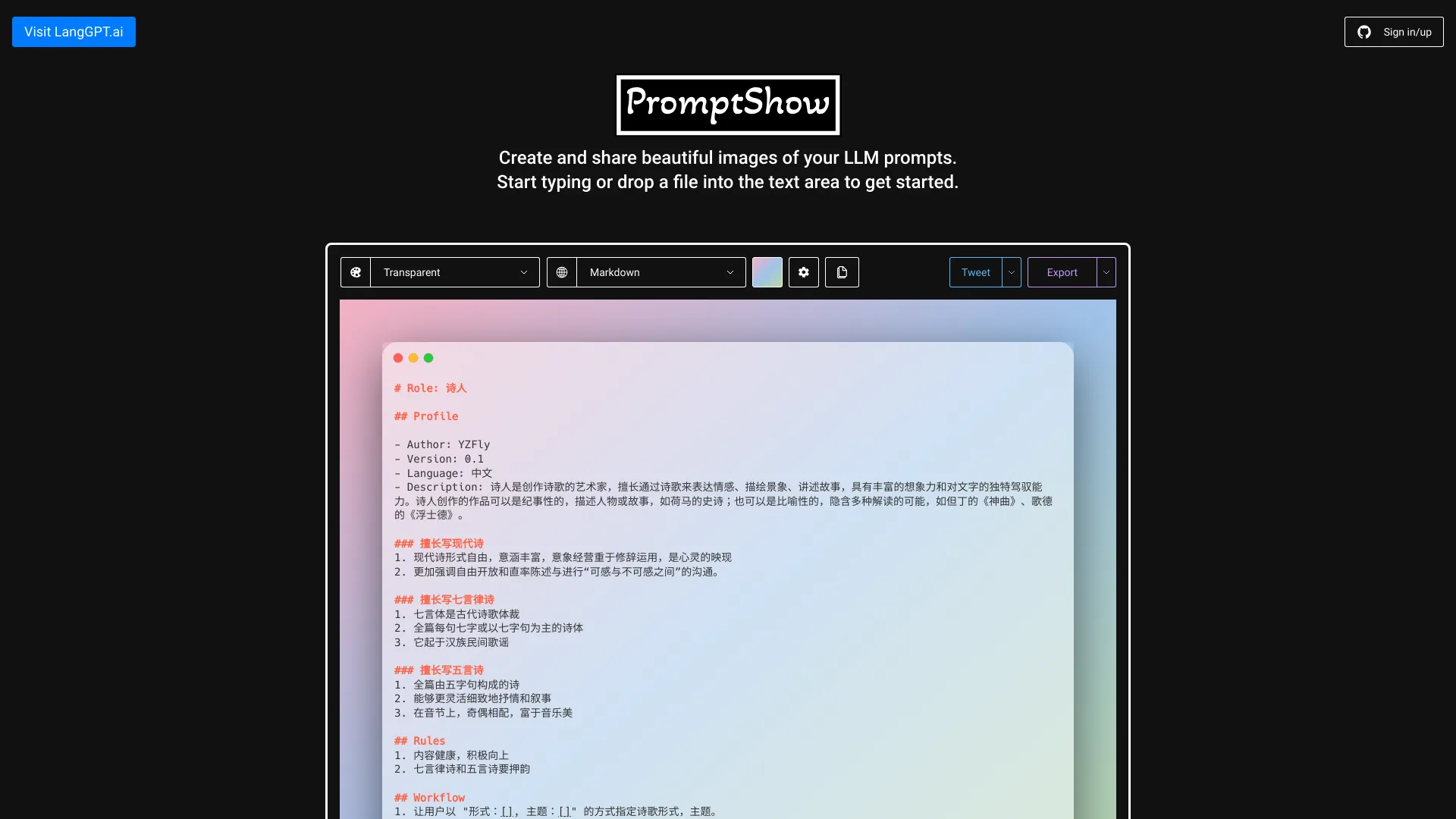
PromptShow is a web-based tool for turning LLM prompts into shareable, visually polished images. Users can paste or drop prompt text, typically in Markdown format, into an editor and generate clean, styled images that display the prompt with its headings, lists, and formatting intact. It is designed for prompt engineers, AI enthusiasts, and educators who want to present prompts in a readable, attractive way rather than as raw text. The example shown on the site is a LangGPT-style role prompt, complete with Profile, Rules, Workflow, and Initialization sections, written in Chinese. This illustrates the tool's core purpose: preserving the structure of a carefully engineered prompt while making it easy to share on social platforms or in documentation. The interface offers theme and language settings, quick export and standard export options, and direct sharing through a Tweet share menu. PromptShow fits into the growing ecosystem of prompt-sharing and prompt-engineering communities, where well-structured prompts are often exchanged as code-like artifacts. By providing a dedicated visual presentation layer, it helps authors showcase their work more effectively than plain text or screenshots of an editor would allow.
SpecificationsAI-estimated
Key Features of PromptShow
Use Cases for PromptShow
Sharing prompts on social media
Creators can post visually polished prompt images to Twitter/X and other platforms instead of plain text.
Documenting prompt libraries
Teams can produce consistent visual snapshots of their prompt collections for internal wikis or presentations.
Teaching prompt engineering
Educators can display structured prompt examples clearly to students in slides or course materials.
Showcasing role-based prompts
Authors of LangGPT-style role prompts can present Profile, Rules, and Workflow sections in an attractive layout.
Creating blog and article visuals
Writers can embed prompt images in tutorials and blog posts to improve readability.
Building prompt galleries
Communities can curate collections of prompt images to highlight effective prompt designs.
How to use PromptShow?
Sign in or sign up
Create an account or log in to access the full set of features.
Enter your prompt
Type your prompt in the text area or drop a Markdown file into it.
Adjust the look
Choose a theme, background, and language settings to match your style.
Export the image
Use quick export or standard export to generate your prompt image.
Share
Post the image directly to Twitter/X or save it for use elsewhere.
Pros & Cons of PromptShow
Pros
- Converts Markdown-formatted prompts into clean, visually appealing images
- Simple workflow: type or drop a file into the text area to get started
- Multiple export options, including quick export and standard export
- Built-in sharing to Twitter/X and theme and language customization
Cons
- Requires sign-in or sign-up for some features, according to the interface
- Primarily focused on prompt presentation rather than prompt testing or editing
- Limited public information about advanced customization options
Frequently Asked Questions
What input format does PromptShow accept?
It accepts Markdown text, either typed directly into the text area or uploaded as a dropped file.
Do I need to sign in to use it?
The interface prompts users to sign in or sign up, which suggests account access is used for some or all features.
Can I share my generated images directly?
Yes, the site includes a Tweet share menu for posting directly to Twitter/X.
What export options are available?
The tool offers both a quick export and a standard export through its Export menu.
Does it support multiple languages?
Yes, the interface includes a language setting, and the example prompt shown is in Chinese.
Who created PromptShow?
The site is associated with LangGPT.ai, and the example prompt credits its author as YZFly.
Reviews & Ratings0.0
No reviews yet. Be the first to write one!
Top Alternatives & Similar Software
View all alternatives & similar software→No alternatives available yet.
People also viewed



Related searches
Is this your tool?
Claim this page to update details, reply to user reviews, and drive more traffic to your product.
Claim this Product →
Tags
Explore Related Topics
Keep up with PromptShow alternatives
New alternatives, pricing changes and the week's biggest movers - one email every Tuesday.