


QueryCraft
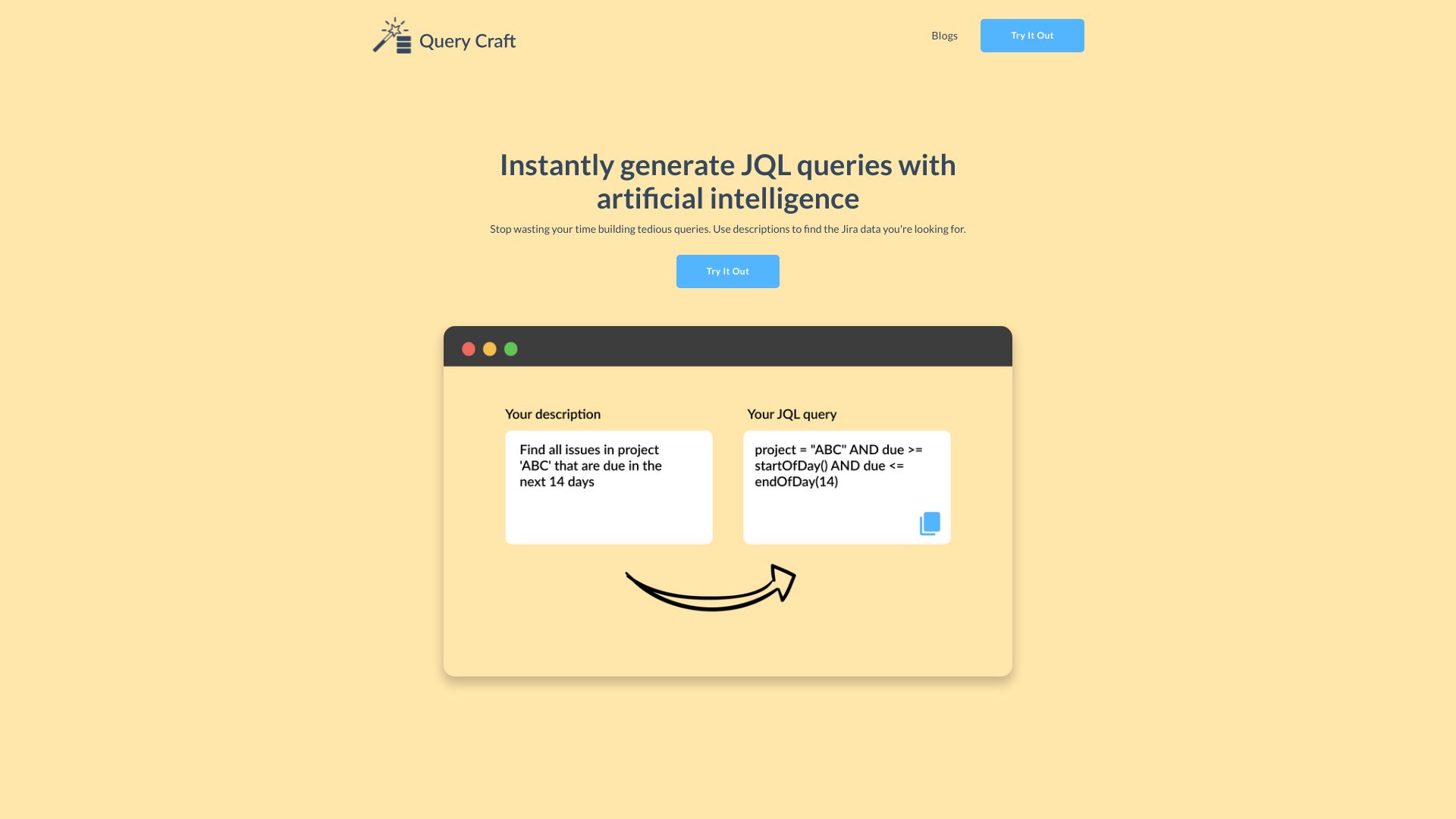
Describe the Jira issues you want in plain English and get the JQL query generated for you.
What is QueryCraft?
QueryCraft is an AI-powered tool that generates Jira Query Language (JQL) queries from plain-language descriptions. Instead of manually constructing complex JQL syntax, users describe the Jira data they are looking for and the tool produces the corresponding query, saving time and reducing the friction of learning JQL's field names, operators, and functions. The core value proposition is removing the tedium of query construction. Jira's query language is powerful but has a steep learning curve, and building precise filters for issues, sprints, assignees, statuses, and date ranges can be error-prone. QueryCraft lets users express intent in natural language and returns a usable query, allowing teams to spend more time acting on their project data and less time wrestling with syntax. QueryCraft is aimed primarily at Jira users such as project managers, scrum masters, developers, and analysts who regularly search or build filters but do not want to memorize JQL. It is best suited for people who know what information they need from Jira but find the query language a barrier, and it may be less necessary for power users who already write JQL fluently.
SpecificationsAI-estimated
Key Features of QueryCraft
Use Cases for QueryCraft
Finding open bugs
Describe the bugs you need, such as open issues in a project from the last two weeks, and get a ready-to-run JQL filter.
Sprint reporting
Quickly pull the issues in the current sprint assigned to a specific team member or in a given status.
Backlog triage
Generate queries that surface unassigned or unprioritized issues for regular backlog grooming sessions.
Stakeholder updates
Build filters for issues completed or changed over a time period to support status reports.
Overdue work tracking
Create queries that find issues past their due date or approaching a deadline.
Onboarding teammates
Help newer Jira users get useful results without first learning the full JQL syntax.
How to use QueryCraft?
Describe what you need
Write a plain-language description of the Jira issues or data you are looking for.
Generate the query
Submit your description to QueryCraft and let the AI produce the corresponding JQL query.
Review the output
Check the generated JQL to confirm it matches your intent, especially for complex filters.
Run it in Jira
Paste the query into Jira's search bar or advanced issue search to retrieve your results.
Pros & Cons of QueryCraft
Pros
- Converts plain-language descriptions into working JQL queries, removing the need to memorize syntax
- Saves time on tedious manual query construction
- Lowers the barrier to entry for Jira users who are not JQL experts
- Focused, single-purpose tool that does one job clearly
Cons
- Limited public information about pricing, supported Jira deployments, and integrations
- Generated queries may still require review for complex or edge-case filters
- Narrow scope: only addresses JQL generation rather than broader Jira workflow needs
Frequently Asked Questions
What does QueryCraft do?
QueryCraft generates Jira Query Language (JQL) queries from plain-language descriptions of the data you want to find.
Do I need to know JQL to use it?
No. The purpose of the tool is to let you describe what you need in ordinary language so you do not have to write JQL yourself.
Is the generated query always correct?
Generated queries should be reviewed before relying on them, particularly for complex or unusual filters, to confirm they return the expected results.
Which tool does it work with?
QueryCraft is built for Jira, and the queries it produces are intended to be run in Jira's issue search.
Who is this tool for?
It is aimed at Jira users such as project managers, scrum masters, developers, and analysts who search Jira often but do not want to learn JQL in depth.
Does it replace learning JQL?
It reduces the need to memorize syntax for everyday searches, but understanding JQL can still help when you want to refine or customize generated queries.
Reviews & Ratings0.0
No reviews yet. Be the first to write one!
Top Alternatives & Similar Software
View all alternatives & similar software→No alternatives available yet.
People also viewed


Related searches
Is this your tool?
Claim this page to update details, reply to user reviews, and drive more traffic to your product.
Claim this Product →
Tags
Explore Related Topics
Keep up with QueryCraft alternatives
New alternatives, pricing changes and the week's biggest movers - one email every Tuesday.