


Reword Generator
AI-powered text rewording that sounds human — free, no sign-up, and fluent in 20+ languages.
What is Reword Generator?
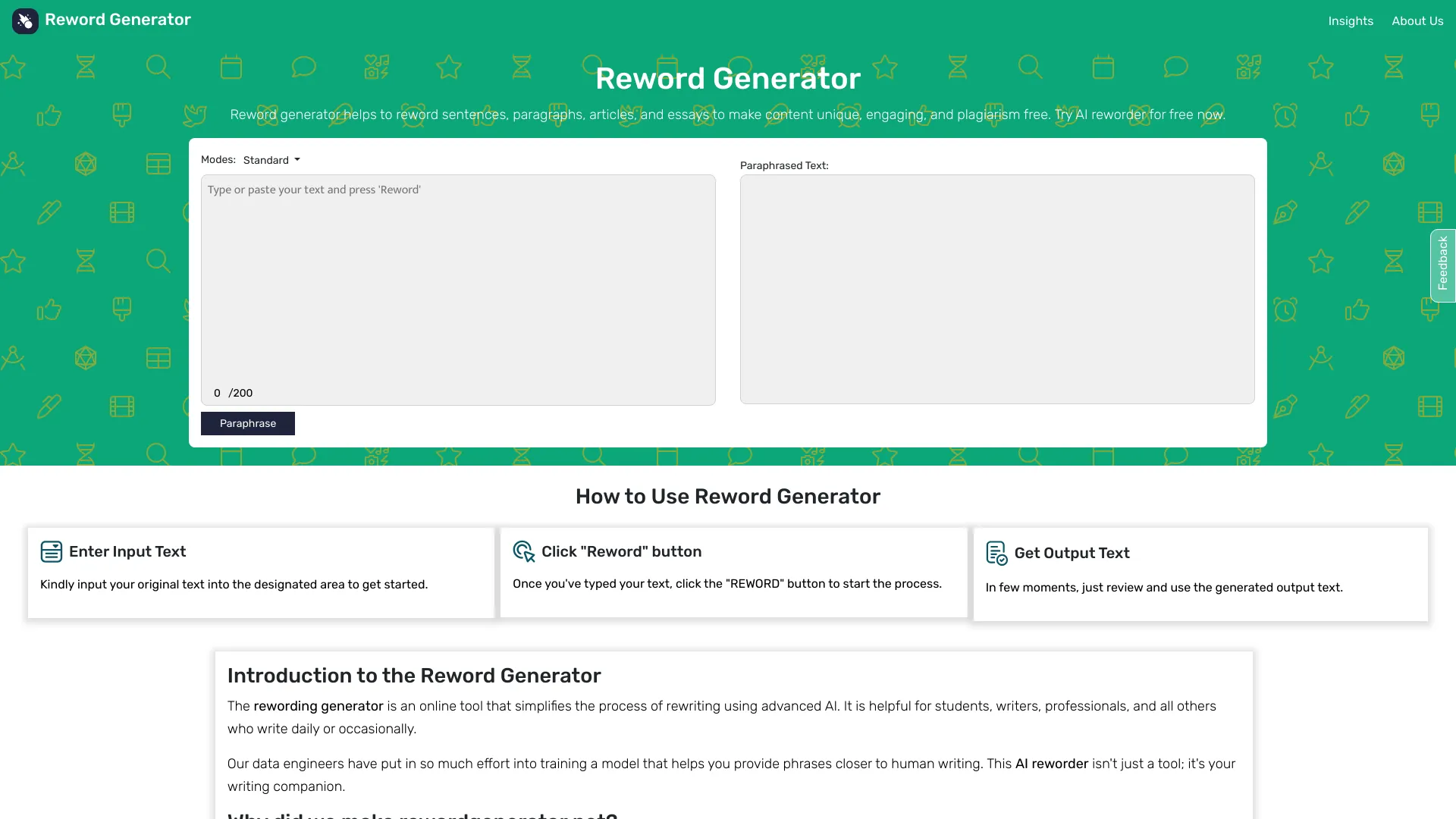
Reword Generator is a free online AI-powered rewriting tool that helps you rephrase sentences, paragraphs, and emails while keeping the original meaning intact. Instead of simple synonym swapping, it uses NLP and natural language generation to rewrite entire passages for a smooth, human-sounding result. The tool works directly in your browser, supports more than 20 languages, and requires no sign-up for basic use. It offers six rewording modes: Standard and Fluent are free for everyone, while Professional, Academic, Casual, and Humanize are available on paid plans. Free users get 125 tokens per day without an account, which is roughly one 200-word rewrite, or 300 tokens per day with a free account. Paid Monthly and Yearly plans increase the per-run word limit to 2,000 and 5,000 words respectively, and keep your reword history for 90 days. Reword Generator is built for students, professionals, copywriters, bloggers, email marketers, and researchers. You can paste anything from a single awkward sentence to a full email thread, choose a tone, and get a clean rewrite in seconds. The service emphasizes privacy: your text is never sold or used to train AI models, and free-plan text is not stored at all.
SpecificationsAI-estimated
Key Features of Reword Generator
Use Cases for Reword Generator
Reword sentences
Fix awkward, too formal, or too plain sentences for essays, business writing, or casual messages.
Reword paragraphs
Rephrase full passages for academic papers, blog posts, or putting a source into your own words.
Rewrite emails
Tighten language, cut filler words, and make client emails, follow-ups, and replies clearer and shorter.
Humanize AI-generated text
Use Humanize mode to make AI-written content sound more natural and human-like.
Academic writing support
Use Academic mode to rephrase research material, literature reviews, summaries, and thesis content with precise formal language.
Content repurposing
Refresh old copy, test different angles, and adapt content for different audiences with Casual or Professional modes.
Improve readability
Use Fluent mode to smooth phrasing so drafts read clearly without sounding robotic.
Sharpen email marketing
Polish marketing emails by removing filler and sharpening the message for better reader engagement.
How to use Reword Generator?
Paste Your Text
Type or paste your text into the input box. You can copy text from a Word file or PDF and paste it directly.
Pick a Rewording Mode
Choose the tone that fits your writing. Standard and Fluent are free; Professional, Academic, Casual, and Humanize are paid modes.
Click Reword
Click the Reword button and the AI processes your text, returning a clean, reworded version instantly.
Copy or Download the Result
Copy the reworded text, download it, or run it through the tool again until it reads exactly the way you want.
Pros & Cons of Reword Generator
Pros
- Free to use with no account required
- Two free rewording modes: Standard and Fluent
- Human-sounding output using NLP, not synonym swapping
- Supports over 20 languages
- Text is never sold or used to train AI models
Cons
- Advanced modes and higher word limits require a paid plan
- Free runs are limited to 200 words at a time
- Daily token allowance can run out quickly for heavy users
- No AI detector score is guaranteed, even with Humanize mode
Frequently Asked Questions
Is Reword Generator free?
Yes. Standard and Fluent modes are free for everyone. You get 125 tokens per day without an account, or 300 tokens per day with a free account. Paid plans unlock additional modes and higher word limits.
Do I need to create an account to use it?
No. You can paste text and reword it without signing up. Creating a free account raises your daily token allowance from 125 to 300 tokens.
What rewording modes are available?
There are six modes: Standard and Fluent are free; Professional, Academic, Casual, and Humanize are available on paid plans. Each mode changes the tone and style while keeping the original meaning.
What languages does Reword Generator support?
It supports 20+ languages including English, Spanish, French, Mandarin Chinese, Russian, Portuguese, Italian, Indonesian, German, Japanese, Vietnamese, Arabic, and Hindi.
How many words can I reword at one time?
Free runs take up to 200 words. Monthly paid plans allow up to 2,000 words per run, and Yearly plans allow up to 5,000 words per run.
Is my text saved or sold?
Your text is sent to an AI provider only to produce the rewrite. Without an account or on the free plan, your text is not saved. Paid plans keep runs in your history for 90 days. Your text is never sold or used to train AI models.
Will Humanize mode guarantee passing AI detectors?
Humanize mode rewrites AI-generated text so it reads naturally and human-sounding, but no tool can promise a particular score on an AI detector. You should always read the result before using it.
What makes this different from simple synonym swapping?
The tool uses NLP and natural language generation to rewrite whole sentences and passages based on context and intent, so the output flows naturally instead of breaking sentence structure.
Reviews & Ratings0.0
No reviews yet. Be the first to write one!
Top Alternatives & Similar Software
View all alternatives & similar software→No alternatives available yet.
People also viewed


Related searches
Is this your tool?
Claim this page to update details, reply to user reviews, and drive more traffic to your product.
Claim this Product →
Tags
Explore Related Topics
Keep up with Reword Generator alternatives
New alternatives, pricing changes and the week's biggest movers - one email every Tuesday.