


Selfie AI
A mobile app that turns a few selfies into studio-grade AI portraits and shareable portrait videos.
What is Selfie AI?
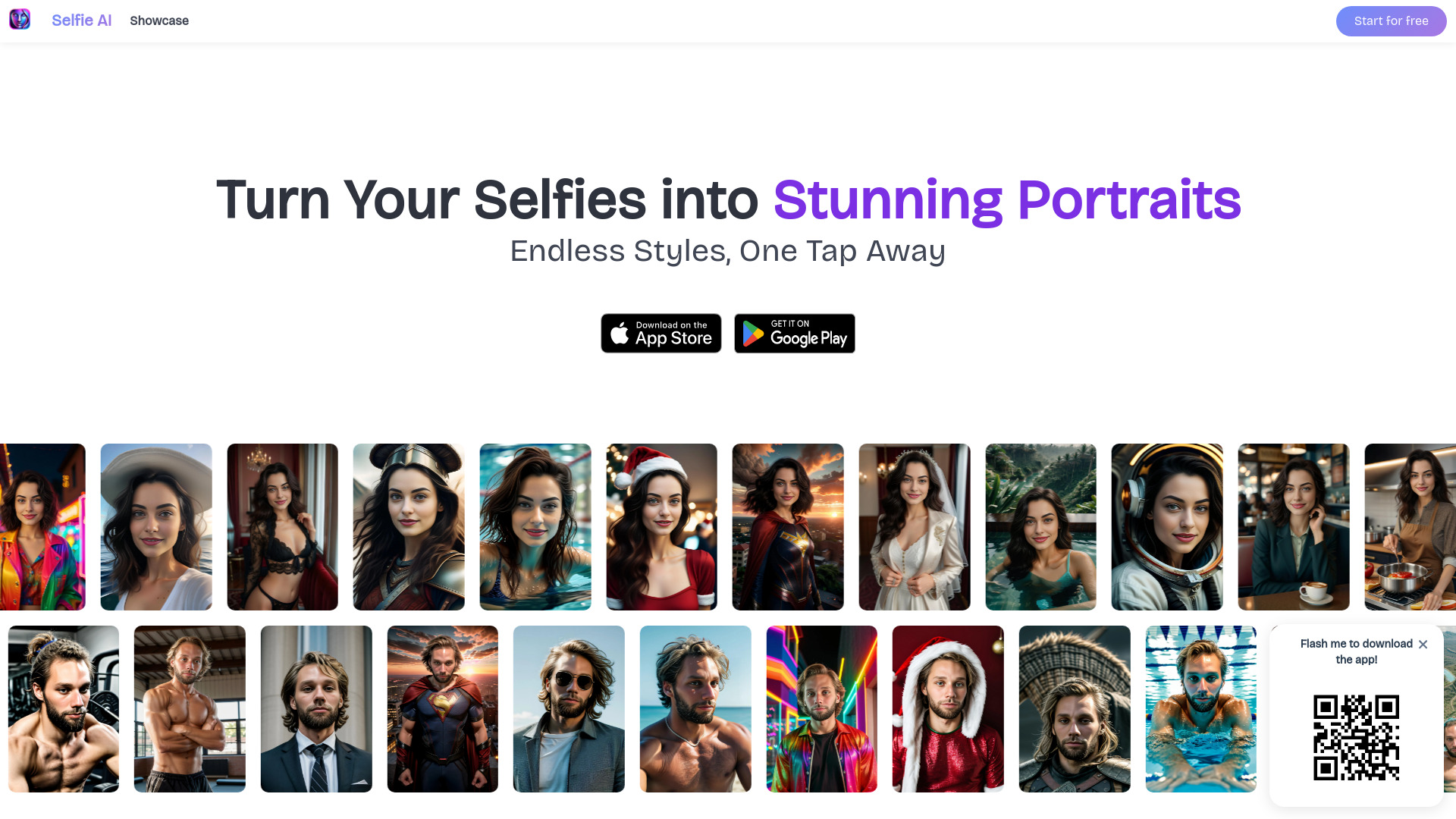
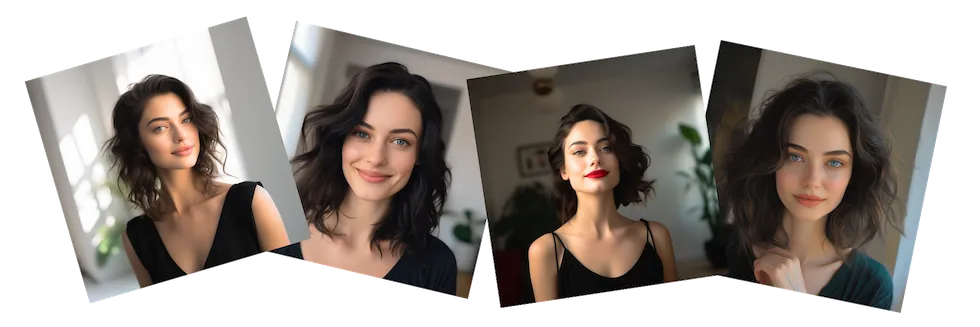
Selfie AI is a mobile-first application that turns a handful of everyday selfies into studio-style AI portraits and short looping portrait videos. Users upload between one and twelve photos, pick from a library of more than 40 style categories, or write custom prompts, and receive dozens of generated images cropped for profile pictures, banners, stories, and other social formats. The app is available on iOS and Android and is designed to keep the entire workflow on the phone, so no desktop editor is required. Beyond still images, Selfie AI includes a Video Mode that animates favourite portrait styles into looping clips with automatic camera moves and lighting. Exports are available in vertical and horizontal presets sized for TikTok, Instagram Reels, YouTube Shorts, and Stories, and GIF export is supported for quick sharing. The app also offers caption-ready storylines generated alongside visuals, which is aimed at creators who want to publish quickly. Selfie AI is best suited to individual creators, social media users, dating-profile optimisers, and personal-brand builders who want polished headshots or stylised looks without hiring a photographer or learning editing software. The app uses a credit-based model: new users receive free credits to test styles, with additional packs or a weekly subscription available for heavier use. Data uploaded for training is stated to be deleted from servers after 30 days.
SpecificationsAI-estimated
Key Features of Selfie AI
Use Cases for Selfie AI
Professional headshots
Create polished business or LinkedIn-style portraits without booking a photo studio.
Dating and social profiles
Generate a range of flattering profile pictures in different styles to stand out online.
Short-form video content
Turn portrait styles into looping vertical clips for TikTok, Reels, and Shorts.
Personal branding
Maintain a consistent visual identity across social channels using custom prompts.
Fun and themed looks
Experiment with cosplay, fantasy, travel, and viral trend styles for entertainment.
Ecommerce and thumbnails
Produce cropped, colour-graded portrait images for storefronts and marketing thumbnails.
How to use Selfie AI?
Download the app
Install Selfie AI from the App Store or Google Play and claim your free starter credits.
Upload your selfies
Add between one and twelve clear, well-lit photos from different angles.
Choose a style
Pick a style pack from the 40+ categories or write a custom prompt.
Generate and review
Let the app render your portraits, then download the best results.
Export or share
Save images in high resolution or create a Video Mode clip and publish directly to social platforms.
Pros & Cons of Selfie AI
Pros
- Generates dozens of portraits from as few as one selfie, with no desktop editing needed
- Over 40 style categories plus custom prompt support for flexible looks
- Built-in Video Mode with vertical exports tuned for TikTok, Reels, and Shorts
- Free starter credits let users test styles before paying
Cons
- Output quality and likeness depend heavily on the quality and variety of uploaded photos
- Credit-based and subscription pricing can become costly for frequent users
- Requires a relatively recent device (iOS 15+ or Android 10+) and free storage for fast renders
Frequently Asked Questions
How many photos do I need to upload?
You can upload between 1 and 12 photos. Clear, well-lit selfies without heavy filters work best, and including a few full-body shots from varied angles can improve accuracy.
Is Selfie AI free?
The app is free to download on iOS and Android and includes 10 free credits (enough for about two pictures). Additional credit packs or a weekly subscription are available for continued use.
How do I cancel my subscription?
Cancel through your device's app store settings: on iPhone go to Settings > Apple ID > Subscriptions, and on Android go to Google Play > Payments & subscriptions > Subscriptions. The subscription remains active until the end of the current billing period.
Can I make videos as well as photos?
Yes. Video Mode animates portrait styles into short looping clips in vertical or horizontal formats suited to TikTok, Instagram Reels, and YouTube Shorts, and GIFs can also be exported.
What devices are supported?
Selfie AI requires iOS 15 or later or Android 10 or later, and it works on both phones and tablets. Keeping at least 2 GB of free storage helps with faster processing.
How is my data handled?
Uploaded photos, AI models, and generated portraits are stored encrypted and are automatically deleted from servers after 30 days. The company states that data is not shared with third parties.
Pricing Overview
View full pricing →The page content does not state any pricing, so no plans could be extracted.
Detailed plans are not listed. Visit the official website for pricing information.
Reviews & Ratings0.0
No reviews yet. Be the first to write one!
Top Alternatives & Similar Software
View all alternatives & similar software→No alternatives available yet.
People also viewed


Related searches
Is this your tool?
Claim this page to update details, reply to user reviews, and drive more traffic to your product.
Claim this Product →
Tags
Explore Related Topics
Keep up with Selfie AI alternatives
New alternatives, pricing changes and the week's biggest movers - one email every Tuesday.