


ShareSpeak
The invisible AI teleprompter that keeps your script in front of you and your eyes on the camera.
What is ShareSpeak?
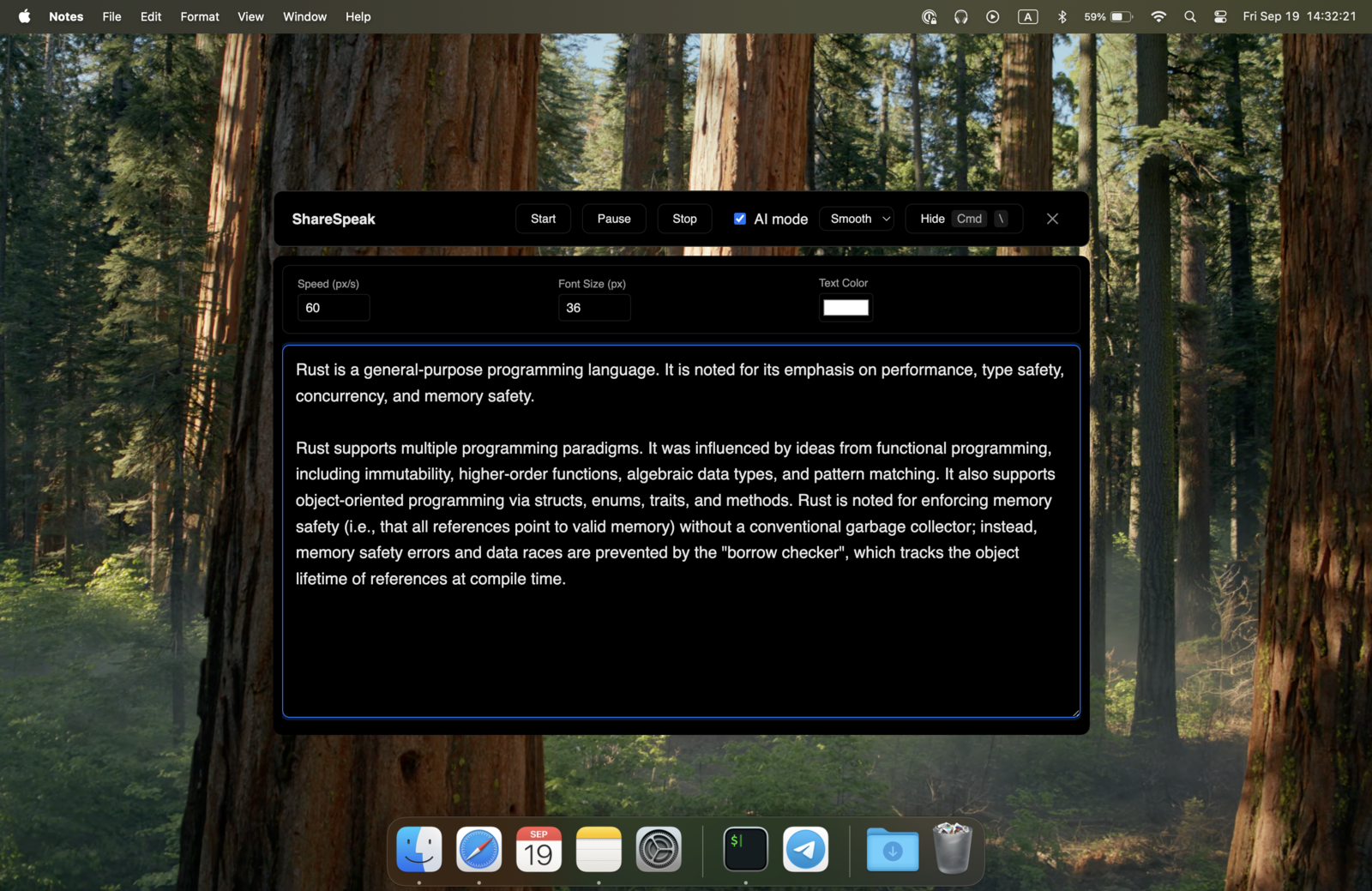
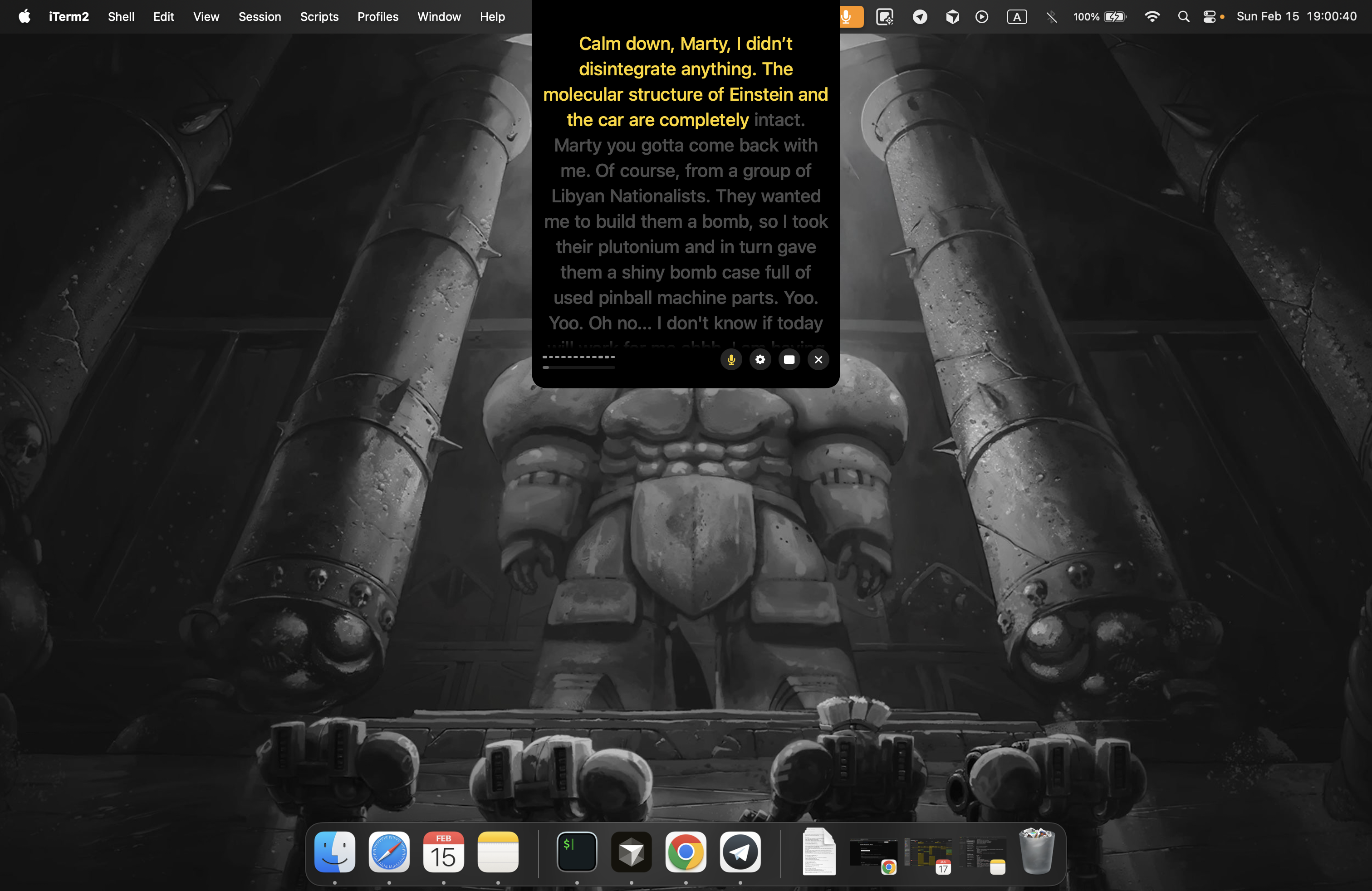
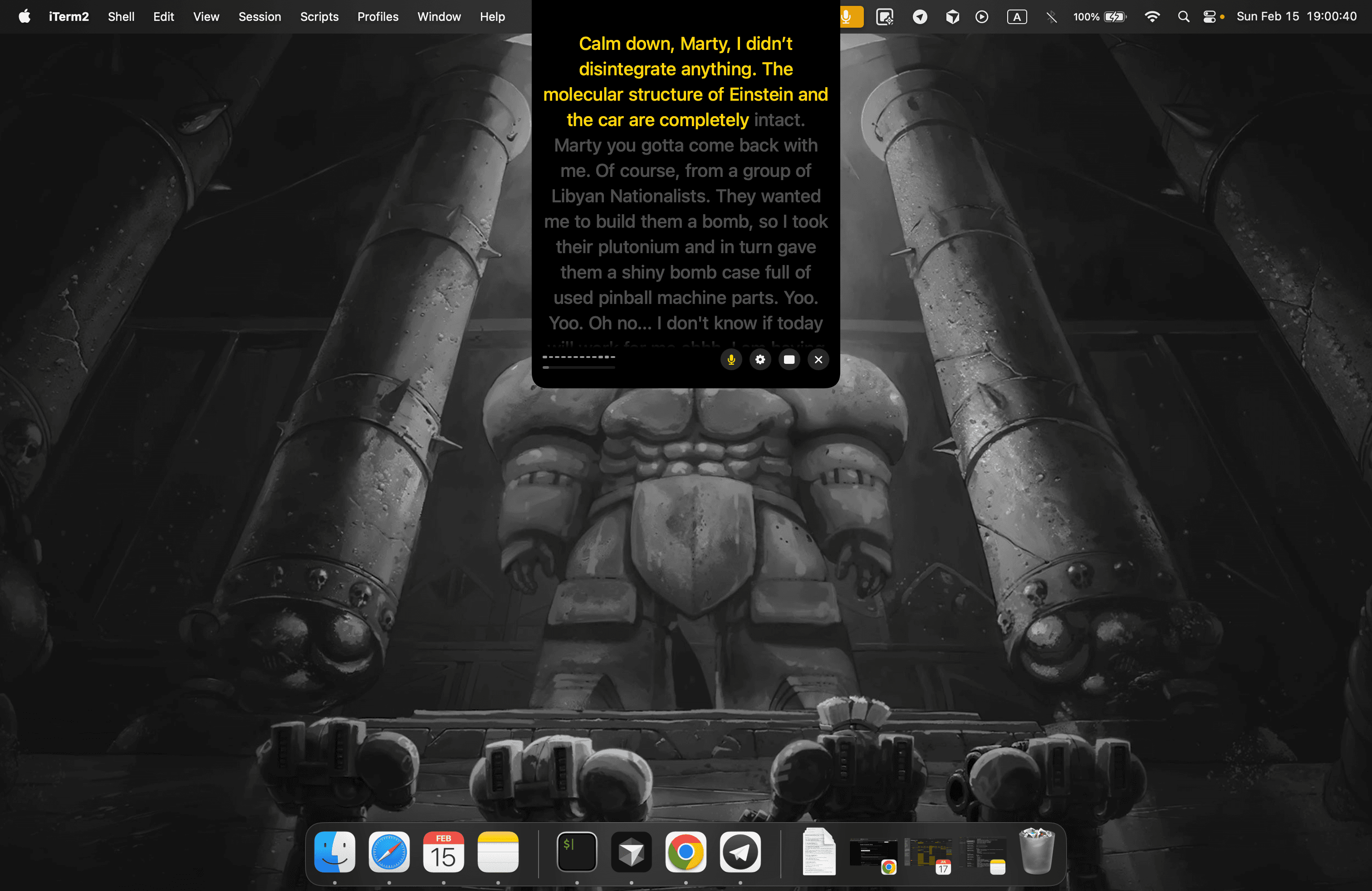
ShareSpeak is a desktop teleprompter application built for Mac and Windows that is designed to be invisible during screen sharing and recording. It places a scrolling script over your screen with AI-powered voice or manual controls, so presenters, educators, and content creators can stay on message without fumbling through notes. The app also includes a Notch Bar mode for MacBooks, placing the teleprompter right next to the camera to support natural eye contact while presenting.
SpecificationsAI-estimated
Key Features of ShareSpeak
Use Cases for ShareSpeak
Screen Recording & Demos
Keep a script in view while recording software demos and tutorials without the teleprompter appearing in the final video.
Video Presentations
Deliver polished presentations with natural eye contact by placing the prompt near the camera.
Live Coding Tutorials
Follow a script or talking points while coding live, without losing your place during complex explanations.
Online Teaching
Read lesson notes and key talking points while maintaining engagement with students on camera.
Sales & Client Calls
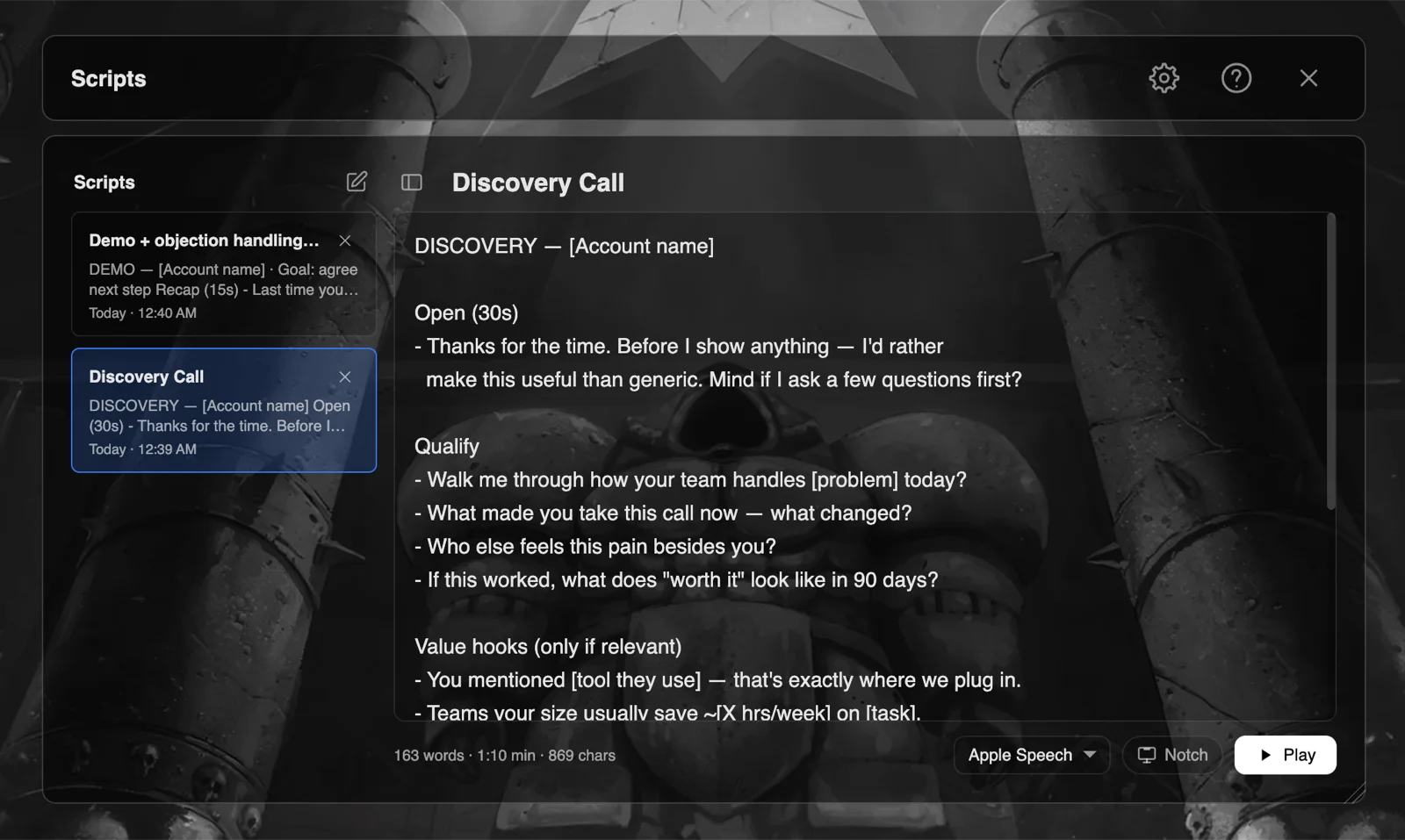
Load a call-specific script from the library and stay on message during sales or account meetings.
Content Creation
Produce YouTube videos, courses, or social media clips with fewer retakes and smoother delivery.
Webinars & Public Speaking
Use voice-controlled scrolling for longer talks, webinars, or public speaking sessions where manual control is impractical.
How to use ShareSpeak?
Write or load your script
Use the Scripts Library to save your script per call, account, or video. Check the live word count and estimated speaking time as you write.
Choose scrolling mode
Select voice scrolling or manual scrolling, then set the speed you prefer so the prompt moves naturally with your delivery.
Position the teleprompter
Drag and resize the teleprompter window to fit your workflow, or enable Notch Bar mode on a MacBook to place it next to the camera.
Start recording or sharing
Open your screen recorder, meeting app, or live streaming software. ShareSpeak stays completely invisible in the captured output.
Control the pace live
Pause, resume, or adjust speed using your voice or keyboard shortcuts during the presentation, keeping full control while you speak.
Pros & Cons of ShareSpeak
Pros
- Invisible during screen shares and recordings, so the prompt never appears in the final output
- Voice scrolling keeps pace hands-free while presenters stay in control of speed
- Notch Bar beta mode puts scripts next to the camera on MacBooks for natural eye contact
- One-time purchase with lifetime updates and no subscription fees
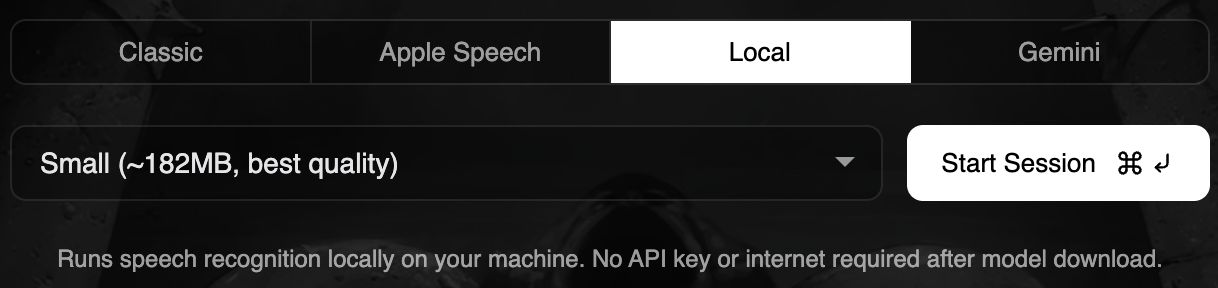
- Offline local speech recognition support for privacy-sensitive work
Cons
- Notch Bar mode is currently in beta and only available on MacBooks with a notch, so Windows and external-display users don't get this positioning benefit.
- No free tier or trial is mentioned; the purchase is backed only by a 21-day refund policy.
- Each license covers just 2 floating devices, which may be limiting for users who work across multiple machines.
- Fully offline local model support is highlighted for Mac, and cloud speech models may still require an API key or internet connection.
Frequently Asked Questions
Is it invisible during sharing?
Yes. ShareSpeak is completely invisible during screen sharing and recording — it doesn't show up in screen recordings or shares. This is one of its core design goals.
What platforms are supported?
ShareSpeak supports Mac and Windows desktop, plus an iOS mobile companion available through the App Store. Notch Bar mode is currently a MacBook-specific feature in beta.
Can I get a refund if I don't like it?
Yes. ShareSpeak comes with a 21-day refund policy, so you can request a refund if the app doesn't work for you.
How can I contact support?
The website invites users to share their feedback through the roadmap section, saying 'just speak with us.' Direct contact details were not listed in the scraped content.
Do you store recordings?
The site says you can go fully offline with local speech recognition models, meaning no data leaves your Mac. No server-side recording storage policy is mentioned in the available content.
What speech recognition models are available?
ShareSpeak supports Gemini, Whisper, and Apple Speech Recognition. You can also use fully offline local models without an API key or internet connection.
Which devices support the Notch Bar mode?
Notch Bar mode is currently in beta and designed for MacBooks with a notch, where the teleprompter sits next to the camera for more natural eye contact.
What is included in the pricing?
The one-time lifetime price includes lifetime updates, all ShareSpeak features, 2 floating device licenses, and the mobile version with no ads.
Reviews & Ratings0.0
No reviews yet. Be the first to write one!
Top Alternatives & Similar Software
View all alternatives & similar software→No alternatives available yet.
People also viewed




Related searches
About the Product
Is this your tool?
Claim this page to update details, reply to user reviews, and drive more traffic to your product.
Claim this Product →
Tags
Explore Related Topics
Keep up with ShareSpeak alternatives
New alternatives, pricing changes and the week's biggest movers - one email every Tuesday.