


Taggbox
Collect, curate, and embed social media feeds, reviews, and shoppable UGC on your website without code.





What is Taggbox?
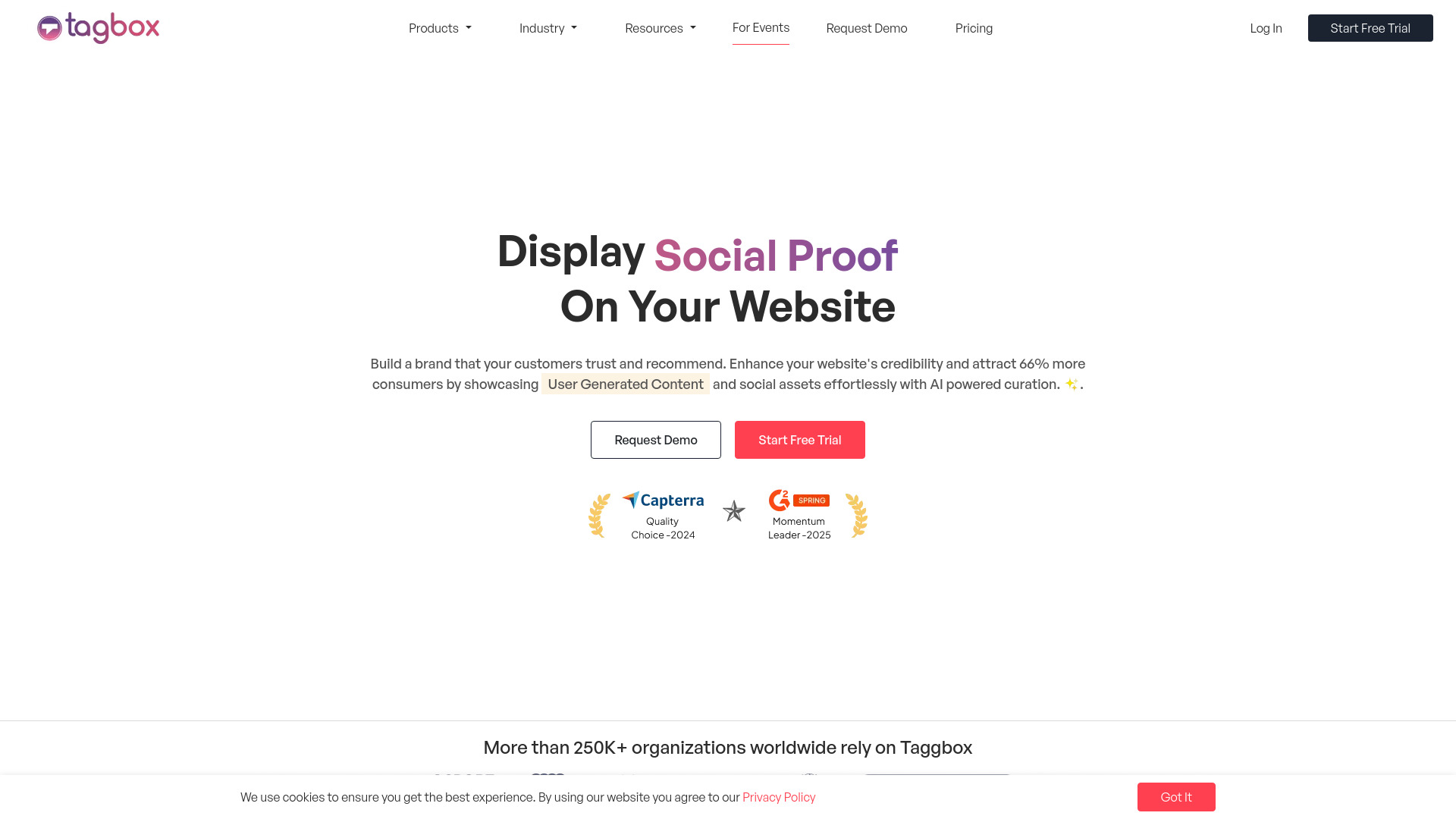
Taggbox is an all-in-one UGC (user-generated content) platform that lets brands collect, curate, and display social media feeds, customer reviews, and shoppable content on their websites without writing code. It aggregates content from 20+ platforms including Instagram, Facebook, Google, Yelp, Airbnb, and Amazon, then turns it into embeddable widgets that update automatically. With more than 9,240 brands using the service, Taggbox is positioned as a social proof and conversion tool for e-commerce stores, event marketers, and brand campaigns.
SpecificationsAI-estimated
Key Features of Taggbox
Use Cases for Taggbox
Showcase social feeds on your website
Embed auto-updating Instagram or social media feeds on your homepage to keep visitors engaged and increase time on site.
Display customer reviews
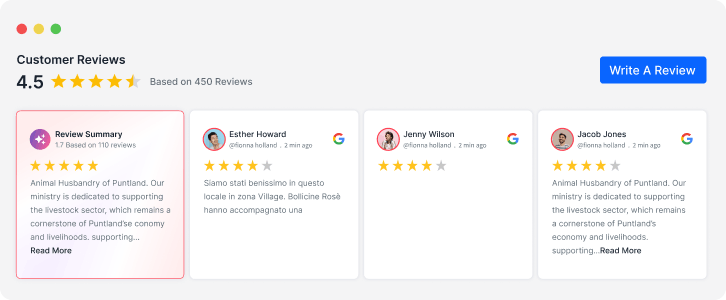
Display authentic Google, Facebook, Yelp, or Amazon reviews on product and landing pages to build trust and boost conversions.
Build an event social wall
Create hashtag-based or mention-based social walls for conferences, concerts, live events, and brand campaigns.
Shoppable Instagram galleries
Turn Instagram customer photos into a shoppable gallery where shoppers can buy products directly from the content.
Manage UGC for marketing
Collect, organize, and manage customer content with creator rights and digital asset management for use across marketing channels.
Boost ecommerce conversions
Add social proof widgets to your checkout or campaign pages to reduce hesitation and increase average order value.
How to use Taggbox?
Collect
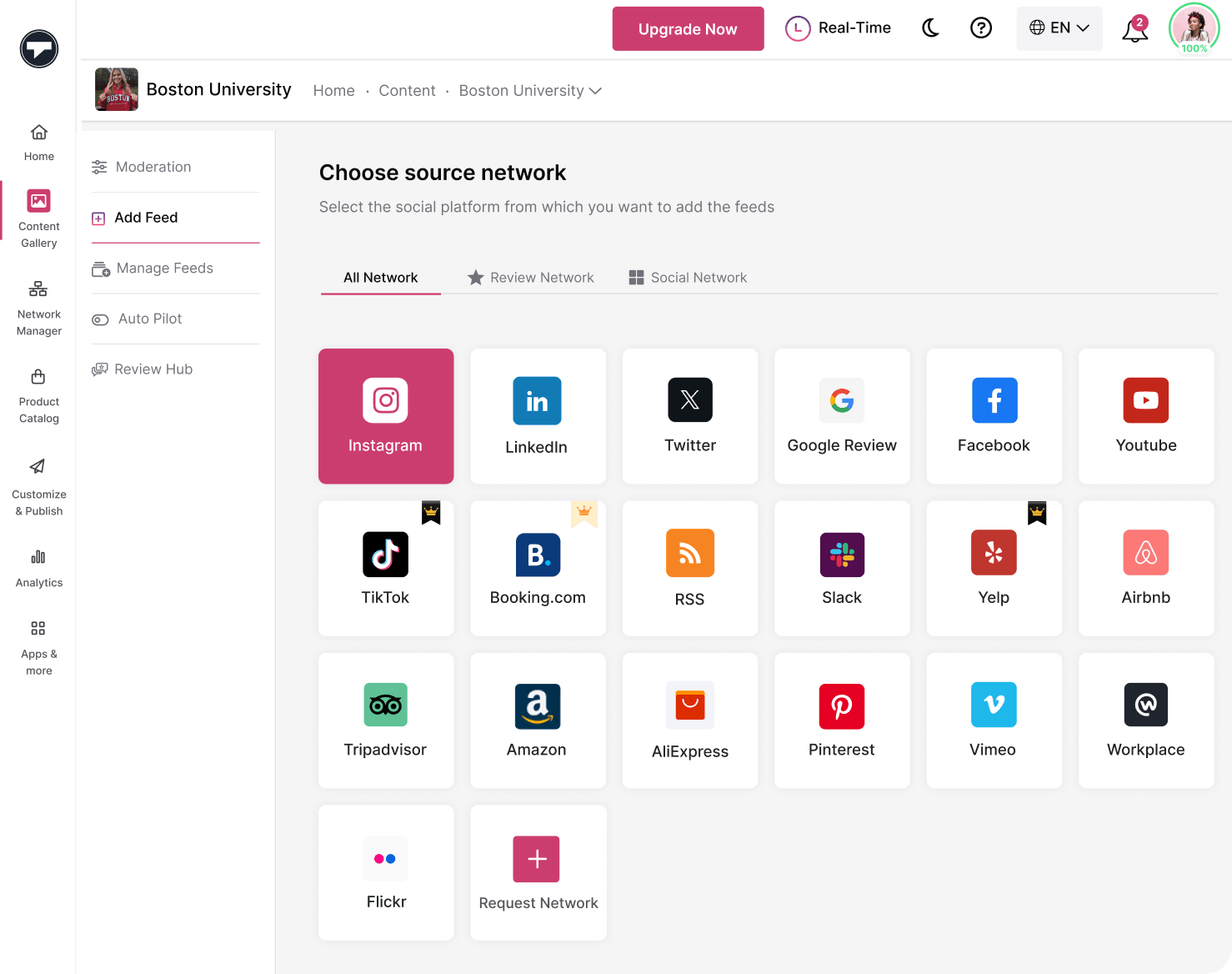
Choose from 15+ social media, review, and content platforms to create widgets instantly. Connect your brand's accounts, hashtags, mentions, or review sources.
Moderate
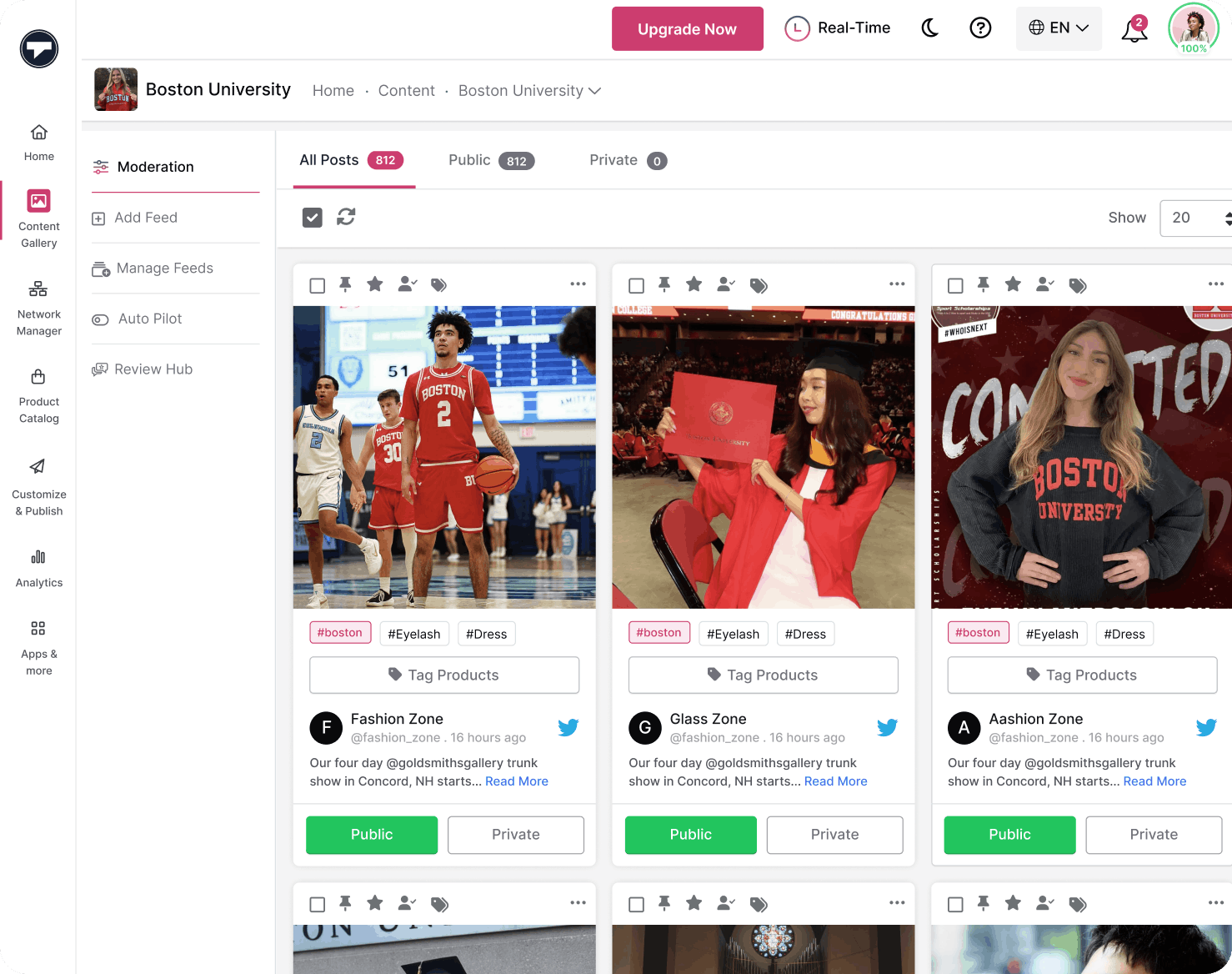
Use moderation filters and AI moderation to remove unwanted content and keep your widgets clean, relevant, and on-brand.
Customize
Customize layouts, colors, themes, and styles so the widgets match your website, brand, or event theme. Add CTA buttons or custom CSS if needed.
Publish
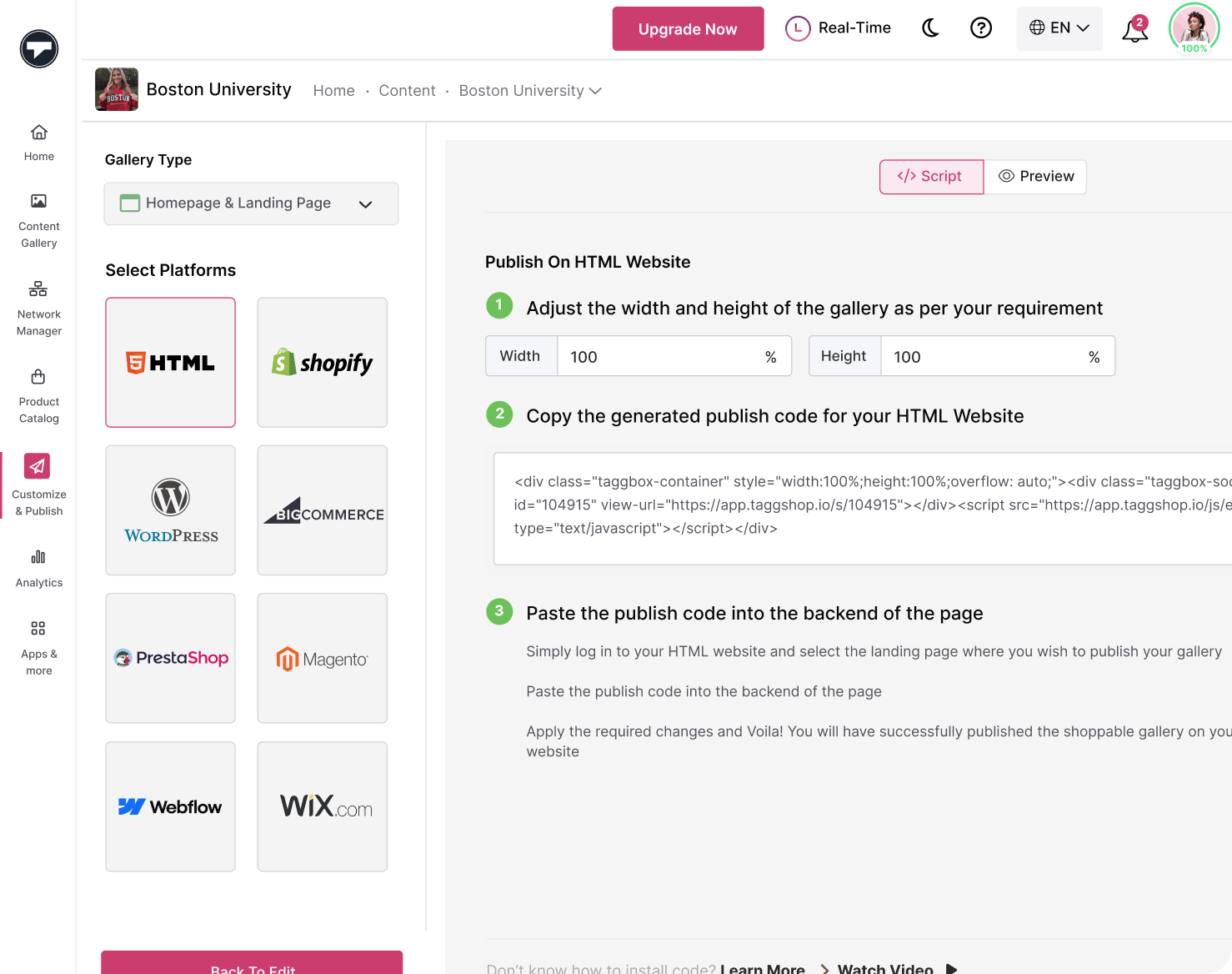
Get the embed code or display URL and publish your widget on any website or CMS, including Shopify, WordPress, Wix, Squarespace, Webflow, and BigCommerce.
Pros & Cons of Taggbox
Pros
- No-code widget builder that works with major CMS platforms like Shopify, WordPress, Wix, and BigCommerce
- Free forever plan includes AI moderation, custom CSS, CTA buttons, and Taggbox branding removal
- Supports a wide range of social media and review sources including Google, Facebook, Yelp, and Amazon
- Shoppable UGC widgets help turn customer content directly into sales
- Backed by 24/7 customer success support and integration with major website builders
Cons
- The free forever plan is capped at 500 monthly views and one connected social source, which can feel limited for growing brands.
- Free plan feeds only update every 4 days, so real-time or frequent social proof requires moving to a paid plan.
- No pricing details for paid tiers are shown on the landing page, making it hard to estimate costs without signing up.
- Advanced conversion features like shoppable galleries and higher-volume embeds may require a paid subscription for larger stores.
Frequently Asked Questions
What is Taggbox?
Taggbox is an all-in-one UGC and social media widget platform. It helps brands collect content from social media and review platforms, moderate it, customize widgets, and publish them on websites to build trust and increase conversions.
How much does Taggbox cost?
Taggbox offers a free forever plan at $0/month, which includes one connected social source, 500 posts per feed, 500 monthly views, AI moderation, custom CSS, CTA buttons, and the ability to remove Taggbox branding. Paid upgrades are available when you need more sources, traffic, or faster updates.
Which platforms can I pull content from?
Taggbox supports content from 15+ to 20+ platforms depending on your plan, including social networks like Facebook, Instagram, and Twitter, as well as review platforms like Google, Yelp, Airbnb, and Amazon.
Can I moderate content before it appears on my website?
Yes. Taggbox includes moderation tools and AI moderation so you can filter unwanted content and keep your widgets clean, relevant, and on-brand.
Do I need coding skills to embed Taggbox widgets?
No coding is required. You can create a widget visually, then publish it by copying an embed code or display URL into your website or CMS.
Will Taggbox widgets slow down my website?
Taggbox claims zero impact on site speed, and its customers report outcomes like a 5X increase in time on site, +25% conversion rate increase, and +30% average order value increase.
Which website builders and CMS platforms work with Taggbox?
Taggbox can be embedded on Shopify, Squarespace, WordPress, Wix, Weebly, Elementor, Blogger, Webflow, BigCommerce, and any HTML website via embed code.
Can I create shoppable galleries with Taggbox?
Yes. Taggbox includes shoppable widgets that turn social content into a storefront. You can create shoppable Instagram galleries, tag products in customer photos, and let shoppers discover and buy directly from the content.
Reviews & Ratings0.0
No reviews yet. Be the first to write one!
Top Alternatives & Similar Software
View all alternatives & similar software→No alternatives available yet.
People also viewed



Related searches
Is this your tool?
Claim this page to update details, reply to user reviews, and drive more traffic to your product.
Claim this Product →
Tags
Explore Related Topics
Keep up with Taggbox alternatives
New alternatives, pricing changes and the week's biggest movers - one email every Tuesday.