


TikTok Emojis
An AI generator that turns plain-text descriptions into custom TikTok emojis and stickers in seconds.


What is TikTok Emojis?
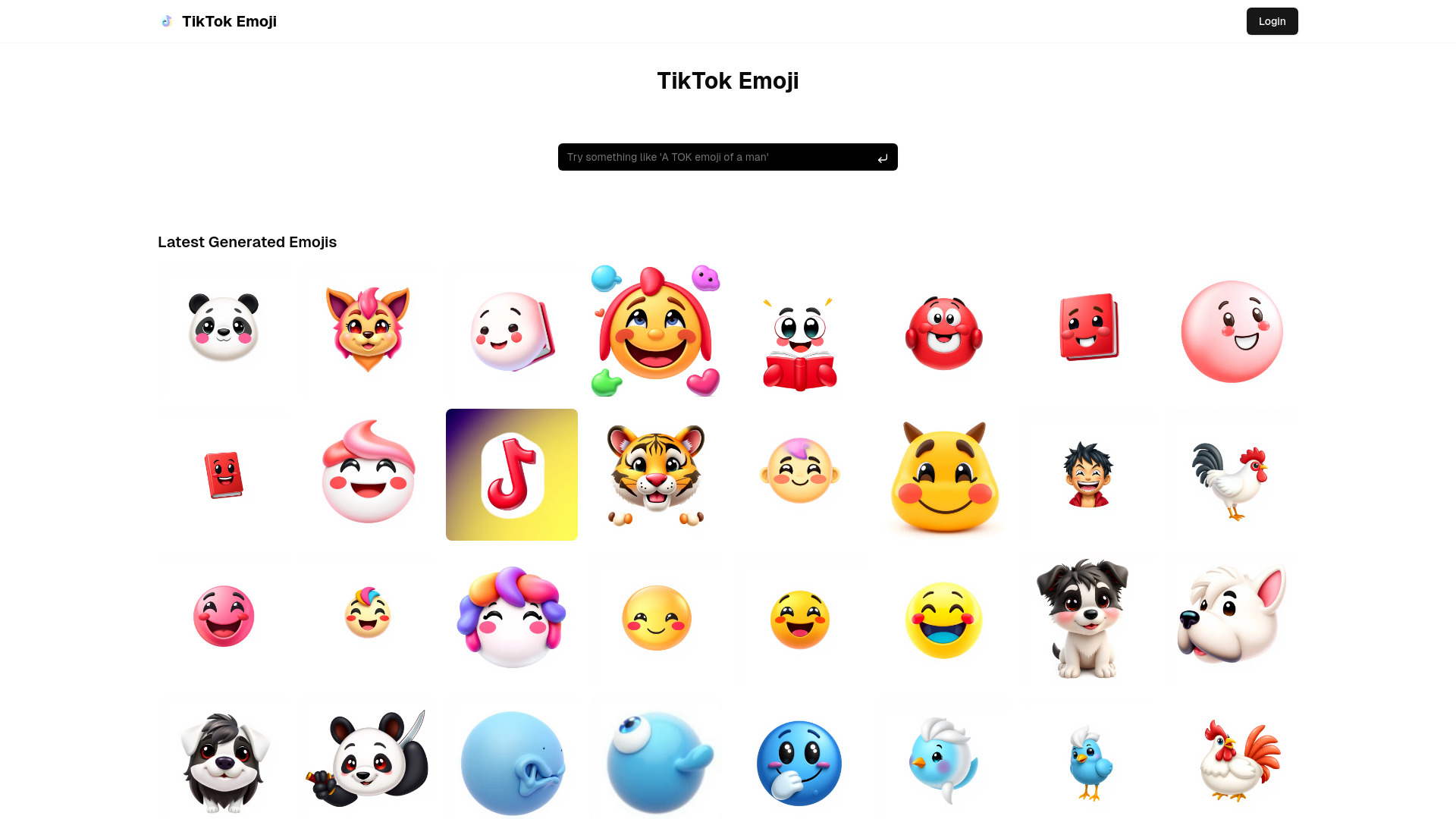
TikTok Emojis (tiktok-emoji.com) is an AI-powered web tool that lets creators generate custom emojis and stickers for their TikTok videos and other social platforms. Users simply describe the emoji they have in mind in plain language, such as "a cute cat with a happy smile," and the service produces a finished image in a few seconds. The platform is positioned as a fast, accessible alternative to commissioning or hand-drawing custom artwork, aiming to give everyday creators a way to add personality and recognizable expressions to their content. The workflow is intentionally simple: write a description, pick from a range of artistic styles spanning cartoon to more realistic renderings, generate, and then download in PNG or GIF format. Because the output is formatted for use on TikTok, the tool fits naturally into the short-form video workflow, where a distinctive custom emoji or sticker can reinforce a creator's brand or comedic timing. The site also offers a creation history so that favorite designs can be revisited and reused without starting from scratch. The product is best suited to TikTok creators, comedy and dance content makers, and anyone building a visual identity around short videos who does not have design skills or budget for a professional illustrator. The site's marketing emphasizes speed, a catalog of styles, and quick sharing, though it provides limited public detail on pricing, licensing of generated assets, or how it is affiliated with TikTok itself, which prospective users may want to verify before relying on it commercially.
SpecificationsAI-estimated
Key Features of TikTok Emojis
Use Cases for TikTok Emojis
TikTok video branding
Create a signature custom emoji or sticker that recurs across a creator's videos to build a recognizable visual identity.
Comedy and reaction content
Generate expressive emojis that punctuate jokes or reactions in short-form videos.
Dance and trend videos
Make themed stickers that match the mood or theme of a dance challenge or trend.
Community engagement
Produce fan-facing emojis that followers can associate with a creator's content.
Quick prototyping for designers
Explore emoji concepts rapidly before committing to a more polished illustration.
Non-designer content creators
Give creators without design skills or budget access to custom visual assets.
How to use TikTok Emojis?
Describe your idea
Enter a detailed text description of the emoji you want, for example "a cute cat emoji with a happy smile."
Choose a style and generate
Select an artistic style and let the AI produce your emoji, typically within a few seconds.
Download your emoji
Save the result as a PNG or GIF file to your device.
Share or use it
Share directly to TikTok or other platforms, or keep the file for use in your own content.
Pros & Cons of TikTok Emojis
Pros
- Generates custom emojis from a simple text description, with no design skills needed
- Fast output, advertised at around 3 seconds per emoji
- Multiple artistic styles, from cartoon to realistic
- Downloads in PNG or GIF formats suited to TikTok use
Cons
- Limited public information on pricing, usage limits, or commercial licensing of generated images
- Not affiliated with or endorsed by TikTok, despite the branding
- Claimed user numbers and testimonials are not independently verifiable
Frequently Asked Questions
What is TikTok Emojis?
It is an online AI tool that generates custom emojis and stickers from text descriptions, designed for use on TikTok and similar platforms.
How do I create an emoji?
Describe the emoji you want in the text box, choose a style, and generate. The result is ready to download.
What file formats can I download?
Emojis can be downloaded as PNG or GIF files.
How fast is generation?
The site advertises generation in about 3 seconds per emoji.
Can I share emojis directly to TikTok?
Yes, the platform offers quick sharing to TikTok and other platforms, as well as saving to your device.
Can I access my previous creations?
Yes, a history feature lets you save and revisit past emoji creations.
Pricing Overview
View full pricing →The page does not state any explicit prices or plan tiers; it only describes the AI emoji generator's features, usage stats, and how to use it.
Detailed plans are not listed. Visit the official website for pricing information.
Reviews & Ratings0.0
No reviews yet. Be the first to write one!
Top Alternatives & Similar Software
View all alternatives & similar software→No alternatives available yet.
People also viewed


Related searches
Is this your tool?
Claim this page to update details, reply to user reviews, and drive more traffic to your product.
Claim this Product →
Tags
Explore Related Topics
Keep up with TikTok Emojis alternatives
New alternatives, pricing changes and the week's biggest movers - one email every Tuesday.