


Unblur Image
A free, no-signup AI photo unblurrer that restores sharpness from camera shake, focus misses, and low-resolution shots.
What is Unblur Image?
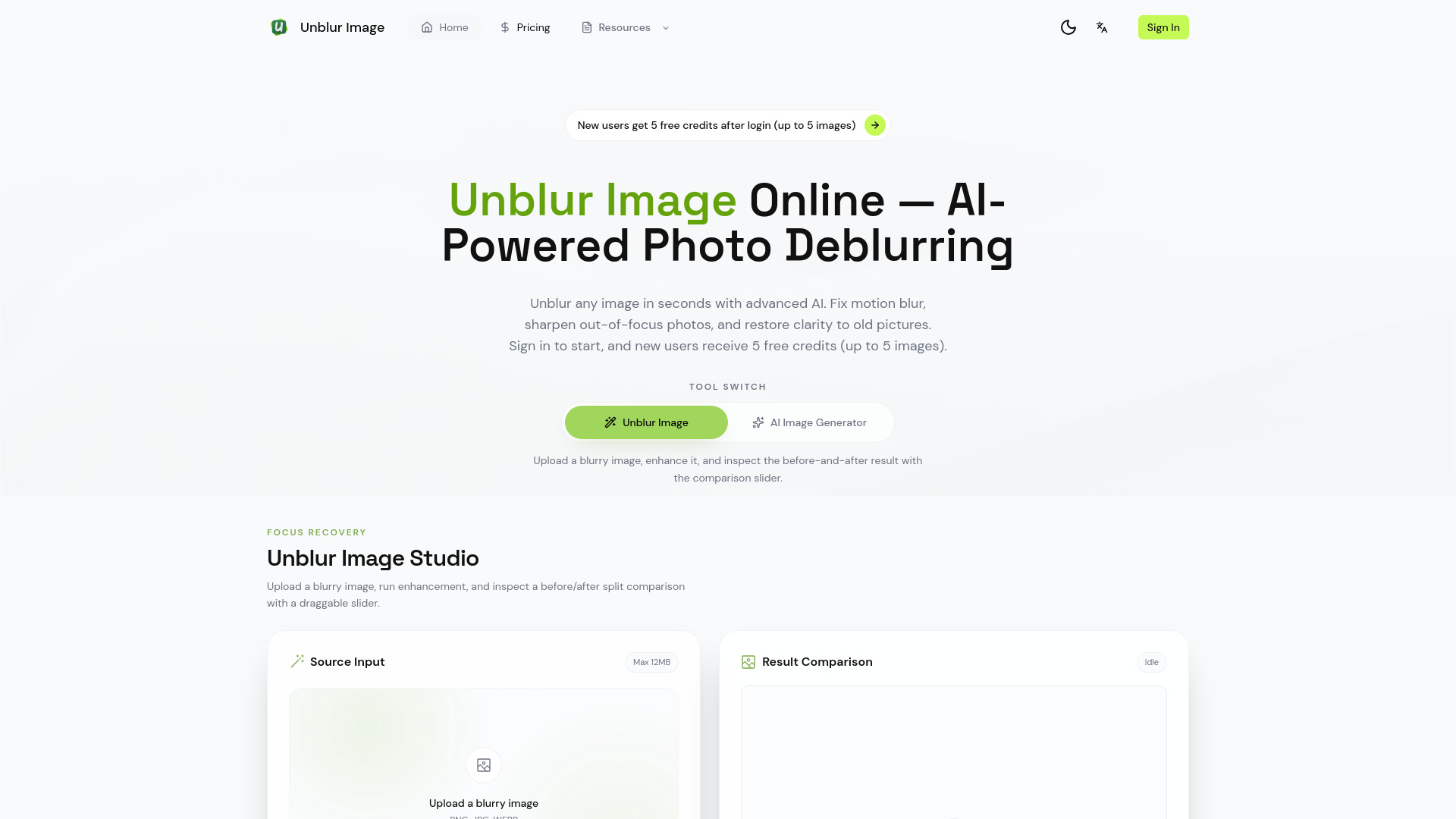
Unblur Image is a free online AI tool that restores blurry, out-of-focus, motion-blurred, low-resolution, and noisy photos. Users upload an image through the browser, and the platform reconstructs sharper detail such as eyelashes, fur, feathers, and fabric texture while leaving intentionally soft backgrounds largely intact. The site showcases before-and-after examples covering defocus blur, camera shake, upscaling from tiny source images, blur combined with grain, and handheld night shots. The service offers two processing paths. By default, images are restored with UModel, a cloud AI model, consuming the free daily credits. Users who prefer to keep their photos on-device can switch to a local model, which is positioned as the privacy-conscious option. Results can be previewed side-by-side with the original and downloaded without watermarks, and no account creation is required to get started. The tool is aimed at general consumers who have a treasured or accidental blurry photo, though it also suits photographers, hobbyists, and anyone digitizing old prints or scanned documents. A Pro plan adds batch processing for large collections, making the platform useful for bulk restoration work as well as one-off fixes.
SpecificationsAI-estimated
Key Features of Unblur Image
Use Cases for Unblur Image
Rescuing shaky handheld photos
Recover sharpness from night shots or quick captures ruined by camera shake.
Fixing missed focus
Sharpen portraits or pet photos where the subject's eyes or fur ended up soft.
Enlarging small images
Turn tiny low-resolution images into usable higher-resolution versions with added detail.
Restoring old family photos
Clean up blur, scratches, and artifacts from vintage or damaged prints.
Making scanned text readable
Improve blurry scans of documents, receipts, and screenshots so text is legible.
Batch restoring photo collections
Use the Pro plan to process many blurry images at once for large archives.
How to use Unblur Image?
Upload your blurry image
Drag and drop or click to select the photo you want to unblur. No account is needed.
Choose a processing mode
Let UModel handle the restoration in the cloud using your free daily credits, or switch to the local model to keep the photo on your device.
Compare the result
Preview the restored image next to the original using the side-by-side slider.
Download the sharp image
Save the unblurred result. Downloads contain no watermark.
Pros & Cons of Unblur Image
Pros
- Free daily credits with no sign-up or account required
- Handles motion blur, defocus, low resolution, and noise in one tool
- Local AI model option keeps photos on your device for privacy
- Side-by-side preview and watermark-free downloads
Cons
- Full-scale batch processing requires the paid Pro plan
- Cloud processing uses daily credits, which are limited on the free tier
- Heavily damaged or extremely low-information images may not fully recover
Frequently Asked Questions
Is Unblur Image free to use?
Yes. Users receive free credits every day, and no sign-up is required. A Pro plan is available for batch processing and higher usage.
Do I need to create an account?
No. You can upload and unblur photos immediately without logging in.
What types of blur can it fix?
It addresses motion blur from camera shake, out-of-focus blur, low resolution, blur combined with noise, and low-light softness.
Will my photos be private?
You can use the local AI model to keep processing on your device. The default UModel option is cloud-based and uses your credits.
Are the downloaded images watermarked?
No. The site states that restored images are downloaded without any watermarks.
Can it restore old or damaged photos?
Yes. The platform offers old photo restoration that removes blur, scratches, and artifacts, though results depend on how much detail survives in the original.
Can I process many photos at once?
Batch processing is available on the Pro plan for restoring large collections of images.
Pricing Overview
View full pricing →The page advertises free daily credits with no sign-up required and references a Pro plan, but no prices are stated in the content.
Reviews & Ratings0.0
No reviews yet. Be the first to write one!
Top Alternatives & Similar Software
View all alternatives & similar software→No alternatives available yet.
People also viewed


Related searches
Is this your tool?
Claim this page to update details, reply to user reviews, and drive more traffic to your product.
Claim this Product →
Tags
Explore Related Topics
Keep up with Unblur Image alternatives
New alternatives, pricing changes and the week's biggest movers - one email every Tuesday.