



UniMusic AI
Create professional, royalty-free songs with vocals in seconds
What is UniMusic AI?
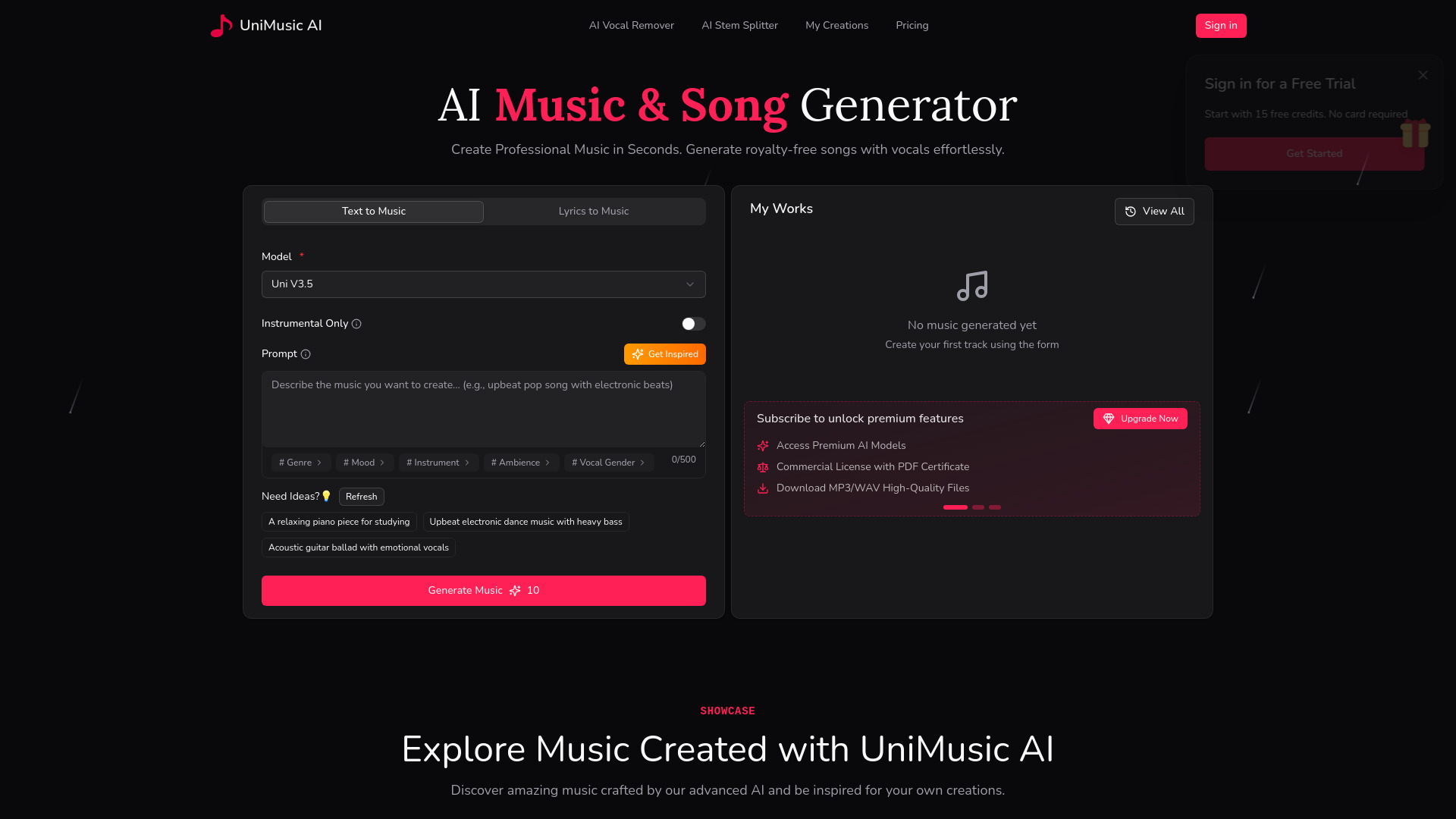
AI music generator for royalty-free songs with vocals. Create complete tracks from text prompts or lyrics in seconds. Full commercial rights, no royalties, and instant production-ready songs.
SpecificationsAI-estimated
Key Features of UniMusic AI
Use Cases for UniMusic AI
Content Creators
Generate unique background music for YouTube, TikTok, podcasts without copyright issues.
Musicians & Songwriters
Use AI to quickly prototype song ideas or generate complete tracks from lyrics.
Businesses & Advertisers
Create custom jingles or background music for commercials, presentations, and branding.
How to use UniMusic AI?
Describe Your Song
Enter keywords, lyrics, or a simple description of the song you want.
Generate
Click generate and watch the AI transform your idea into a complete song.
Preview & Share
Preview instantly, download high-quality audio, or share via a beautiful player page.
Pros & Cons of UniMusic AI
Pros
- Complete songs with intro, verses, chorus, and outro—not just loops
- Full ownership and zero royalties with license certificate
- Easy to use—no music skills needed
- Supports text prompts and custom lyrics
- Stunning shareable showcase pages with web player
- Multiple pricing plans including a free tier
- Latest models (V5.5 & V5)
- Download in MP3 and WAV formats
- Vocal remover and stem splitter included
- Fast generation (under 2 minutes)
Cons
- Free plan has limited credits (25 credits = 4 songs)
- Storage limited on lower tiers
- AI-generated music may lack human nuance
Frequently Asked Questions
How does the free plan work?
The free plan gives you 25 credits (about 4 songs) with 7-day storage and access to text/lyrics generation.
Do I own the copyright?
Yes, you own the copyright to all music generated. You receive a license certificate as proof.
Can I use the music commercially?
Absolutely. You can use it on YouTube, Spotify, and other platforms without worrying about copyright strikes.
What models are available?
The latest models are V5.5 and V5, available on paid plans. Free plan uses Uni V3.5.
Pricing Overview
View full pricing →No explicit prices or named plans were found in the provided content. The page lists feature tiers by credits, but no dollar amounts or plan names are present.
Reviews & Ratings0.0
No reviews yet. Be the first to write one!
Top Alternatives & Similar Software
View all alternatives & similar software→People also viewed



Related searches
About the Product
Is this your tool?
Claim this page to update details, reply to user reviews, and drive more traffic to your product.
Claim this Product →
Tags
Explore Related Topics
Keep up with UniMusic AI alternatives
New alternatives, pricing changes and the week's biggest movers - one email every Tuesday.