


UpscaleAI
AI Image & Video Upscaler — Enhance up to 8K
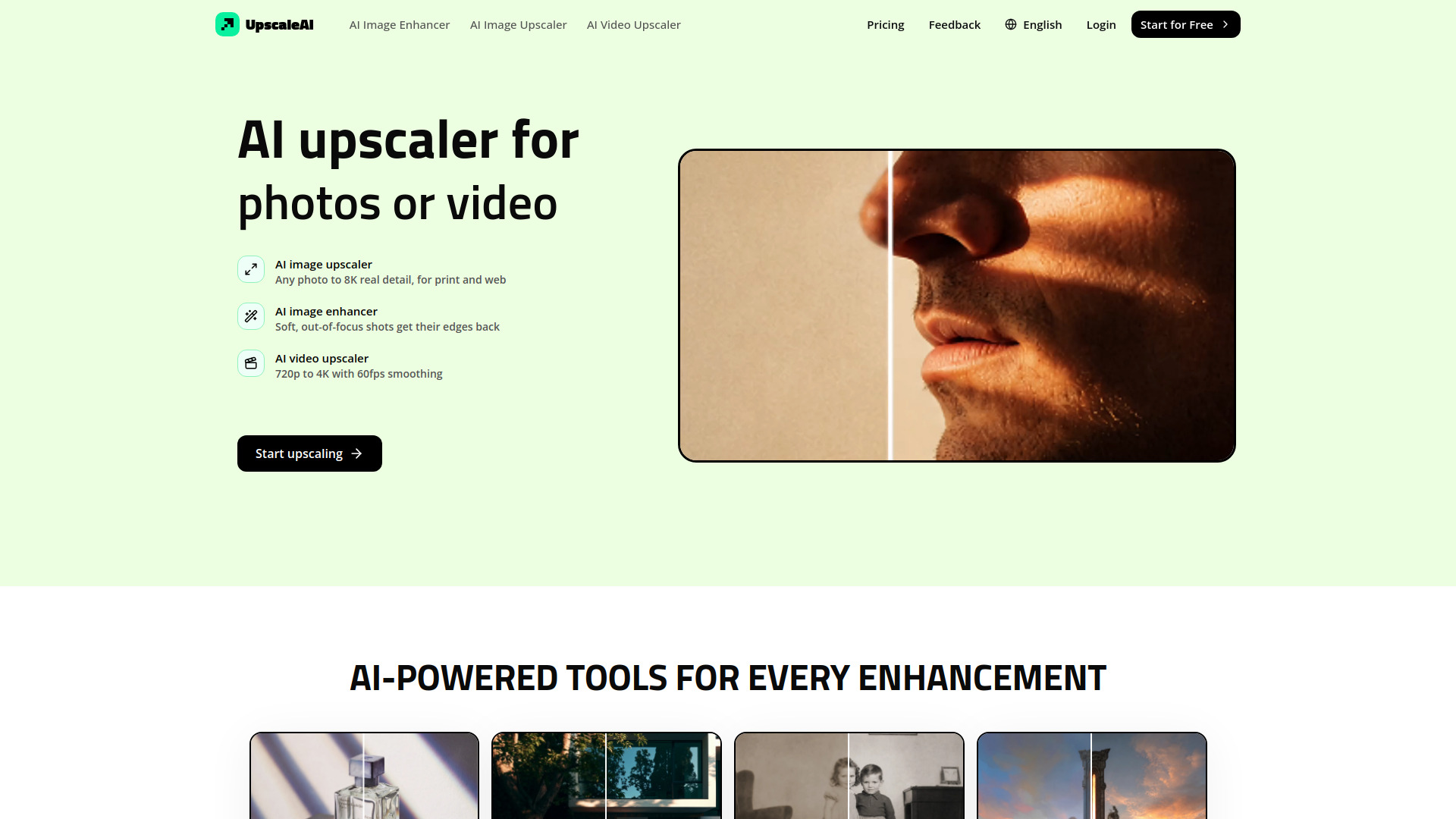
What is UpscaleAI?
UpscaleAI is an AI-powered image and video upscaling platform that automatically matches each uploaded file to the right Topaz model. It provides specialist tools for image upscaling up to 8K, image sharpening, video upscaling to 4K/60fps, face recovery, old photo restoration, text upscaling, and anime upscaling.
SpecificationsAI-estimated
Key Features of UpscaleAI
Use Cases for UpscaleAI
Print and web image upscaling
Enlarge portraits, product shots, and artwork to poster size while keeping natural detail.
Video enhancement
Upscale old family tapes, gameplay footage, and compressed social clips to clean 4K/60fps.
Old photo restoration
Bring damaged, faded, or scanned photos back to life with scratch removal and optional colorization.
Document and text enlargement
Clean and enlarge receipts, scans, signage, and documents for print reuse.
Anime and AI art upscaling
Turn anime frames, manga panels, and AI-generated images into crisp wallpaper or poster sizes.
Face recovery
Sharpen low-res selfies and group photos while keeping faces honest and recognizable.
How to use UpscaleAI?
Upload your image or video
Send any photo, scan, or video file to UpscaleAI.
Auto model matching
UpscaleAI automatically selects the appropriate Topaz model for your file.
Download the enhanced result
Receive your upscaled, enhanced, or restored output ready for print, web, or client work.
Pros & Cons of UpscaleAI
Pros
- All-in-one tool for image, video, face, photo restoration, text, and anime upscaling
- Auto-matches files to the right model, no manual settings required
- Batch image processing supported
- Up to 8K image output and 4K/60fps video output
- Specialized face and text enhancement modes
Cons
- Pricing and trial information not shown on landing page
- No details on supported file formats or maximum upload size
- No explicit privacy/security policy visible
- Web-based, so requires internet connection
Frequently Asked Questions
What is UpscaleAI?
UpscaleAI is an AI-powered image and video upscaling service that enhances photos and videos up to 8K and 4K/60fps respectively.
Does UpscaleAI require manual settings?
No. UpscaleAI auto-matches every file to the right Topaz model, so no settings need to be adjusted.
What types of files can UpscaleAI handle?
The landing page mentions photos, videos, scanned pages, anime frames, manga panels, and AI-generated clips.
Can UpscaleAI restore old photos?
Yes. It includes an old photo restorer that removes scratches and noise and can optionally colorize black-and-white photos.
Does UpscaleAI upscale video?
Yes. The AI video upscaler can take 720p footage to 4K and smooth it to 60fps.
Reviews & Ratings0.0
No reviews yet. Be the first to write one!
Top Alternatives & Similar Software
View all alternatives & similar software→No alternatives available yet.
People also viewed


Related searches
About the Product
Is this your tool?
Claim this page to update details, reply to user reviews, and drive more traffic to your product.
Claim this Product →
Tags
Explore Related Topics
Keep up with UpscaleAI alternatives
New alternatives, pricing changes and the week's biggest movers - one email every Tuesday.