


UpscaleImage.AI
Create viral UGC videos and upscale images in seconds with AI.


What is UpscaleImage.AI?
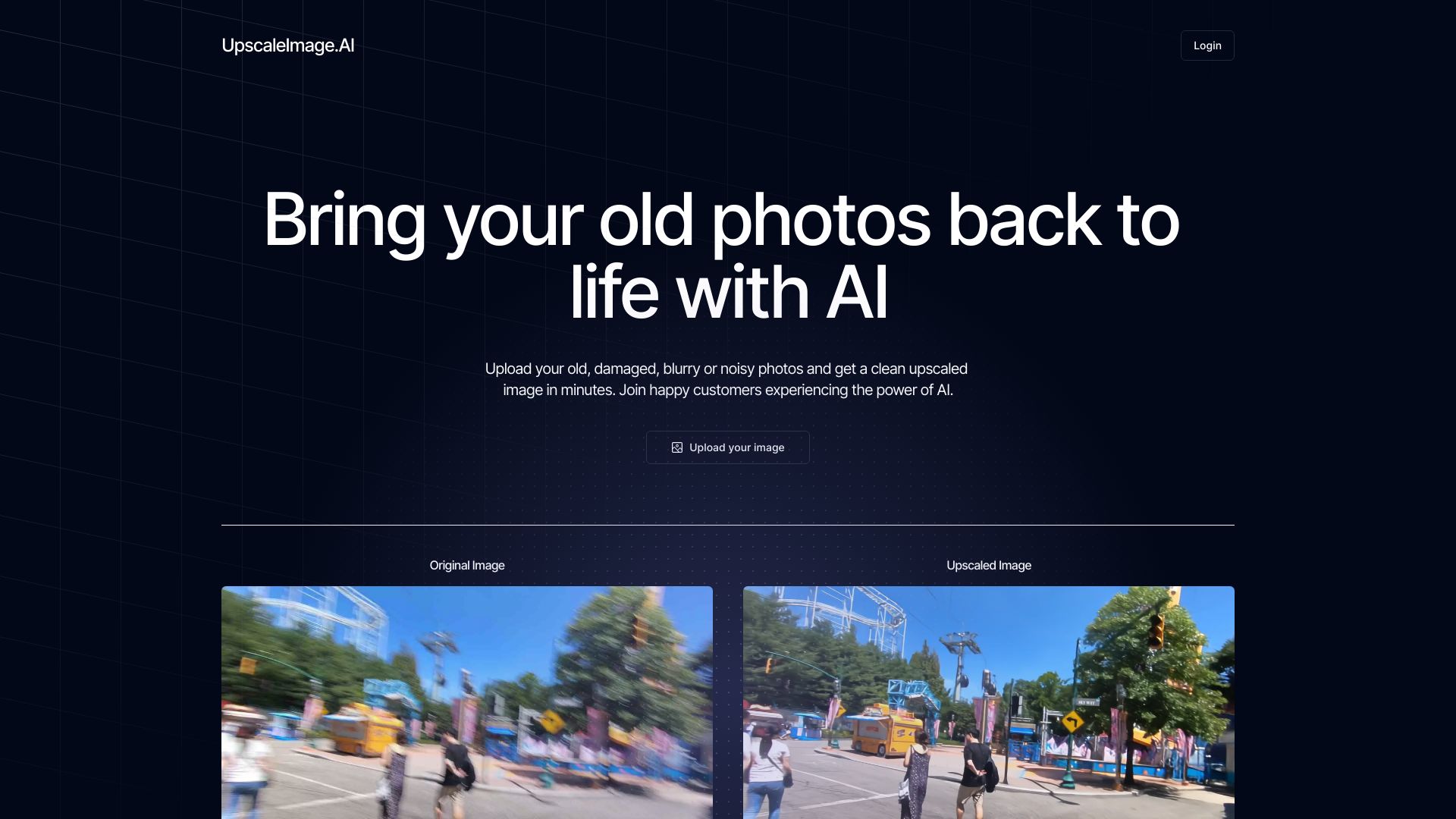
UpscaleImage.AI is an AI-powered content creation platform that specializes in generating user-generated content (UGC) videos and enhancing images. It combines advanced image upscaling, background removal, and photo restoration with the ability to create lifelike UGC videos for social media marketing. The tool is designed to help brands and marketers produce high-converting ads quickly and cost-effectively, without the need for expensive agencies or lengthy photoshoots. The standout capability is the UGC video generator, which can create viral-ready videos in under 60 seconds. Users can choose from a diverse range of AI actors or create custom ones to match their brand identity. The platform also offers over 20 different scenes to set the right mood for each video. Additionally, the image upscaling feature allows users to enlarge images by 2X, 4X, or 8X without losing quality, while the background removal and photo restoration tools streamline editing tasks. UpscaleImage.AI is ideal for social media marketers, e-commerce businesses, content creators, and influencers who need to produce engaging content at scale. By automating video creation and image enhancement, it saves time and money while enabling unlimited variations for testing and optimization. Trusted by hundreds of brands worldwide, it’s a comprehensive solution for modern digital marketing.
SpecificationsAI-estimated
Key Features of UpscaleImage.AI
Use Cases for UpscaleImage.AI
Social Media Marketing
Create engaging UGC videos for TikTok, Instagram, and other platforms to boost brand awareness and virality.
E-commerce Product Ads
Generate high-converting video ads from product photos without the need for expensive photoshoots.
Influencer Content Creation
Produce lifelike UGC videos featuring AI influencers or custom actors to showcase products authentically.
Photo Restoration
Revive old, damaged, or blurry family photos by enhancing clarity and sharpness.
Image Upscaling for Printing
Enlarge images up to 8X for high-quality prints, posters, or large-format displays without pixelation.
Background Removal for Product Photography
Automatically remove backgrounds from product images for clean, professional listings.
How to use UpscaleImage.AI?
Upload Your Content
Upload an image or provide a script for the UGC video you want to create.
Choose an AI Actor or Create Custom
Select from a library of AI actors or design a custom one that fits your brand.
Customize Scene and Settings
Pick from over 20 scenes and adjust video or image settings to match your vision.
Generate and Preview
Click generate and preview the AI-created video or enhanced image in seconds.
Download and Share
Download your content and publish it directly to social media or your website.
Pros & Cons of UpscaleImage.AI
Pros
- Generates UGC videos in under 60 seconds, drastically reducing production time
- Offers multiple image enhancement tools: upscaling, background removal, and photo restoration
- Custom AI actors can be tailored to match brand identity
- Scalable content creation with unlimited variations for A/B testing
- Cost-effective alternative to hiring agencies or organizing photoshoots
Cons
- May require a subscription for full access; free tier likely has limitations
- AI-generated content might lack the authenticity of real user-generated content
- Limited to specific video formats and social media platforms
- Custom actor creation might have a learning curve or additional cost
Frequently Asked Questions
What is UGC and why is it important?
UGC stands for user-generated content, which is content created by users rather than brands. It's important because it feels authentic and can drive higher engagement and conversions, especially on social media.
How fast can I create a UGC video?
You can generate a UGC video in less than 60 seconds using UGC.AI's AI-powered platform.
Can I create custom AI actors for my brand?
Yes, you can create custom UGC actors tailored to your brand's identity and ad requirements.
What image formats are supported for upscaling?
UpscaleImage.AI likely supports common formats like JPEG and PNG, but check the platform for specific details.
Is there a free trial available?
The website does not specify, but many AI tools offer a free tier or trial. It's best to check the pricing page for current offers.
How does the image upscaling work?
The AI analyzes your image and intelligently adds pixels to increase resolution without blurring, allowing enlargement by 2X, 4X, or 8X.
Reviews & Ratings0.0
No reviews yet. Be the first to write one!
Top Alternatives & Similar Software
View all alternatives & similar software→No alternatives available yet.
People also viewed


Related searches
Is this your tool?
Claim this page to update details, reply to user reviews, and drive more traffic to your product.
Claim this Product →
Tags
Explore Related Topics
Keep up with UpscaleImage.AI alternatives
New alternatives, pricing changes and the week's biggest movers - one email every Tuesday.