


Upscalepics
AI-powered image upscaling up to 8X and 256 MP with print-ready detail.



What is Upscalepics?
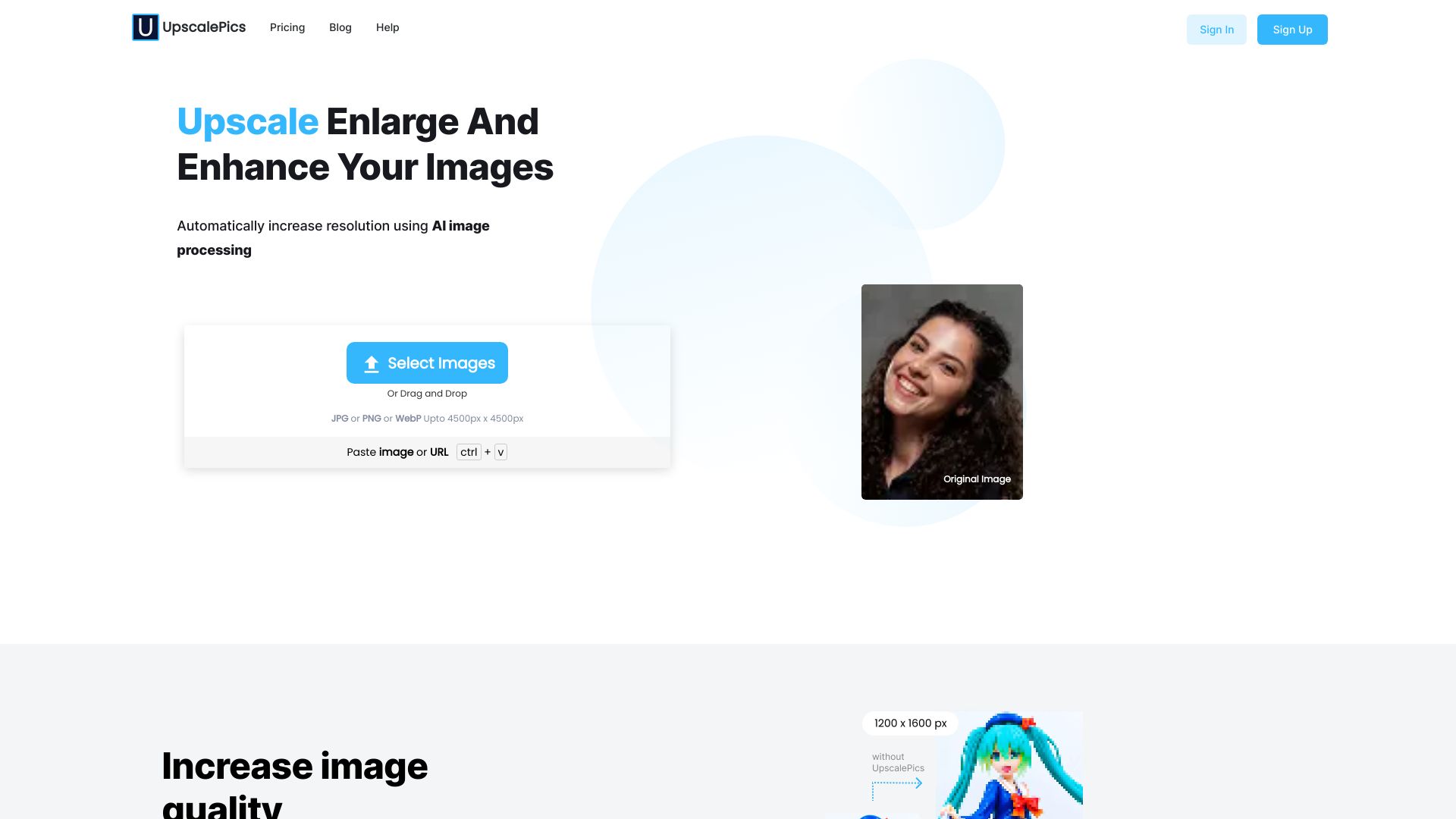
Upscalepics is a web-based AI image upscaler that uses state-of-the-art Super Resolution machine learning to clarify, sharpen, and resize images without losing their content or defining characteristics. Users can upload or paste a JPG, PNG, or WebP image up to 4000px x 4000px, then instantly produce a high-resolution version with enhanced clarity and detail. The tool is designed for anyone who needs larger, sharper visuals, from artists and designers to e-commerce sellers and print professionals. What sets Upscalepics apart is its flexibility: it supports up to 8X AI-based upscaling in a single action, can generate images up to 256 MP even from sources under 1 MP, and lets users specify custom width or height values rather than being limited to standard 2X/4X presets. It also allows cropping to adjust aspect ratio before upscaling and even supports recurring upscales of the same image, a workflow that is hard to find in competing tools. A dedicated print upscaler lets users set DPI, color mode, and physical dimensions to produce 300 DPI print-ready files directly from the editor. Beyond the core web editor, Upscalepics includes bulk processing for uploading multiple images and automatically downloading their enhanced versions, plus the Upscalepics Integrate browser extension that enables upscaling images directly from other websites without a download-upload cycle. The platform also provides companion tools such as a background remover and image compressor, and it is positioned for use cases including digital paintings, e-commerce product photography, AI-generated art, graphic design, real estate imagery, and print production.
SpecificationsAI-estimated
Key Features of Upscalepics
Use Cases for Upscalepics
Digital Art and Illustration
Upscale digital artwork without losing detail or quality for prints, portfolios, or online sharing.
E-commerce Product Photography
Enhance product images with crystal-clear detail to help increase sales and build buyer confidence.
AI-Generated Art
Polish AI-created artwork to high resolution for print, digital portfolios, or exhibitions.
Graphic Design
Enlarge social media graphics, ads, textures, and marketing assets in seconds with sharp results.
Print Production
Produce sharp, vibrant 300 DPI files for posters, brochures, banners, and other printed materials.
Real Estate Marketing
Enhance photo resolution and colors to create polished real estate marketing images.
How to use Upscalepics?
Upload or paste an image
Go to Upscalepics.com and drag & drop, paste, or choose a JPG, PNG, or WebP image up to 4000px x 4000px.
Configure upscale settings
Select up to 8X upscaling, enter a custom width/height, crop for aspect ratio, or set print-specific parameters like DPI and physical dimensions.
Preview the AI-enhanced result
Review the before/after comparison to verify that clarity, sharpness, and details have been improved as desired.
Download or print
Download the final high-resolution image, use the print editor for physical output, or save automatically in bulk processing mode.
Use the browser extension for remote images
Install Upscalepics Integrate to upscale images directly from other websites without manually downloading and re-uploading files.
Pros & Cons of Upscalepics
Pros
- Upscale images up to 8X in a single pass
- Produce output up to 256 MP even from sub-1 MP sources
- Print-specific upscaler supports 300 DPI, color mode, and physical dimensions
- Bulk upload with automatic downloads for multiple images
- Browser extension lets you upscale images directly from other websites
Cons
- Requires web upload and a stable internet connection
- Input files limited to JPG, PNG, and WebP up to 4000px x 4000px
- Pricing and free-tier details are not clearly shown on the landing page
- Advanced print and bulk features may require a paid plan
Frequently Asked Questions
What image formats does Upscalepics support?
Upscalepics supports JPG, PNG, and WebP images up to 4000px x 4000px.
Can I upscale an image more than 4X?
Yes, Upscalepics provides AI-based upscaling up to 8X at one go.
What is the maximum output resolution?
Upscalepics can produce crystal-clear images up to 256 MP, even if the original image is less than 1 MP.
Can I specify custom dimensions instead of standard 2X or 4X?
Yes, the AI allows you to specify a particular width or height of your choice, and you can also adjust aspect ratio by cropping before upscaling.
Does Upscalepics support print-ready images?
Yes, there is a specialized upscaler for printing where you can specify DPI, color mode, physical dimensions, and even print directly from the editor as a 300 DPI-ready file.
Can I upscale multiple images at once?
Yes, Upscalepics supports bulk image upscaling. You can upload multiple images and automatically download the upscaled versions.
Can I upscale images from other websites?
Yes, the Upscalepics Integrate browser extension lets you upscale images directly from other websites without downloading and uploading them manually.
Reviews & Ratings0.0
No reviews yet. Be the first to write one!
Top Alternatives & Similar Software
View all alternatives & similar software→No alternatives available yet.
People also viewed


Related searches
Is this your tool?
Claim this page to update details, reply to user reviews, and drive more traffic to your product.
Claim this Product →
Tags
Explore Related Topics
Keep up with Upscalepics alternatives
New alternatives, pricing changes and the week's biggest movers - one email every Tuesday.