


VBA Code Generator
Turn plain-English instructions into working Excel VBA macros and formulas, and get clear explanations of existing code.

What is VBA Code Generator?
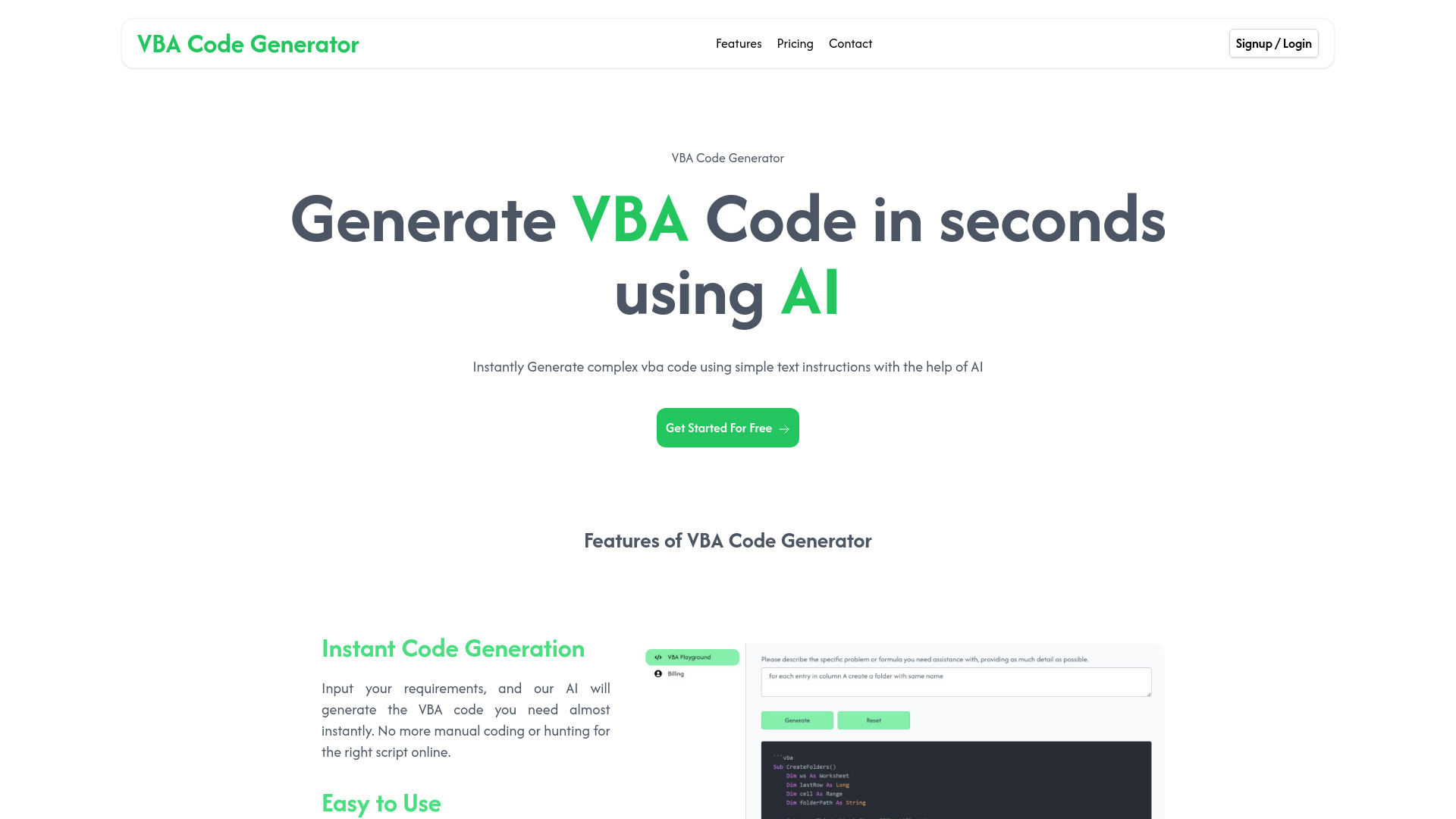
VBA Code Generator is an online AI-assisted tool that helps people create and understand Microsoft Excel VBA macros and Excel formulas without needing to write code from scratch. Users describe the task they want to accomplish in plain English, and the platform generates structured VBA code or a matching Excel formula. It also works in the reverse direction: users can paste existing VBA macros or formulas and receive clear, step-by-step explanations of what each part does. The tool is organized around four core workflows: generating VBA, explaining VBA, generating formulas, and explaining formulas. Generation covers automation tasks, data manipulation, and workflow building, while formula generation handles nested logic, conditions, and lookups. Explanation features are aimed at debugging, auditing legacy spreadsheets, and learning Excel more deeply. A free tier with a small number of generations lets people evaluate output quality before committing to a paid plan, and the explanation features are positioned as Pro functionality. VBA Code Generator is best suited for Excel users who know what they want to achieve but lack the programming background to implement it, as well as analysts, finance professionals, and students who maintain complex spreadsheets. Because the output is meant to be tested and refined in the user's own workbook, it works best as an accelerator for people who are willing to review generated code rather than a fully hands-off solution.
SpecificationsAI-estimated
Key Features of VBA Code Generator
Use Cases for VBA Code Generator
Automating repetitive Excel tasks
Create macros that perform repeated formatting, data cleanup, or report generation without writing VBA manually.
Building complex formulas
Describe a calculation involving multiple conditions or lookups and receive a ready-to-use Excel formula.
Debugging legacy macros
Paste inherited VBA code and get a clear explanation of what each section does to speed up troubleshooting.
Auditing spreadsheets
Understand unfamiliar formulas in a shared or inherited workbook to verify logic and catch errors.
Learning VBA and Excel
Use the explanations to build understanding of VBA syntax and formula logic while working on real problems.
Data manipulation workflows
Generate code that transforms, filters, or consolidates data across sheets and workbooks.
How to use VBA Code Generator?
Choose a workflow
Select Generate VBA, Explain VBA, Generate Formula, or Explain Formula based on your need.
Describe or paste
Write what you want to achieve in plain English, or paste your existing VBA code or formula.
Generate or explain
Receive the generated code or formula, or a step-by-step explanation of the pasted content.
Test and refine
Copy the output into Excel, test it on your data, and refine your prompt if adjustments are needed.
Pros & Cons of VBA Code Generator
Pros
- Generates VBA macros and Excel formulas from plain-English descriptions with no programming knowledge required
- Explanation features make it useful for debugging, learning, and understanding legacy spreadsheets
- Free tier with 5 generations and no credit card required lets users test output quality first
- No need to upload workbooks; users can work entirely with text or pasted code and formulas
Cons
- Generated code and formulas must be tested and refined by the user; output quality depends heavily on prompt clarity
- Explanation features are restricted to paid Pro plans
- Limited to Microsoft Excel and VBA, so it is not useful for other automation environments
Frequently Asked Questions
Is there a free version?
Yes. You can start with 5 free generations, and no credit card is required. This lets you evaluate output quality before upgrading.
Do I need to upload my Excel files?
No. You can describe your spreadsheet setup in text or paste VBA code and formulas directly.
Is my data secure?
The platform does not access your Excel files unless you choose to share code or formulas. Users are advised to avoid pasting sensitive or confidential information.
Should I test the generated code before using it?
Yes. The vendor recommends testing all output in your own spreadsheet and refining the prompt if needed, since clearer input produces better results.
Which payment methods are accepted?
Major credit cards and PayPal are accepted. Subscriptions can be managed or cancelled at any time.
Can I get help with complex or business-critical Excel workflows?
The site offers an expert services option for complex workflows, performance issues, or business-critical solutions, separate from the self-service tools.
Pricing Overview
View full pricing →VBA Code Generator offers a free plan with limited access (5 generations) and a Pro plan at $4.99/month with unlimited generations and additional features.
Reviews & Ratings0.0
No reviews yet. Be the first to write one!
Top Alternatives & Similar Software
View all alternatives & similar software→No alternatives available yet.
People also viewed



Related searches
Is this your tool?
Claim this page to update details, reply to user reviews, and drive more traffic to your product.
Claim this Product →
Tags
Keep up with VBA Code Generator alternatives
New alternatives, pricing changes and the week's biggest movers - one email every Tuesday.