


Voicv
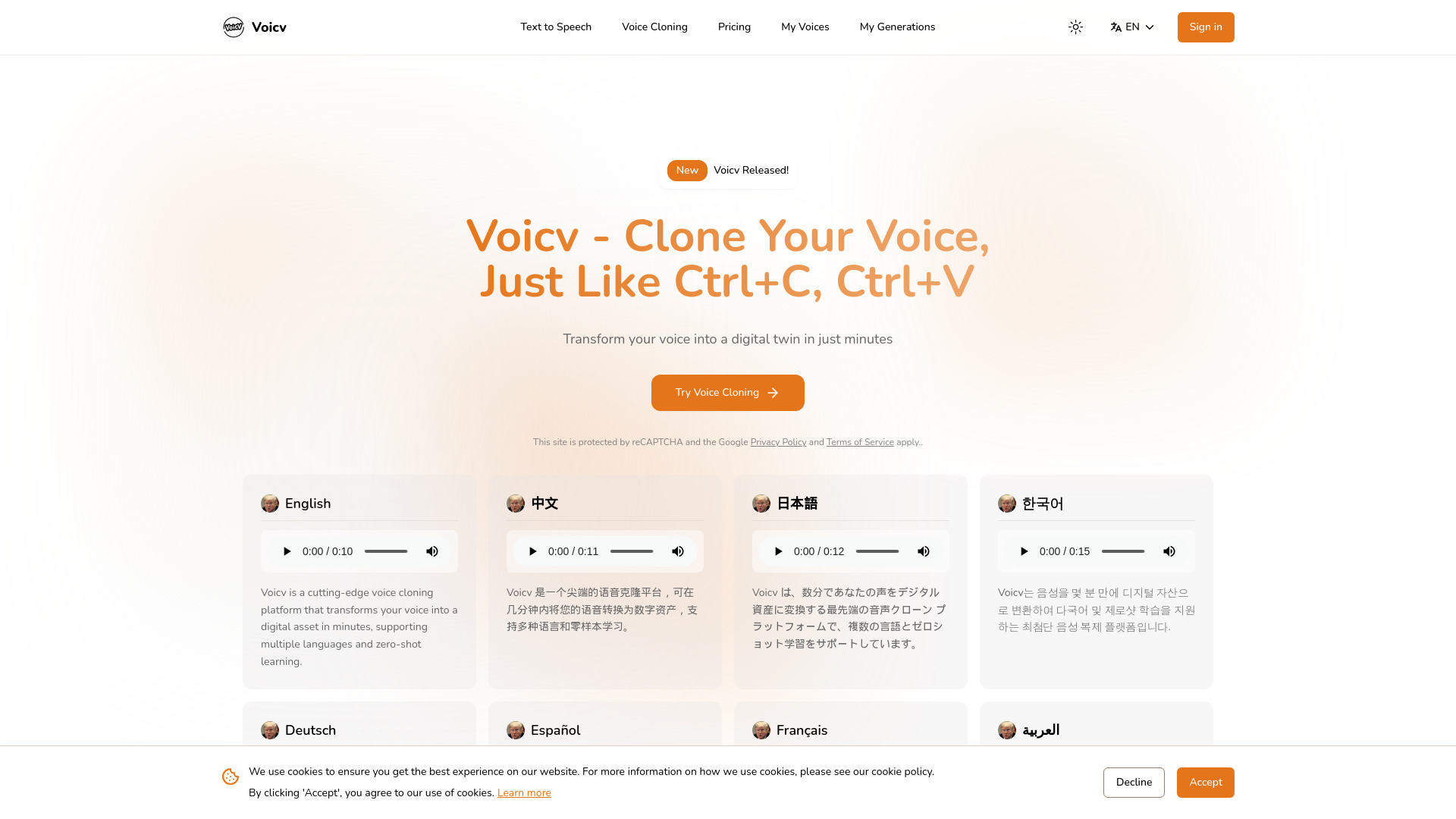
Clone Your Voice, Just Like Ctrl+C, Ctrl+V

What is Voicv?
Voicv is an AI-powered voice cloning platform that turns a short audio sample into a reusable digital voice in just minutes. Built around the idea of making voice duplication as simple as copy and paste, it lets users record or upload 10–30 seconds of speech and immediately generate natural-sounding synthetic audio in the original speaker's voice. The platform is designed for creators, businesses, and professionals who need consistent, expressive voice output across multiple languages and projects. Beyond cloning, Voicv offers a full audio toolkit including text-to-speech, speech-to-text transcription, and an AI talking avatar feature that combines an uploaded image with generated or custom audio to produce videos. The platform supports multilingual synthesis in English, Japanese, Korean, Chinese, French, German, Arabic, and Spanish, and includes real-time processing, high-accuracy output, and emotional controls such as pauses, breaths, and laughter for more lifelike speech. Voicv also emphasizes ethical voice cloning, requiring explicit consent from voice owners and using watermarking and misuse safeguards. For businesses, it provides a production-ready API and enterprise deployment options, making it suitable for content localization, audiobooks, podcasting, accessibility, and professional voice work. The service is positioned as an all-in-one solution for transforming a person's voice into a practical digital asset.
SpecificationsAI-estimated
Key Features of Voicv
Use Cases for Voicv
Content Localization
Produce videos and audio in multiple languages while keeping your own authentic voice, making it easier to reach international audiences.
Audiobook Narration
Convert written books and long-form content into natural-sounding speech with a consistent narrator voice.
Podcast Creation and Localization
Generate podcast audio, localize episodes for global listeners, and maintain a recognisable host voice throughout.
Voice Preservation for Health Conditions
People with speech disabilities or degenerative conditions can preserve and use their own voice for communication.
Professional Voice Work and Voiceovers
Voice actors and professionals can handle more projects and deliver consistent high-quality recordings while protecting their vocal identity.
Accessibility and E-Learning
Create accessible audio for e-learning materials, screen readers, and assistive content using natural cloned or generated voices.
Marketing and Advertising
Generate branded voiceovers for ads and promotional content in multiple languages without repeated recording sessions.
Meeting Notes and Transcription
Transcribe spoken recordings into searchable text for meeting notes, content repurposing, and archiving.
How to use Voicv?
Sign up and access the platform
Create an account on Voicv and choose the voice cloning, text-to-speech, speech-to-text, or talking avatar tool you need.
Provide a voice sample
Upload or record a 10–30 second audio sample of the voice you want to clone, making sure the recording is clear and free of background noise.
Generate or transcribe audio
Use text-to-speech to convert written text into the cloned voice, or upload audio for speech-to-text transcription into text.
Customize expression and output
Adjust emotion, pitch, speed, pauses, breaths, or laughter to shape the delivery and make the speech sound more natural.
Export or integrate via API
Download the generated audio or video, or connect to the production-ready API for automated and enterprise workflows.
Pros & Cons of Voicv
Pros
- Zero-shot voice cloning with only 10–30 seconds of audio sample
- Multilingual support across English, Japanese, Korean, Chinese, French, German, Arabic, and Spanish
- Combines voice cloning, text-to-speech, speech-to-text, and AI talking avatar tools in one platform
- Includes emotion control features like pauses, breaths, and laughter for natural speech
- Offers a production-ready API designed for enterprise deployment
Cons
- Ethical consent and watermarking requirements may add friction for some workflows
- No offline mode; requires an internet connection to use the AI services
- Pricing and subscription details are not clearly explained on the homepage
- Advanced enterprise and API features may only be available on higher-tier plans
Frequently Asked Questions
What is voice cloning?
Voice cloning is an AI technology that creates a synthetic replica of a person's voice by analyzing and replicating unique voice characteristics such as pitch, tone, and rhythm, generating speech that sounds like the original speaker.
How does Voicv voice cloning work?
You record or upload 10–30 seconds of voice samples. The AI extracts vocal features like pitch, tone, and rhythm, then learns these characteristics to generate new speech that preserves the original voice's qualities and emotional expressions.
Is Voicv voice cloning safe and ethical?
Voicv requires explicit consent from voice owners, prohibits deceptive uses such as impersonation, and employs watermarking technology. The platform is designed for legitimate uses like content creation, accessibility, and professional voice work.
What can I use Voicv voice cloning for?
Common uses include content localization, audiobook narration, podcast creation, voice preservation for health conditions, professional voice work, e-learning, advertising, and creating searchable archives via transcription.
How accurate is the voice cloning?
Voicv achieves professional-quality output with extremely high accuracy. The cloned voice maintains natural expressions, emotions, and speaking style, making it nearly indistinguishable from human speech.
What languages does Voicv support?
Voicv supports English, Japanese, Korean, Chinese, French, German, Arabic, and Spanish. A cloned voice can speak naturally in these languages while retaining the original voice characteristics.
How long does it take to clone a voice?
Cloning typically takes only a few minutes. Once voice samples are uploaded, the AI processes them and generates the cloned voice almost immediately.
Can I modify the cloned voice's emotions?
Yes. Voicv lets you control emotional tone, pitch, speed, and expressions such as happy, sad, or angry, as well as pauses, breaths, and laughter, so the speech sounds exactly as you want.
Can voice cloning be used for impersonation?
Voicv has built-in safeguards to prevent impersonation and fraudulent activity. The platform requires explicit consent from the voice owner and uses advanced detection methods to identify misuse.
Can I use Voicv for commercial purposes?
Yes, you can use Voicv for commercial purposes such as content creation, advertising, and voiceovers, provided you comply with the terms of service and have proper authorization for the voice being cloned.
Reviews & Ratings0.0
No reviews yet. Be the first to write one!
Top Alternatives & Similar Software
View all alternatives & similar software→No alternatives available yet.
People also viewed




Related searches
Is this your tool?
Claim this page to update details, reply to user reviews, and drive more traffic to your product.
Claim this Product →
Tags
Explore Related Topics
Keep up with Voicv alternatives
New alternatives, pricing changes and the week's biggest movers - one email every Tuesday.